Integration guides · 2026-11-07
Alpie Core API: first request with LLMTR
Call the Alpie Core API on LLMTR with the OpenAI Python SDK: the model id, reasoning and answer in a stream, the 65,000-token context and cost per request.
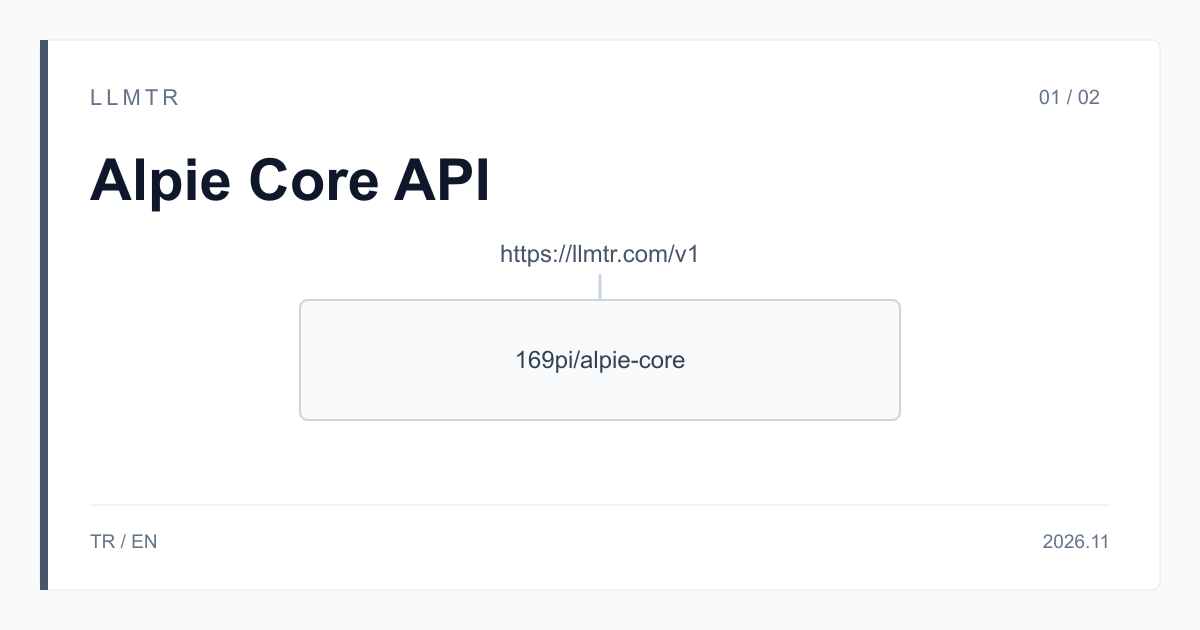
Short answer: base_url https://llmtr.com/v1, model 169pi/alpie-core
LLMTR is a gateway that gives access to AI models from different providers through an OpenAI-compatible API. Alpie Core is called on LLMTR with the 169pi/alpie-core id at https://llmtr.com/v1/chat/completions. An API key created in your llmtr.com account and a loaded balance are all you need; no separate 169Pi account is required. In the OpenAI Python SDK, set base_url to https://llmtr.com/v1 and model to 169pi/alpie-core. The price is $0.15 input and $0.40 output per 1M tokens.
According to 169Pi's own pages, read on 7 November 2026, Alpie Core is a 32-billion-parameter reasoning model trained and served at 4-bit quantization. It is built on DeepSeek-R1-Distill-Qwen-32B and its weights are open under Apache 2.0. 169Pi's own API calls the model alpie-32b; on LLMTR the id is 169pi/alpie-core. The second article in this series explains what 4-bit means and what running the weights yourself requires.
How do you send a first request to the Alpie Core API?
Three steps are enough. Start by creating an API key on llmtr.com and loading a balance under Dashboard > Billing. Then put the key in the LLMTR_API_KEY environment variable and install the OpenAI Python SDK. Finally set base_url to https://llmtr.com/v1 in the client and write 169pi/alpie-core in the model field. Requests and responses follow OpenAI's Chat Completions format, so the same address and the same id apply if you use another library or language.
The example below sends a streaming request. The question describes the problem with all its details, because on very short prompts with no context the answer can be off-topic; write your question with its context. In a stream, delta.reasoning_content arrives, then delta.content. The example collects the reasoning in a list, prints the answer as it arrives, and ends by showing the finish_reason and the token counts from the usage field. reasoning_content is not one of the SDK's typed fields, so it is read through model_extra. If you want a Turkish answer, end your prompt with "Türkçe yanıtla."; without it the answer can come back in English.
OpenAI Python SDK example that sends a streaming question to Alpie Core through https://llmtr.com/v1/chat/completions and reads reasoning_content and content separately.
import os

from openai import OpenAI

client = OpenAI(base_url="https://llmtr.com/v1", api_key=os.environ["LLMTR_API_KEY"])
MODEL = "169pi/alpie-core"

question = (
    "A data pipeline processes 240 files in 3 hours at a constant rate. "
    "A second pipeline runs at half that rate. If both run together, "
    "how many hours do 400 files take? Write the steps briefly."
)

stream = client.chat.completions.create(
    model=MODEL,
    messages=[{"role": "user", "content": question}],
    max_tokens=4096,
    stream=True,
    stream_options={"include_usage": True},
)

reasoning = []
finish_reason = None
usage = None
for chunk in stream:
    if chunk.usage:
        usage = chunk.usage
    if not chunk.choices:
        continue
    choice = chunk.choices[0]
    # reasoning_content is not one of the SDK's typed fields.
    thought = (choice.delta.model_extra or {}).get("reasoning_content")
    if thought:
        reasoning.append(thought)
    if choice.delta.content:
        print(choice.delta.content, end="", flush=True)
    if choice.finish_reason:
        finish_reason = choice.finish_reason

print()
print("reasoning:", "".join(reasoning)[:500])
print("finish_reason:", finish_reason)
if usage:
    print("tokens:", usage.prompt_tokens, usage.completion_tokens)
Reasoning text: reasoning_content and content
Alpie Core reasons before every answer. This cannot be turned off and the level cannot be chosen: a request with reasoning_effort or reasoning: false returns 400. On an unstreamed call the answer is in choices[0].message.content and the reasoning arrives separately in reasoning_content.
The reasoning text is often longer than the answer, so do not set max_tokens low. With no max_tokens the request runs with the 16,384 limit; on a long prompt the value is lowered to the room left. Treat a finish_reason of length as incomplete: the content field can be partial or empty. A stop sequence also applies to the reasoning text; if the sequence appears during reasoning, the request ends before any answer and content comes back empty. Pick a sequence that is unlikely to appear in reasoning.
Request limits: a 65,000-token context, text only
The table sums up how Alpie Core behaves on LLMTR. The context window is 65,000 tokens and a single response can reach 16,384 tokens. Input is text only; a request with an image returns 400.
There is no tool calling: a request with tools returns 400. There is no JSON mode either: response_format is removed from the body and named in llmtr_dropped_parameters. If you need a certain format, describe it in the prompt and validate the reply yourself. An n above 1 is removed and named the same way.
| Topic | Behaviour on LLMTR |
|---|---|
| Model id | 169pi/alpie-core |
| Endpoint | POST https://llmtr.com/v1/chat/completions |
| Context window | 65,000 tokens |
| Output per response | up to 16,384 tokens |
| Input | text only; a request with an image returns 400 |
| Reasoning | always on; reasoning_effort and reasoning: false return 400 |
| Tool calling | none; a request with tools returns 400 |
| JSON mode | none; response_format is removed and named in llmtr_dropped_parameters |
| Streaming | delta.reasoning_content, then delta.content |
| Price (per 1M tokens) | $0.15 input, $0.40 output; no separate cache price |
What does a request cost?
Take one assumption: a 200-token prompt and 500 output tokens, reasoning included. That is $0.00003 of input and $0.0002 of output, so the request costs $0.00023. At that size, 10,000 requests cost $2.30. Reasoning tokens are part of the output and are billed at the output price, so your real output count can sit well above this assumption, depending on the question.
There is no separate cache price, and streamed and unstreamed requests bill the same way. The real counts are in the usage field of the response: prompt_tokens for input and completion_tokens for output. You can also follow your spend on the Dashboard > Usage page and redo this sum with the averages from your own requests.
Common errors and how to fix them
This article says nothing about the model's quality: test with your own data. These are the cases you may meet on this model, and what to do about each of them:
- 400 with reasoning_effort or reasoning: false in the request: reasoning cannot be turned off on this model and the level cannot be chosen; remove the field.
- 400 with tools in the request: this model has no tool calling; remove the tools field or choose a model that supports tools.
- 400 with an image in the request: the model takes text input only; send the content as text.
- The reply is not JSON: response_format is removed on this model and named in llmtr_dropped_parameters; describe the format in the prompt and validate the reply yourself.
- finish_reason length: the reply was cut at the max_tokens limit; raise the value or leave the field out.
- The answer is off-topic: this can happen on very short prompts with no context; write your question with its context.
- A maths answer does not parse as you expected: the result can arrive wrapped in \boxed{}; parse the reply accordingly.
- A numeric result looks wrong: the model can get arithmetic wrong. Check numeric results in your own code.
Summary for your team
Recommendation: if your team is evaluating Alpie Core, try it on llmtr.com with the id 169pi/alpie-core at https://llmtr.com/v1/chat/completions. The price is $0.15 input and $0.40 output per 1M tokens as of 7 November 2026, and the context window is 65,000 tokens.
The reasons: one LLMTR API key is enough, and no separate 169Pi account is needed. A loaded balance is required to make calls. Usage appears on the Dashboard > Usage page, so your team can see together how many tokens the trial used and what it cost.
First request to Alpie Core through LLMTR
Create an API key, point the OpenAI Python SDK at https://llmtr.com/v1 to call 169pi/alpie-core, and read the token counts from the usage field.
- Key. Create an API key on llmtr.com, load a balance under Dashboard > Billing and put the key in the LLMTR_API_KEY environment variable.
- Request. In the OpenAI Python SDK, set base_url to https://llmtr.com/v1 and model to 169pi/alpie-core, then send your question with its context; do not set max_tokens low.
- Check. Read the answer, the reasoning_content field, the finish_reason and the token counts in the usage field; treat a finish_reason of length as incomplete.
Frequently asked questions
What is the model id of Alpie Core on LLMTR?
169pi/alpie-core. Requests go to https://llmtr.com/v1/chat/completions with an API key created on llmtr.com; in the OpenAI SDK, base_url is https://llmtr.com/v1.
Do you need a separate 169Pi account?
No. An LLMTR API key and a loaded balance are enough. You follow your usage on the Dashboard > Usage page.
What does a request cost?
A 200-token prompt with 500 output tokens, reasoning included, costs $0.00023. The price is $0.15 input and $0.40 output per 1M tokens; reasoning tokens are billed as output.