Integration guides · 2026-11-05
Animated GIFs and markup-guided image edits through an API
Generate animated GIFs through an API with GPT Image 2.6 and edit images with a transparent PNG: frame limits, frame_count, markup rules and prompt writing.
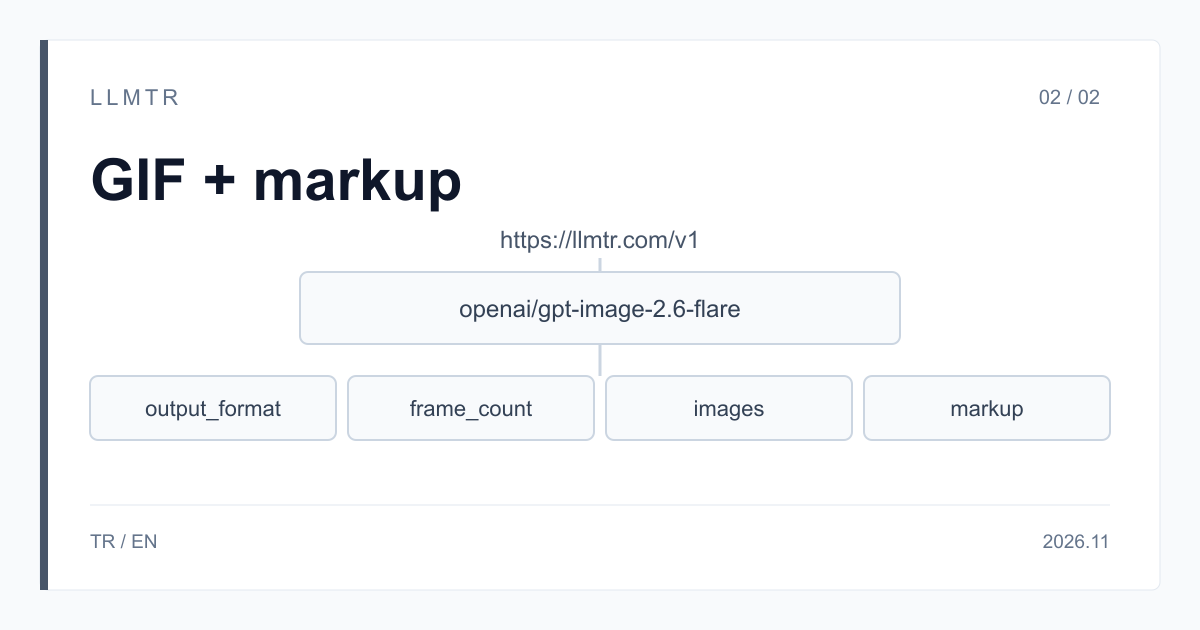
Short answer: output_format gif for a GIF, the images and markup fields for an edit
LLMTR is a gateway that gives access to AI models from different providers through one OpenAI-compatible API. Animated GIFs and markup-guided edits run on LLMTR with the openai/gpt-image-2.6-flare and openai/gpt-image-2.6-sunburst models; an API key created in your llmtr.com account and a funded balance are all you need. A GIF request goes to https://llmtr.com/v1/images/generations and an edit request to https://llmtr.com/v1/images/edits, both as a JSON body. The price is the same on both models: per 1M tokens, $5 text input, $8 image input and $30 image output.
In a GIF request, frame_count sets the number of frames, frame_duration_ms the duration of each frame and size the size of each frame. In an edit, the markup field carries a transparent PNG with a circle or a sketch drawn on it: the mark shows where, and the prompt says what. In both cases the result comes back as base64 in the response's data[0].b64_json field.
How do you generate an animated GIF through an API?
Three steps are enough: create an API key on llmtr.com and top up your balance under Dashboard > Billing, put the key in the LLMTR_API_KEY environment variable, and send a JSON body whose output_format field is gif to https://llmtr.com/v1/images/generations. Decode data[0].b64_json in the response from base64 and save it with a .gif extension.
The example below starts with a GIF of nine frames at 512x512; at 200 milliseconds per frame, one pass of the GIF takes 1.8 seconds. It then edits photo.png with markup.png. The edit endpoint takes a JSON body, so the example uses the requests library rather than the OpenAI SDK. quality low is for trying things out; once you like the prompt, send it again with a higher value, and the result is a new image. Complex prompts can take up to two minutes, which is why the timeout is 300 seconds.
Python example that generates an animated GIF through https://llmtr.com/v1/images/generations and edits an image with a transparent PNG through https://llmtr.com/v1/images/edits.
import base64
import os

import requests

GENERATIONS = "https://llmtr.com/v1/images/generations"
EDITS = "https://llmtr.com/v1/images/edits"
MODEL = "openai/gpt-image-2.6-flare"


def png_data_url(path):
    with open(path, "rb") as f:
        return "data:image/png;base64," + base64.b64encode(f.read()).decode("ascii")


def call(url, body, out_path):
    response = requests.post(
        url,
        headers={"Authorization": "Bearer " + os.environ["LLMTR_API_KEY"]},
        json=body,
        timeout=300,
    )
    response.raise_for_status()
    data = response.json()
    with open(out_path, "wb") as f:
        f.write(base64.b64decode(data["data"][0]["b64_json"]))
    print(out_path, data["data"][0]["mime_type"], data["usage"])


# 1. An animated GIF: nine frames of 512x512, 200 milliseconds each
GIF = {
    "model": MODEL,
    "prompt": "A small grey ball bouncing on a plain floor, seamless loop",
    "output_format": "gif",
    "frame_count": 9,
    "frame_duration_ms": 200,
    "size": "512x512",
    "quality": "low",
}
call(GENERATIONS, GIF, "ball.gif")

# 2. An edit: markup.png is a transparent PNG, the size of photo.png, with a circle drawn on it
EDIT = {
    "model": MODEL,
    "prompt": "Recolor the shirt inside the circle to white, leave the rest of the photo alone, remove the circle from the result",
    "images": [{"image_url": png_data_url("photo.png")}],
    "markup": {"image_url": png_data_url("markup.png")},
    "quality": "low",
    "complexity": "low",
}
call(EDITS, EDIT, "edited.png")
GIF frame limits and fields
The table shows the GIF fields in the LLMTR documentation as of 5 November 2026. frame_count and frame_duration_ms apply to a generation request only; the edit endpoint does not return a GIF.
The frame count, the frame size and n together must fit the total pixel limit; if they do not, the request is refused, and you need to lower frame_count, the frame size or n. A transparent background and output_compression cannot be used with a GIF. In the prompt, write the subject, the motion and the background, and say so if you want an unbroken loop. Do not assume the last frame will line up with the opening one; watch the result and check it.
| Field | Value | If omitted |
|---|---|---|
| output_format | gif | png |
| frame_count | 2 to 16 | 9 |
| frame_duration_ms | 20 to 2000 per frame | 200 |
| size | the size of each frame; edges are multiples of 16 | a frame size that fits the limit is chosen |
| n | 1 to 6; must fit the total pixel limit with the frames and the size | 1 |
How do you edit an image with markup and a transparent PNG?
An edit request goes to https://llmtr.com/v1/images/edits as a JSON body. Put the original image at the start of the images array, prepare a separate transparent PNG, draw a circle or a sketch over what should change, and send that file in the markup field. Do not merge this layer into the image.
- images: at most 16 images. Each item can be an https address, a base64 data URL or a {"image_url": "..."} object; PNG, JPEG and WebP are accepted.
- markup: a PNG with transparent pixels, in the form {"image_url": "..."}. It must have the same width and height as the first image.
- The mark applies to the first image; any other images count as references.
- markup and mask cannot be used in the same request. A file_id from /v1/files cannot be used with these models.
- The OpenAI SDK's images.edit method sends a multipart form, which this endpoint does not accept; send the body as JSON.
- The request body is limited to 24 MB in total; use an https address for large images.
How do you write the edit prompt?
The mark shows where the change goes, and the prompt says what the change is. Write three things in the prompt: what should change, what should stay, and that the mark should be removed from the result. For example: recolor the shirt inside the circle to white, leave the rest of the photo alone, remove the circle from the result.
Try the pattern you write on your own data, and do not assume that everything in the prompt will show up in the result. Before you use an image, have a person look at the result: is the mark still there, and did the unmarked areas change?
- Be concrete about the change: name the target colour, the material or the object.
- List the details to keep: the object's shape, the background, any text in the image.
- For focused edits, such as changing a background, start with complexity low; higher values can take longer and introduce changes you did not ask for.
- For edits where a character, a product or a brand element should stay consistent, try Sunburst with a quality of medium or above.
How are GIFs and edits billed?
Both are billed per token: per 1M tokens, $5 text input, $8 image input and $30 image output. In an edit, the images you send count at the image input price and the generated image at the image output price. There is no separate fee for markup. The output amount of a GIF can vary with the quality, the frame count and the frame size, so start with quality low.
OpenAI's price table lists a cached rate, but on LLMTR no cache discount applies on these models, and every request counts at the full input price. The exact amount is calculated from the usage field in the response. The highest likely amount is set aside from your balance before the request starts, and requests with no size are set aside at the highest possible amount, so if you run on a low balance, write the size and quality explicitly.
Common errors and how to fix them
Error responses carry a type and a message in the error field. Other requests the provider rejects return a 4xx; in that case, check and correct your fields. The most common cases on GIFs and edits:
- 400 invalid_request because frame_count or frame_duration_ms is out of range, the size is not a multiple of 16, or frame_count was sent without output_format gif: fix the field in the message; this request is not billed.
- 400 invalid_request because markup and mask are in the same request: remove one of them.
- 400 unsupported_input because the image type is not supported or a file_id was sent: send PNG, JPEG or WebP, and use image_url.
- 400 unsupported_output because a GIF was requested on the edit endpoint: request the GIF from https://llmtr.com/v1/images/generations.
- 400 content_filter because the request was blocked by the provider's content policy: change the prompt or the images, and do not repeat the same request.
- 402 insufficient_credits because the balance does not cover this request: top up, write the size and quality explicitly, or choose a lower quality.
An animated GIF and a markup-guided edit through an API
Create an API key, generate a GIF through https://llmtr.com/v1/images/generations and edit an image with a transparent PNG through https://llmtr.com/v1/images/edits.
- Key. Create an API key on llmtr.com, top up your balance under Dashboard > Billing and put the key in the LLMTR_API_KEY environment variable.
- GIF. Send output_format gif with frame_count, frame_duration_ms and size to https://llmtr.com/v1/images/generations, and save data[0].b64_json as a .gif file.
- Edit. Prepare a transparent PNG with the first image's size, send it with the images and markup fields to https://llmtr.com/v1/images/edits, and have a person look at the result.
Frequently asked questions
Can you generate a GIF on the edit endpoint?
No. output_format gif is used on https://llmtr.com/v1/images/generations only, and the edit endpoint does not return a GIF. frame_count must be 2 to 16 and frame_duration_ms 20 to 2000.
Is there a separate fee for markup?
No, there is no separate fee for markup. The images you send count at the image input price and the generated image at the image output price. markup and mask cannot be used in the same request.
Can you edit an image with the OpenAI SDK?
The SDK's images.edit method sends a multipart form, which this endpoint does not accept. Send a JSON body to https://llmtr.com/v1/images/edits with an HTTP client such as requests.