Integration guides · 2026-11-12
ERNIE 5.5 Flash Preview free API: first request with LLMTR
Use Baidu's ERNIE 5.5 Flash Preview for free on LLMTR until the end of 17 November 2026: a first request with the OpenAI SDK, tool calling and JSON output.
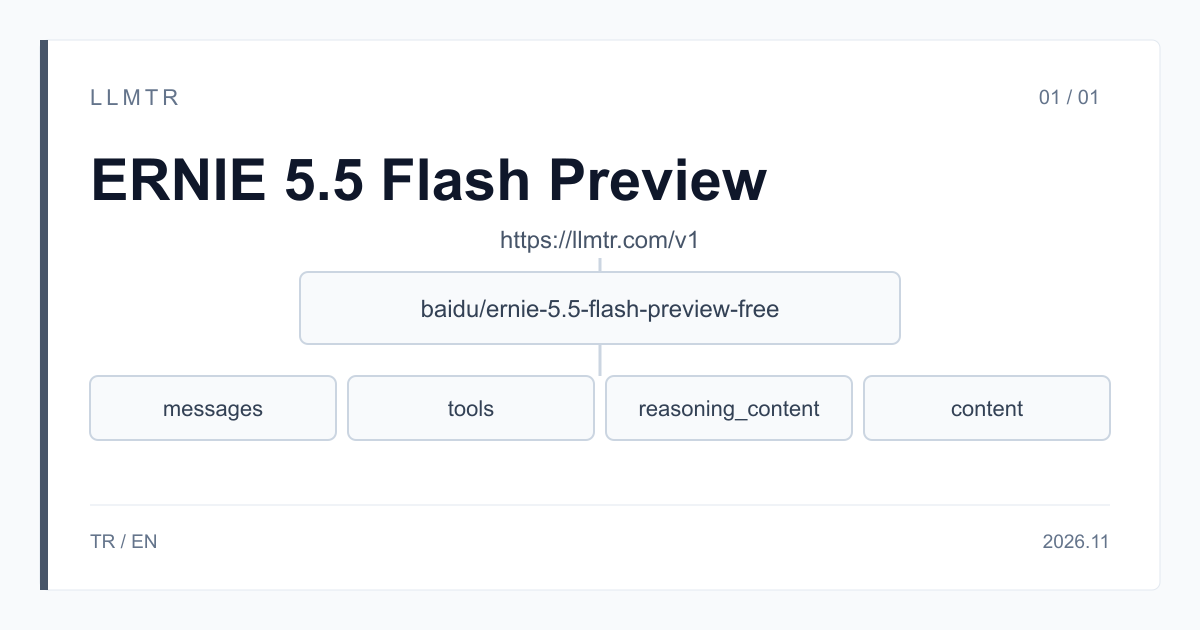
Short answer: model baidu/ernie-5.5-flash-preview-free, free until the end of 17 November 2026
LLMTR is a gateway that gives access to language models from different providers through one OpenAI-compatible API. ERNIE 5.5 Flash Preview is called on LLMTR with the baidu/ernie-5.5-flash-preview-free id on the https://llmtr.com/v1/chat/completions endpoint and is free until 17 November 2026, 24:00 (TRT); it closes earlier if free use ends sooner. An API key created in your llmtr.com account is all you need.
Free use is limited by a token allowance; input, output and cached input are counted together, and the allowance does not renew during the period. Besides the token allowance, there is also a daily request allowance for this model. The model takes text only with a 1,024,000-token context, reasons before every answer, calls tools and returns JSON.
What is ERNIE 5.5 Flash Preview?
ERNIE 5.5 Flash Preview is a preview of Baidu's ERNIE 5.5 Flash. According to Baidu's announcement, it has 280 billion total and 14 billion active parameters, carries a 1-million-token context and works with text only. Baidu positions it for coding, 3D modeling, knowledge work and content creation.
Baidu describes this release as an intermediate point of post-training: because training is not finished, some capabilities may fall short of the final release. Baidu has also announced that the model weights will be released soon under the Apache 2.0 license. Before you put a preview model into production work, try it on your own tasks and check the results.
How do you use ERNIE 5.5 Flash Preview for free through LLMTR?
Three steps are enough. First create an API key on llmtr.com and put it in the LLMTR_API_KEY environment variable. Then set base_url to https://llmtr.com/v1 in the OpenAI SDK. Finally put baidu/ernie-5.5-flash-preview-free in the model field and send the request.
The Python example below asks the model to find the bug in a short function. The content field of the response carries the final answer and the reasoning_content field the model's chain of thought; the SDK exposes that field through model_extra. The example also prints the token counts in the usage field: they are what comes out of the free allowance.
Python example that sends a request to ERNIE 5.5 Flash Preview through https://llmtr.com/v1 with the OpenAI SDK and prints the answer, the chain of thought and the token counts.
import os

from openai import OpenAI

client = OpenAI(base_url="https://llmtr.com/v1", api_key=os.environ["LLMTR_API_KEY"])

response = client.chat.completions.create(
    model="baidu/ernie-5.5-flash-preview-free",
    messages=[
        {"role": "system", "content": "You are a careful Python reviewer."},
        {
            "role": "user",
            "content": "Find the bug and fix it:\n\ndef average(xs):\n    return sum(xs) / len(xs) - 1",
        },
    ],
    max_tokens=4096,
)

message = response.choices[0].message
reasoning = (message.model_extra or {}).get("reasoning_content", "")
print("reasoning:", reasoning[:300])
print("answer:", message.content)
print("tokens:", response.usage.prompt_tokens, response.usage.completion_tokens)
Tool calling and JSON output
The model calls function tools in the OpenAI format. The example below defines a weather tool, reads the tool call the model returns, sends the tool's result back with the tool role and prints the model's final answer.
- The tool_choice field can be auto or required; with required the model always calls a tool.
- In streamed requests the tool call arrives as delta.tool_calls pieces.
- With response_format you can ask for json_object or strict json_schema; the model returns valid JSON in the content field.
- Web search and server-side tools are not available on this row; define your own function tools.
Two-turn tool calling with ERNIE 5.5 Flash Preview: the model calls the tool, the result goes back with the tool role, the model completes the answer.
import json
import os

from openai import OpenAI

client = OpenAI(base_url="https://llmtr.com/v1", api_key=os.environ["LLMTR_API_KEY"])
MODEL = "baidu/ernie-5.5-flash-preview-free"

tools = [
    {
        "type": "function",
        "function": {
            "name": "get_weather",
            "description": "Returns the current weather for a city.",
            "parameters": {
                "type": "object",
                "properties": {"city": {"type": "string"}},
                "required": ["city"],
            },
        },
    }
]
messages = [{"role": "user", "content": "What is the weather in Istanbul?"}]

first = client.chat.completions.create(model=MODEL, messages=messages, tools=tools)
call = first.choices[0].message.tool_calls[0]
city = json.loads(call.function.arguments)["city"]

messages.append(first.choices[0].message)
messages.append(
    {
        "role": "tool",
        "tool_call_id": call.id,
        "content": json.dumps({"city": city, "temp_c": 14, "sky": "cloudy"}),
    }
)

second = client.chat.completions.create(model=MODEL, messages=messages, tools=tools)
print(second.choices[0].message.content)
Reasoning is on for every request
The model reasons before every answer and returns the chain of thought separately in the reasoning_content field. Reasoning tokens are output, are counted in completion_tokens and come out of the free allowance, so short and clear prompts make the allowance last longer.
Reasoning cannot be turned off and its level cannot be set. A request that sends reasoning_effort or reasoning: false is refused with 400 invalid_request, and nothing is taken from the allowance for it. If your code sends these fields for other models, leave them out for this one.
Limits of the free use
The table shows the limits of ERNIE 5.5 Flash Preview as written in the LLMTR catalog and documentation as of 12 November 2026.
| Topic | Behaviour on LLMTR |
|---|---|
| Model id | baidu/ernie-5.5-flash-preview-free |
| Endpoint | POST https://llmtr.com/v1/chat/completions |
| Free period | until 17 November 2026, 24:00 (TRT); earlier if free use ends sooner |
| Token allowance | limited; input, output and cached input counted together; does not renew |
| Daily request allowance | yes; when it is used up, 429 with a Retry-After |
| Context | 1,024,000 tokens |
| Input | text only |
| Reasoning | on for every request; cannot be turned off, level cannot be set |
| Tool calling and JSON | function tools, json_object and json_schema |
| Streaming | yes |
| Price | $0; the model retires when the period ends |
Common errors and how to fix them
Error responses carry a type and a message in the error field. The most common cases on this model:
- 400 invalid_request: reasoning_effort or reasoning: false was sent, the prompt is over 1,024,000 tokens, or web search was asked for. Remove the field or shorten the prompt.
- 402 insufficient_quota: the token allowance for this period is used up; it does not renew during the period.
- 429 rate_limit_error: the request allowance is full right now. Wait for the Retry-After time in the response and try again.
- 503 provider_overloaded: the model is busy right now. Wait for the Retry-After time and try again; nothing is taken from the token allowance.
- 410 model_retired: the free period has ended. Switch to an active model in the LLMTR catalog.
First request to ERNIE 5.5 Flash Preview through LLMTR
Create an API key, set base_url to https://llmtr.com/v1 in the OpenAI SDK and send a request to the baidu/ernie-5.5-flash-preview-free model.
- Key. Create an API key on llmtr.com and put it in the LLMTR_API_KEY environment variable.
- Client. In the OpenAI SDK, set base_url to https://llmtr.com/v1 and the model field to baidu/ernie-5.5-flash-preview-free.
- Check. Read the content and reasoning_content fields of the response, and track how much of your allowance you used with the token counts in the usage field.
Frequently asked questions
What is the model id of ERNIE 5.5 Flash Preview on LLMTR?
baidu/ernie-5.5-flash-preview-free. Requests go to https://llmtr.com/v1/chat/completions with an API key created on llmtr.com in the Authorization header; in the OpenAI SDK, setting base_url to https://llmtr.com/v1 is enough.
Until when is ERNIE 5.5 Flash Preview free?
Until 17 November 2026, 24:00 (TRT); it closes earlier if free use ends sooner. Free use is limited by a token allowance and a daily request allowance; the token allowance does not renew during the period.
Can reasoning be turned off on ERNIE 5.5 Flash Preview?
No. The model reasons on every request and returns the chain of thought in the reasoning_content field. A request that sends reasoning_effort or reasoning: false is refused with 400, and nothing is taken from the allowance.