Integration guides · 2026-11-12
Gemini Decisions API: first request with LLMTR
Call Gemini Decision 1 on LLMTR from Python: a state with a photo and a note, noul, choice and score questions, a confidence threshold and the cost.
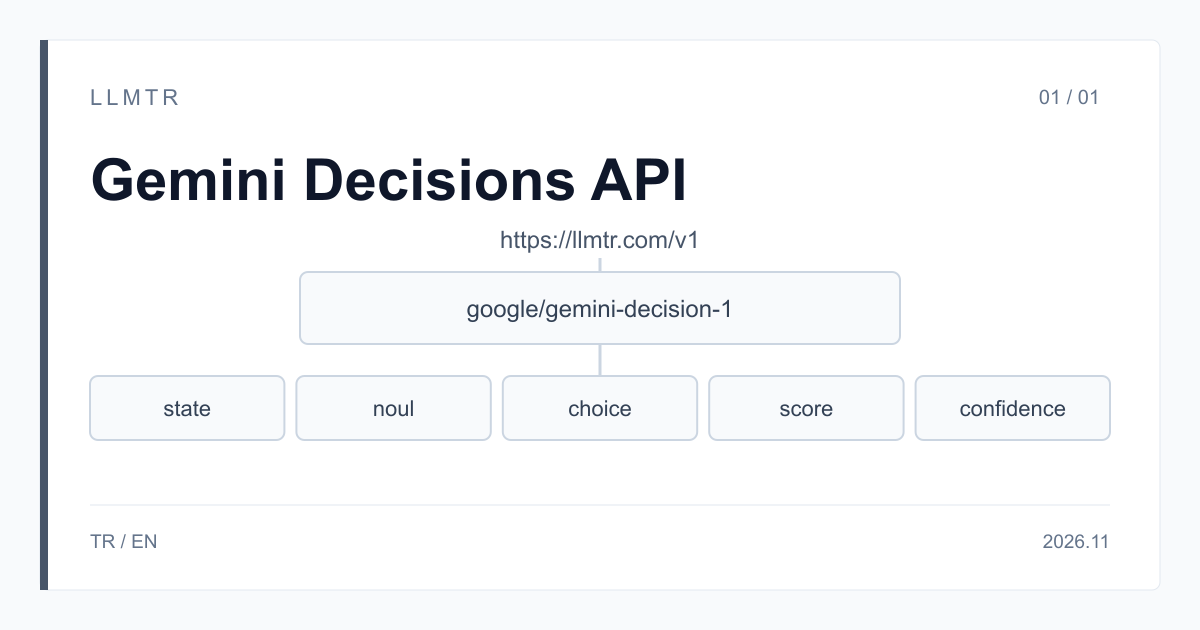
Short answer: model google/gemini-decision-1, endpoint https://llmtr.com/v1/systemone
LLMTR is a gateway that gives access to language models from different providers through one OpenAI-compatible API. Gemini Decision 1 is called on LLMTR with the google/gemini-decision-1 id on the https://llmtr.com/v1/systemone endpoint; an API key created in your llmtr.com account and a funded balance are all you need. The price is $0.10 per 1M input tokens, the same for text, images, audio, video and PDF, and output tokens are not billed.
Gemini Decision 1 is Google's decision model; Google offers the interface under the name Gemini Decisions API. The model writes no open-ended text: for each question you define about the shared input, it returns a probability of yes, one of the options you list or a score along ordered levels, and adds a confidence value to every answer. The input can be text, JSON, images, audio, video or PDF. A request can ask up to 1,000 questions, and the shared input is billed once whatever the number of questions.
How do you send a first request to the Gemini Decisions API through LLMTR?
Three steps are enough. First create an API key on llmtr.com and top up your balance under Dashboard > Billing. Then put the key in the LLMTR_API_KEY environment variable. Finally send a JSON body carrying the model, state and questions fields to https://llmtr.com/v1/systemone, with Bearer and your key in the Authorization header. This endpoint is not in the chat format, so the example uses Python's requests library rather than the OpenAI SDK.
The example below sends the photo of an item returned to an online store's warehouse and a short note from the warehouse clerk in one state array. The photo goes in a block whose type field is image; the note is a plain string after it. Three questions look at this input together: damaged asks whether the item is damaged, action what the warehouse should do with it, and condition what condition it is in. The code prints the answers, sets aside for a person every answer whose confidence is below THRESHOLD, and shows the usage field.
Python example that sends a noul, a choice and a score question about a photo and a note to Gemini Decision 1 through https://llmtr.com/v1/systemone and sets aside low-confidence answers.
import base64
import os

import requests

URL = "https://llmtr.com/v1/systemone"
MODEL = "google/gemini-decision-1"
THRESHOLD = 0.8

QUESTIONS = {
    "damaged": {
        "type": "noul",
        "instructions": "Is the returned item damaged?",
        "criteria": {
            "true": "Cracks, dents, stains or missing parts are visible or reported.",
            "false": "The item looks intact and nothing is reported missing.",
        },
    },
    "action": {
        "type": "choice",
        "instructions": "What should the warehouse do with this returned item?",
        "criteria": {
            "restock": "Put it back on sale as new",
            "refurbish": "Repair or clean it before selling it again",
            "discard": "It cannot be sold again",
            "other": None,
        },
    },
    "condition": {
        "type": "score",
        "instructions": "What condition is the returned item in?",
        "criteria": ["Unusable", "Visibly worn", "Like new"],
    },
}

with open("return.jpg", "rb") as f:
    photo = base64.b64encode(f.read()).decode("ascii")

state = [
    {"type": "image", "data": photo},
    "Warehouse note: returned in the original box, the customer says it does not switch on.",
]

response = requests.post(
    URL,
    headers={"Authorization": "Bearer " + os.environ["LLMTR_API_KEY"]},
    json={"model": MODEL, "state": state, "questions": QUESTIONS},
    timeout=120,
)
response.raise_for_status()
data = response.json()

answers = data["answers"]
print(answers["damaged"]["noul"], answers["damaged"]["confidence"])
print(answers["action"]["choice"], answers["action"]["probabilities"])
print(answers["condition"]["score"], answers["condition"]["legend"])

for key, answer in answers.items():
    if answer["confidence"] < THRESHOLD:
        print(key, "goes to a person, confidence:", answer["confidence"])

print(data["usage"]["input_tokens"])
Reading the answers: noul, choice, score and confidence
The answers object comes back keyed by the question ids you gave in the request, so your code reads damaged, action and condition directly. A question id must be 1 to 64 letters, digits, underscores or hyphens.
Before you pick a threshold, try the model on your own data whose outcome you already know, and send the answers below it to a person.
- noul: returns the probability that the answer is yes; on this model the value lies between 0.01 and 0.99. The criteria field is optional; a short description for true and for false makes clear what each end means.
- choice: returns, in the choice field, one of the options you list in criteria, and in probabilities the probability of each option. A question takes 2 to 255 options; an option that needs no description can have null as its value. Add an option such as other for inputs that fit none of them, or the model returns the closest one.
- score: write 2 to 255 levels in the criteria array, lowest first. The score is a fractional value and can fall between two levels; legend carries the level names and probabilities the probability of each level.
- confidence: comes with every answer, noul included. The loop in the example sets aside for a person each answer whose confidence is below the threshold.
Sending images, audio, video and PDF
Gemini Decision 1 reads media from the content blocks of a state array, and every question sees the same input. A block can be text, an image, audio, video or a PDF; the details are in the Gemini Decision 1 inputs section of the Structured Decisions documentation.
- A file goes in a block whose type field is image, audio, video or document, as standard base64 in the data field, with no data: prefix. The file's type is read from the file itself; the mime_type field is optional.
- Accepted formats: PNG, JPEG and WebP for images; WAV and MP3 for audio; MP4 for video; PDF for documents. A file whose type does not match its block, or that is not on this list, returns 400 invalid_request.
- The model does not download files from addresses: a block carrying a uri field or an http or https address returns 400 invalid_request.
- On an image block the resolution field can be low, medium, high or ultra_high, and on a video block low, medium or high. The resolution sets how many tokens a file counts for; low spends fewer tokens on images that need no detail.
- A question's instructions field is text only; put media in the state. Base64 encoding makes a file about a third larger and counts toward the body limit in the table.
Request limits and price
The table shows the limits and the price of Gemini Decision 1 as written in the LLMTR catalog and documentation as of 12 November 2026.
| Topic | Behaviour on LLMTR |
|---|---|
| Model id | google/gemini-decision-1 |
| Endpoint | POST https://llmtr.com/v1/systemone |
| Question types | noul, choice and score; a confidence with every answer |
| Questions per request | at most 1,000 |
| Context | the shared input and every question together, 262,144 tokens |
| Choice options and score levels | 2 to 255 |
| Input (state) | plain text, JSON or an array of content blocks |
| Media | images (PNG, JPEG, WebP), audio (WAV, MP3), video (MP4), PDF; base64, not addresses |
| Request body | at most 24 MB, base64 included |
| Streaming | none; the response arrives in one piece |
| Price (per 1M tokens) | $0.10 input, the same for every input kind; output is not billed; no cache |
What does a request cost? The shared input is counted once
Only input tokens are billed, and image, audio, video and PDF tokens are counted at the same price as text, $0.10 per 1M tokens. The shared input, meaning the state and the media you send with the request, is counted once per request whatever the number of questions; each question adds only the tokens of its own text and format. There is no cache: if you send the same input again, it is billed again.
Assume a shared input of 2,000 tokens and questions of 100 tokens each. A request with three questions is 2,300 input tokens and costs $0.00023. If you ask thirty questions about the same input, the request comes to 5,000 tokens and $0.0005, because the shared input is still counted once. Had you sent the same three questions as three separate requests, the shared input would be counted three times, for 6,300 tokens and $0.00063 in total. So send the questions you have about one input in one request. The real count is in the usage.input_tokens field of the response; on this model output_tokens is always 0.
Common errors and how to fix them
Error responses carry a type and a message in the error field; the message names the state block or the question at fault. The most common cases on this model:
- 400 invalid_request because a question id breaks the rule, or a choice or score question has fewer than 2 or more than 255 options or levels: fix the id or bring the count into that range.
- 400 content_filter: the input was blocked by the model's content filter; retrying with the same content gives the same result.
- 400 provider_error because the request is over 262,144 tokens or a file cannot be read: shrink the input, ask fewer questions or check the file in the block the message names.
- 413 provider_error because the request body is too large for the model: make the files smaller or split the request.
- 401 auth_error or 402 insufficient_credits: if the key is invalid, create a new key on llmtr.com; if the balance is short, top up.
First request to Gemini Decision 1 through LLMTR
Create an API key, send a state of content blocks and typed questions with google/gemini-decision-1 to https://llmtr.com/v1/systemone, and read the answers and the usage field.
- Key. Create an API key on llmtr.com, top up your balance under Dashboard > Billing and put the key in the LLMTR_API_KEY environment variable.
- Request. Send a JSON body whose model field is google/gemini-decision-1 to https://llmtr.com/v1/systemone; give the media as base64 blocks in the state array and the questions in the questions field.
- Check. Read the answers object by your question ids, send the answers whose confidence is below your threshold to a person, and look at the input_tokens value in the usage field.
Frequently asked questions
What is the model id of Gemini Decision 1 on LLMTR?
google/gemini-decision-1. Requests go to https://llmtr.com/v1/systemone with an API key created on llmtr.com in the Authorization header.
How do you send an image, audio or a PDF to Gemini Decision 1?
Encode the file as base64 and put it in the state array as a block whose type field is image, audio, video or document. Images can be PNG, JPEG or WebP, audio WAV or MP3, video MP4 and documents PDF; the model does not download files from addresses.
What does a request cost?
Input costs $0.10 per 1M tokens, the same for every input kind, and output is not billed. The shared input is counted once whatever the number of questions: a request asking three questions of 100 tokens each about a 2,000-token input costs $0.00023.