Integration guides · 2026-10-06
How to Use Muse Spark 1.2 Contributor via API
Use meta/muse-spark-1.2-contributor through LLMTR's OpenAI-compatible API with curl or Python, including pricing, reasoning, limits, data use, and setup.
Short answer: use Muse Spark 1.2 Contributor
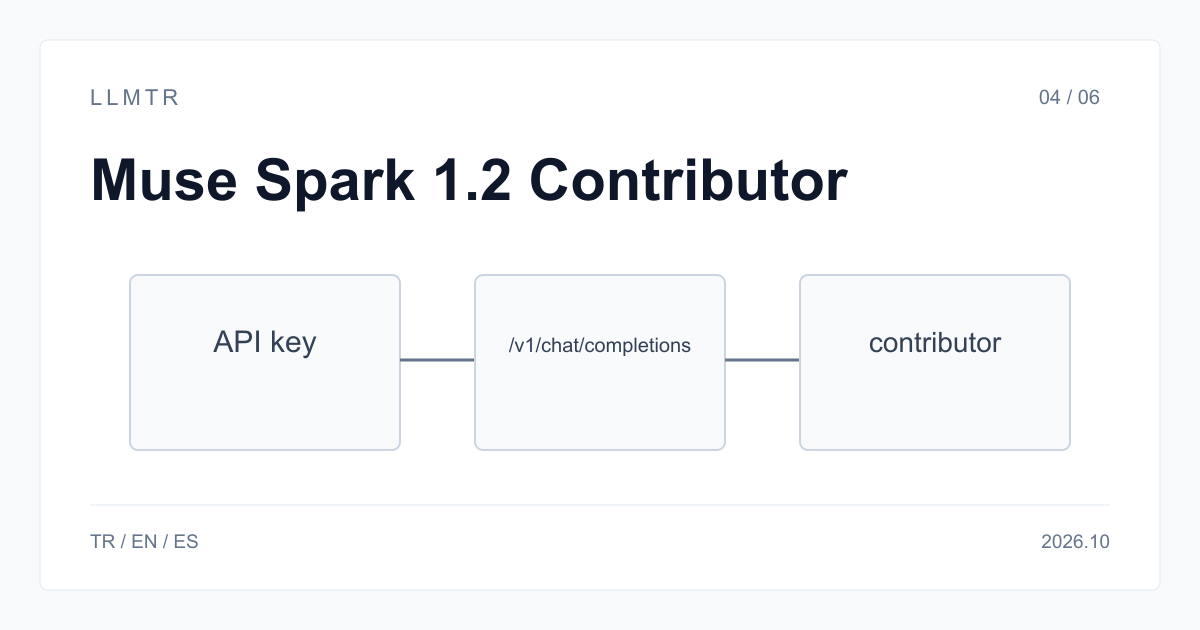
LLMTR (llmtr.com) is a gateway that gives access to language models hosted in Türkiye and at global providers through one OpenAI-compatible API. To use Muse Spark 1.2 Contributor, create an account and key, add credit, then send a chat completion request with model meta/muse-spark-1.2-contributor. Set the SDK base URL to https://llmtr.com/v1; the API path is /v1/chat/completions. With curl, requests go directly to llmtr.com.
Muse Spark 1.2 Contributor accepts text, image, video and document input. Its context window is 1,048,576 tokens, and reasoning is always on with minimal, low, medium, high or xhigh reasoning_effort. The Contributor tier costs $0.10 per 1M input tokens, $0.20 per 1M output tokens and $0.002 per 1M cache-read tokens, based on the LLMTR catalog dated 2026-10-06.
| Item | Value |
|---|---|
| Model id | meta/muse-spark-1.2-contributor |
| Endpoint | POST https://llmtr.com/v1/chat/completions |
| Price per 1M tokens | $0.10 input / $0.20 output / $0.002 cache read |
| Context window | 1,048,576 tokens |
| reasoning_effort | minimal, low, medium, high, xhigh |
| Inputs | text, image, video, document |
| Training use | Meta uses prompts and outputs for training |
How to use Muse Spark 1.2 Contributor
Use meta/muse-spark-1.2-contributor with POST https://llmtr.com/v1/chat/completions. A first request can set reasoning_effort to low and max_tokens to 2000, while keeping the combined reasoning and visible answer within that 2,000-token allowance. Any OpenAI-compatible SDK needs only its base_url and api_key changed for the endpoint.
The model supports function calling through tools, JSON mode and structured outputs through response_format, plus prompt caching. Use the same OpenAI-compatible request shape across SDKs, and raise max_tokens when a higher reasoning_effort level needs additional room for reasoning tokens. Switch model strings when moving between catalog models; the key and credit balance remain unchanged.
First request with curl
The curl example sends one user message asking for three email-validation unit test cases. It calls https://llmtr.com/v1/chat/completions, reads LLMTR_API_KEY from the environment, selects meta/muse-spark-1.2-contributor, and sets reasoning_effort to low with max_tokens to 2000. Run it after storing the API key in LLMTR_API_KEY; replace the example prompt with your own text while preserving the JSON request fields.
Send a chat completion request to Muse Spark 1.2 Contributor with curl.
curl https://llmtr.com/v1/chat/completions \
  -H "Authorization: Bearer $LLMTR_API_KEY" \
  -H "Content-Type: application/json" \
  -d '{
    "model": "meta/muse-spark-1.2-contributor",
    "messages": [
      {"role": "user", "content": "Write three unit test cases for a function that validates email addresses."}
    ],
    "reasoning_effort": "low",
    "max_tokens": 2000
  }'
The same call with the OpenAI Python SDK
The Python example makes the same chat completion request with the OpenAI SDK. Only the client connection changes: base_url is https://llmtr.com/v1 and api_key is read from LLMTR_API_KEY. The printed message content is the visible answer, while response.usage.completion_tokens includes reasoning tokens and visible output; all completion tokens are billed at the output price.
Call Muse Spark 1.2 Contributor with the OpenAI Python SDK.
import os

from openai import OpenAI

client = OpenAI(base_url="https://llmtr.com/v1", api_key=os.environ["LLMTR_API_KEY"])

response = client.chat.completions.create(
    model="meta/muse-spark-1.2-contributor",
    messages=[{"role": "user", "content": "Write three unit test cases for a function that validates email addresses."}],
    reasoning_effort="low",
    max_tokens=2000,
)
print(response.choices[0].message.content)
# completion_tokens includes reasoning tokens and is billed at the output price.
print(response.usage.completion_tokens)
Parameters and limits that matter
Reasoning is always on and cannot be disabled: reasoning_effort accepts minimal, low, medium, high and xhigh, with no none value. Higher levels produce more reasoning tokens. Those tokens appear in usage.completion_tokens and are billed at the output price, so set max_tokens high enough to hold both the reasoning and the answer.
Use tools for function calling and response_format for JSON mode or structured outputs; prompt caching is also supported. Requests accept text, image, video and document input. Keep max_tokens high enough for both the reasoning and the answer; higher reasoning_effort levels add reasoning tokens that count toward the completion usage.
The model is served only on /v1/chat/completions and is not available on /v1/responses. Use meta/muse-spark-1.2-contributor in chat completion requests. The Contributor tier has a lower rate limit than the standard tier. If the API returns 429, handle that response with retry and backoff.
On the Contributor tier, Meta uses prompts and completions to train future models. Do not send personal data, customer data or confidential code. For those inputs, use meta/muse-spark-1.2, which uses the same checkpoint and request shape; only the model string changes. Standard pricing is $1.25 input and $4.25 output per 1M tokens.
For a concrete cost example, 1,000 requests with 1,500 input tokens and 600 output tokens each produce 1.5M input tokens and 0.6M output tokens, including reasoning in the output count. At the Contributor rates, input costs $0.15 and output costs $0.12, for a total of $0.27.
Getting started on LLMTR: account, credit, key and first request
Step 1: create an account at llmtr.com and verify your email. Step 2: top up credit from the Dashboard through secure checkout. LLMTR adds an 8% platform margin once, on top of the requested top-up: $10.00 credit is charged $10.80. The margin is not added to model prices; every API call is deducted at the model's catalog price.
Step 3: create an API key under Dashboard > API Keys. The raw key is shown only once; store it as an environment variable such as LLMTR_API_KEY. Step 4: send the first request to https://llmtr.com/v1 with any OpenAI-compatible SDK by changing only base_url and api_key. Usage and spend per key are visible on the Dashboard usage page. The same key and the same credit balance work for every model in the catalog; switching models means changing the model string.
Use Muse Spark 1.2 Contributor
Create LLMTR access, fund the account, create a key, and call the Contributor model through the OpenAI-compatible chat completions endpoint.
- Create an account. Create an account at llmtr.com and verify your email.
- Top up credit. Top up credit from the Dashboard through secure checkout. LLMTR adds an 8% platform margin once; $10.00 credit is charged $10.80.
- Create an API key. Open Dashboard > API Keys and create a key. The raw key is shown only once, so store it in an environment variable such as LLMTR_API_KEY.
- Send the first request. Send a POST request to https://llmtr.com/v1/chat/completions with model meta/muse-spark-1.2-contributor.
Frequently asked questions
What is the model id for Muse Spark 1.2 Contributor?
The model id is meta/muse-spark-1.2-contributor.
Can I turn reasoning off for this model?
No; reasoning is always on, and minimal is the lowest reasoning_effort level among minimal, low, medium, high and xhigh.
Does Muse Spark 1.2 Contributor work with the OpenAI SDK?
Yes; set base_url to https://llmtr.com/v1 and api_key to your LLMTR key.