Integration guides · 2026-11-13
Perplexity Decider Locate: extracting text spans with LLMTR
Extract a product name and an email from a support ticket with Perplexity Decider locate on LLMTR in Python: offsets, limits, v1.3 or Flash, and cost.
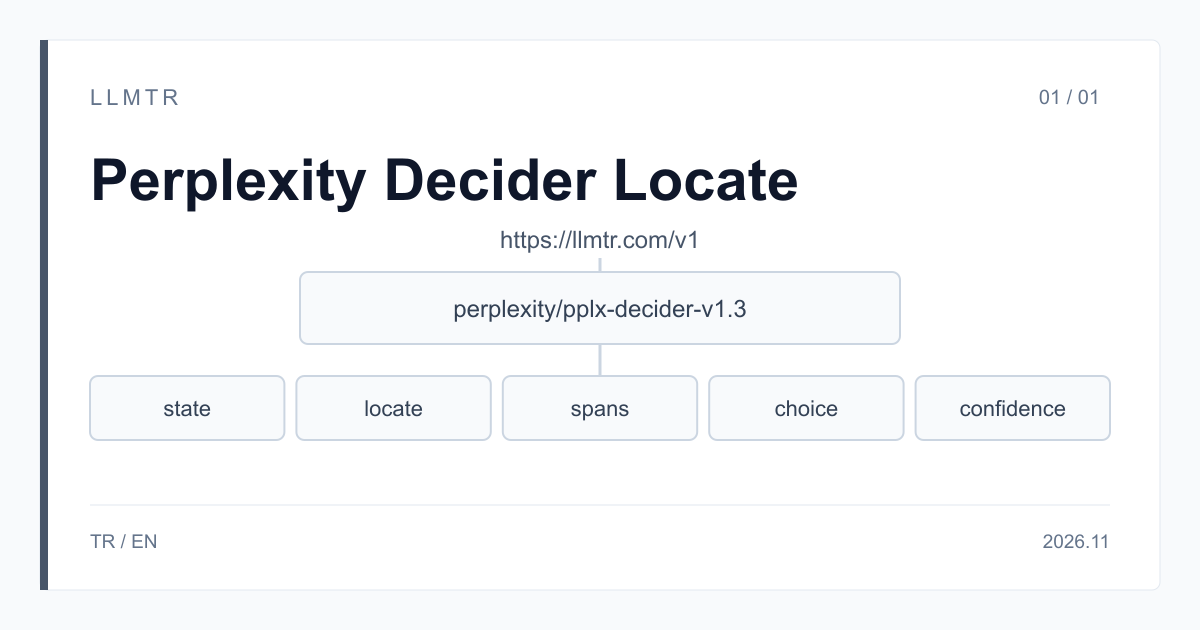
Short answer: locate runs on v1.3 and Flash v1.3 at https://llmtr.com/v1/systemone
LLMTR is a gateway that gives access to language models from different providers through one OpenAI-compatible API. As of 13 November 2026, the locate question type of Perplexity Decider is answered on LLMTR by perplexity/pplx-decider-v1.3 and perplexity/pplx-decider-flash-v1.3; requests go to https://llmtr.com/v1/systemone with an API key created in your llmtr.com account. Input costs $0.02 per 1M tokens on v1.3 and $0.01 on Flash v1.3, and output is not billed.
Locate returns the exact passages of a plain-text state that match your instruction: a product name, an email address or an order number in a support ticket, for example. The model does not generate text; for each passage it gives the start and end position in the text, the passage itself and a score. The same request can also carry noul, choice and score questions; the example in this article adds a choice question that routes the ticket to a team.
What does a Perplexity Decider locate question return?
A locate question carries the type and instructions fields and takes no criteria. Write what you are looking for in instructions, as a short label (email address, for example) or as an instruction. The spans list in the answer carries four fields for each match: start, end, text and score. Because it is a list, one question can return more than one passage; when nothing in the text matches, spans comes back as an empty list.
The excerpt below shows the shape of the answers to the products and email questions for the support ticket in the next section: start 4 and end 13 for AeroPress, start 59 and end 78 for the email address. Choice and score answers also carry a confidence value; a noul answer carries only the probability of yes, and a locate answer only its spans list.
An excerpt of a locate answer: each passage carries the start, end, text and score fields.
{
  "answers": {
    "products": {
      "type": "locate",
      "spans": [{"start": 4, "end": 13, "text": "AeroPress", "score": 0.9999}]
    },
    "email": {
      "type": "locate",
      "spans": [{"start": 59, "end": 78, "text": "support@example.com", "score": 0.9999}]
    }
  }
}A first request in Python: one support ticket, three locate questions and a choice
First create an account on llmtr.com, then an API key under Dashboard > API Keys; top up your balance under Dashboard > Billing and put the key in the LLMTR_API_KEY environment variable. This endpoint is not in the chat format, so the example uses Python's requests library rather than the OpenAI SDK.
The example puts a customer's support ticket in the state field as plain text and asks four questions in one request: products, email and order_number ask for passages of the text, and team picks the team that should handle the ticket. The code cuts each passage out of the text with state[start:end] and prints it; when there is no match, it prints that the field was not found. The ticket in the example names no order number; in a case like that you can ask the customer for it. When the confidence of the team answer is below THRESHOLD, the ticket is not routed automatically and goes to a person.
Question keys are not sent to the model; they only match the answers to your questions, so write what you are looking for in instructions. Before you pick a threshold, try the model on your own data whose outcome you already know.
Python example that sends a support ticket to perplexity/pplx-decider-v1.3 through https://llmtr.com/v1/systemone, asks three locate questions and a choice question, and sets aside low-confidence routing for a person.
import os

import requests

URL = "https://llmtr.com/v1/systemone"
MODEL = "perplexity/pplx-decider-v1.3"
THRESHOLD = 0.8

state = (
    "The AeroPress arrived with a cracked filter cap. "
    "I emailed support@example.com on Monday and have not heard back."
)

QUESTIONS = {
    "products": {"type": "locate", "instructions": "product name"},
    "email": {"type": "locate", "instructions": "email address"},
    "order_number": {"type": "locate", "instructions": "order number"},
    "team": {
        "type": "choice",
        "instructions": "Which team should handle this support ticket?",
        "criteria": {
            "returns": "Damaged or wrong items, replacements and refunds",
            "shipping": "Late or lost deliveries",
            "billing": "Payments and invoices",
            "other": None,
        },
    },
}

response = requests.post(
    URL,
    headers={"Authorization": "Bearer " + os.environ["LLMTR_API_KEY"]},
    json={"model": MODEL, "state": state, "questions": QUESTIONS},
    timeout=90,
)
response.raise_for_status()
data = response.json()
answers = data["answers"]

for key in ("products", "email", "order_number"):
    spans = answers[key]["spans"]
    if not spans:
        print(key, "not found")
    for span in spans:
        print(key, state[span["start"]:span["end"]], span["score"])

team = answers["team"]
if team["confidence"] < THRESHOLD:
    print("team goes to a person, confidence:", team["confidence"])
else:
    print("team:", team["choice"])

print(data["usage"]["input_tokens"])
Offsets: state[start:end] in Python, Array.from in JavaScript
start and end are character positions in the state text, and end is exclusive. Positions count Unicode code points, so in Python state[start:end] gives the text field directly. JavaScript's string.slice counts UTF-16 units, so in text with characters such as emoji the passage shifts. There, use Array.from(state).slice(start, end).join("").
Positions are counted in the text you sent. If you trim or edit the text after the answer arrives, the positions no longer fit; cut the passages out before you change the state.
Limits: plain text, no images, at most 128 questions
A request with a locate question works within narrower limits than a request without one on the same model:
- The state must be plain text; it cannot be sent as an array or an object, and it cannot carry images.
- The request can have at most 128 questions. A request without a locate question keeps LLMTR's general limit of 1,000 questions.
- If one of these conditions is not met, the request returns 400 provider_error and the message names the condition.
- Only perplexity/pplx-decider-v1.3 and perplexity/pplx-decider-flash-v1.3 answer locate questions; a locate question sent to another System One model returns 400 invalid_request.
- Each question together with the state must stay under 262,144 tokens. Send a long document in sections; Perplexity measured span accuracy on texts of up to 32,000 tokens.
v1.3 or Flash v1.3?
Both models answer locate questions with the same request format; to move from one to the other, change the MODEL constant in the example. The table shows the price, the context and the intended use of each model in the LLMTR catalog.
Before you choose, try both models on the same records whose outcome you know. When you move from one model to the other, check your thresholds again.
| Model id | Input (per 1M tokens) | Output | Context | When to choose it |
|---|---|---|---|---|
| perplexity/pplx-decider-v1.3 | $0.02 | not billed | 262,144 tokens | nuanced judgments and detailed rubrics |
| perplexity/pplx-decider-flash-v1.3 | $0.01 | not billed | 262,144 tokens | high-volume routing, labeling and filtering |
What does a request cost? The state is counted once
Only input tokens are billed; there is no separate fee per request. Within the input limit, the state, here the text of the support ticket, is counted once per request whatever the number of questions, and each question adds only the tokens of its own text. The output_tokens value in the usage field can be above zero; the output count is shown but not billed.
Assume the support ticket is 600 tokens. The four-question request in the example is then 600 input tokens, question text excluded: $0.000012 on v1.3 and $0.000006 on Flash v1.3. Had you sent the same four questions as four separate requests, the ticket would be counted four times, for 2,400 tokens and $0.000048 on v1.3; so send the questions you have about one ticket in one request. Handling 10,000 tickets this way costs $0.12 on v1.3 and $0.06 on Flash v1.3, question text excluded. The real count is in the usage.input_tokens field of the response.
First request to Perplexity Decider locate through LLMTR
Create an API key on llmtr.com, send a plain-text state and locate questions with perplexity/pplx-decider-v1.3 to https://llmtr.com/v1/systemone, and read the spans list and the confidence threshold.
- Key. Create an account on llmtr.com, create an API key under Dashboard > API Keys, top up your balance under Dashboard > Billing and put the key in the LLMTR_API_KEY environment variable.
- Request. Send a JSON body whose model field is perplexity/pplx-decider-v1.3 to https://llmtr.com/v1/systemone; put the support ticket in the state field as plain text and the locate and choice questions in the questions field.
- Check. Read the spans list of each locate answer and cut each passage out with state[start:end]; if the confidence of the choice answer is below your threshold, send the ticket to a person.
Frequently asked questions
Which models answer locate questions?
perplexity/pplx-decider-v1.3 and perplexity/pplx-decider-flash-v1.3. A locate question sent to another System One model returns 400 invalid_request.
Can a locate question be used with images or a structured state?
No. In a request with a locate question the state must be plain text, not an array or an object, and it cannot carry images; the request can have at most 128 questions. Otherwise it returns 400 provider_error.
What does a locate request cost?
Only input tokens are billed: $0.02 per 1M tokens on v1.3 and $0.01 on Flash v1.3. Within the input limit, the state is counted once per request; a request asking four questions about a 600-token ticket costs $0.000012 on v1.3, question text excluded.