Agent and MCP guides · 2026-08-28
A safe tool calling loop with Upstage Solar Pro 4
Receive Solar Pro 4 tool calls through LLMTR, validate arguments with exact application rules, and bound every step of a multi-turn agent loop.
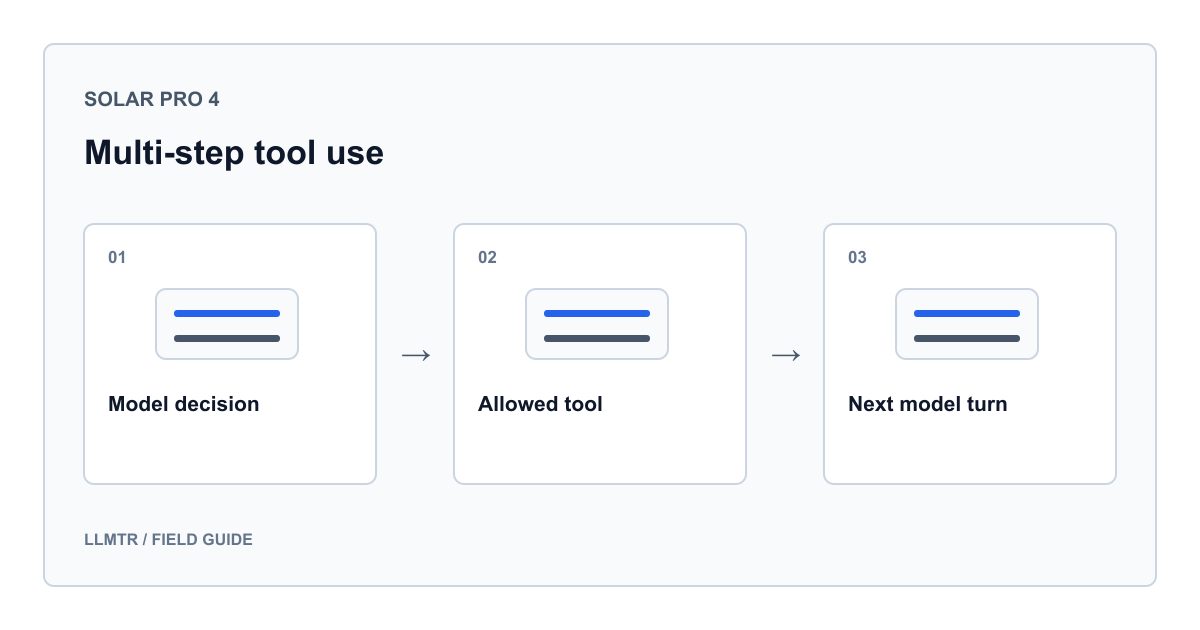
The model proposes a call; the application executes it
Send tool schemas to upstage/solar-pro4 through LLMTR, inspect tool_calls and execute only functions on your application’s allowlist. The model generates a function name and arguments; it does not gain direct database, network or operating-system access.
LLMTR binds the text-input model to Chat Completions with function calling. Upstage’s official Solar Pro 4 documentation also shows tools, a tool-result message and a second model turn. This guide uses only auto for tool_choice and assumes nothing about other providers.
Keep the function schema small and closed
The example exposes only convert_length: all fields are required, units use enums and additionalProperties is false. This narrow schema reduces ambiguity about the proposed operation.
A schema is not a security boundary. Returned arguments are JSON text and may be malformed or contain extra fields, booleans, nonfinite values or out-of-range numbers. After parsing, validate the exact fields, concrete types, finiteness, enums and range independently.
Preserve the complete conversation chain on every turn
The initial request carries the user message, schema and auto selection. For a call, append the assistant message with tool_calls, then one tool message per result using the same tool_call_id and serialized text content. Send the updated history next.
The model may request another tool, so bound turns, calls per turn and response size. Never execute an identifier twice. Prose without a call is a normal auto outcome and may end the loop after content checks.
| Condition | Application check | Outcome |
|---|---|---|
| Unknown function name | Fixed function allowlist | Stop before execution |
| Malformed or extra arguments | JSON, field, type, enum and range checks | Reject the call |
| Repeated call identifier | Identifier set across turns | Do not execute twice |
| Too many calls or turns | Fixed operation budget | End with a budget error |
| Truncated or empty final response | Finish reason and content checks | Do not mark the task complete |
A bounded Python example with no tool side effects
Set LLMTR_BASE_URL to your verified complete API base, including v1, and LLMTR_API_KEY to your LLMTR key. They are not direct Upstage credentials. The code appends only chat/completions.
This instructional example was not run live; running it can create billable requests. It uses no customer content, files, network tool or shell. The deterministic length converter allows four model turns and two calls per turn.
Auto tool selection, strict argument validation and result round-trip
import json
import math
import os
from urllib.request import Request, urlopen

MAX_TURNS = 4
MAX_CALLS_PER_TURN = 2
MAX_RESPONSE_BYTES = 1_000_000

TOOL = {
    "type": "function",
    "function": {
        "name": "convert_length",
        "description": "Convert a nonnegative length between centimeters and meters.",
        "parameters": {
            "type": "object",
            "properties": {
                "value": {"type": "number", "minimum": 0, "maximum": 1000000},
                "from_unit": {"type": "string", "enum": ["cm", "m"]},
                "to_unit": {"type": "string", "enum": ["cm", "m"]},
            },
            "required": ["value", "from_unit", "to_unit"],
            "additionalProperties": False,
        },
    },
}

def convert_length(value, from_unit, to_unit):
    meters = value * {"cm": 0.01, "m": 1.0}[from_unit]
    return {"value": meters / {"cm": 0.01, "m": 1.0}[to_unit], "unit": to_unit}

HANDLERS = {"convert_length": convert_length}

def execute_tool(call):
    if type(call) is not dict or call.get("type") != "function":
        raise ValueError("Unsupported tool call")
    function = call.get("function")
    if type(function) is not dict:
        raise ValueError("Missing function object")
    name = function.get("name")
    if name not in HANDLERS:
        raise ValueError("Tool not allowed")
    raw = function.get("arguments")
    if type(raw) is not str or not 1 <= len(raw) <= 512:
        raise ValueError("Invalid argument size")
    try:
        args = json.loads(raw)
    except json.JSONDecodeError as exc:
        raise ValueError("Arguments must be valid JSON") from exc
    if type(args) is not dict or set(args) != {"value", "from_unit", "to_unit"}:
        raise ValueError("Invalid argument fields")
    value = args["value"]
    if type(value) not in (int, float) or not math.isfinite(value):
        raise ValueError("value must be a finite number")
    if not 0 <= value <= 1_000_000:
        raise ValueError("value outside permitted range")
    if args["from_unit"] not in {"cm", "m"} or args["to_unit"] not in {"cm", "m"}:
        raise ValueError("Unsupported unit")
    return HANDLERS[name](value, args["from_unit"], args["to_unit"])

def post_json(endpoint, payload):
    request = Request(
        endpoint,
        data=json.dumps(payload).encode("utf-8"),
        headers={
            "Authorization": "Bearer " + os.environ["LLMTR_API_KEY"],
            "Content-Type": "application/json",
        },
        method="POST",
    )
    with urlopen(request, timeout=45) as response:
        raw = response.read(MAX_RESPONSE_BYTES + 1)
    if len(raw) > MAX_RESPONSE_BYTES:
        raise RuntimeError("Response too large")
    data = json.loads(raw)
    if type(data) is not dict or type(data.get("choices")) is not list or not data["choices"]:
        raise RuntimeError("Malformed model response")
    choice = data["choices"][0]
    if type(choice) is not dict or type(choice.get("message")) is not dict:
        raise RuntimeError("Malformed response choice")
    return choice

def run():
    endpoint = os.environ["LLMTR_BASE_URL"].rstrip("/") + "/chat/completions"
    messages = [{
        "role": "user",
        "content": "Use convert_length to convert 125 centimeters to meters, then answer briefly.",
    }]
    seen_ids = set()

    for turn in range(MAX_TURNS):
        choice = post_json(endpoint, {
            "model": "upstage/solar-pro4",
            "messages": messages,
            "tools": [TOOL],
            "tool_choice": "auto",
            "parallel_tool_calls": False,
            "stream": False,
            "max_tokens": 1024,
        })
        if choice.get("finish_reason") == "length":
            raise RuntimeError("Incomplete model response")
        message = choice["message"]
        calls = message.get("tool_calls") or []
        if type(calls) is not list:
            raise RuntimeError("Malformed tool call list")
        if not calls:
            content = message.get("content")
            if type(content) is not str or not content.strip():
                raise RuntimeError("Missing final answer")
            return content
        if turn == MAX_TURNS - 1 or len(calls) > MAX_CALLS_PER_TURN:
            raise RuntimeError("Tool budget exhausted")

        results = []
        turn_ids = set()
        for call in calls:
            call_id = call.get("id") if type(call) is dict else None
            if type(call_id) is not str or not 1 <= len(call_id) <= 256:
                raise ValueError("Invalid tool call id")
            if call_id in seen_ids or call_id in turn_ids:
                raise ValueError("Repeated tool call id")
            turn_ids.add(call_id)
            results.append((call_id, execute_tool(call)))

        messages.append({
            "role": "assistant",
            "content": message.get("content"),
            "tool_calls": calls,
        })
        for call_id, result in results:
            messages.append({
                "role": "tool",
                "tool_call_id": call_id,
                "content": json.dumps(result, allow_nan=False),
            })
        seen_ids.update(turn_ids)

    raise RuntimeError("Turn budget exhausted")

if __name__ == "__main__":
    run()
Do not weaken the validation order
Validate the envelope and allowed name, then argument size and JSON syntax, then fields and values. Never dynamically load a model-named module or shell command. Because Python booleans subclass numbers, the example compares concrete types instead of using isinstance.
Tool results are application-computed data but still enter the next request, so remove unnecessary fields. The example stops on HTTP, JSON or validation failures instead of retrying an invalid call or presenting failure as success.
Add authorization and observability in production
For side effects, a call identifier is insufficient. Verify server-side authorization, require explicit approval and use a persistent operation key against repeated writes. Derive tenant scope from the authenticated session, never model arguments.
Measure turns, error categories, tool names and reported usage without logging prompts, responses or tool results. Every turn is a separate request, so cost and latency must include all result round-trips.
Frequently asked questions
Does Solar Pro 4 execute a tool by itself?
No. The model only proposes a structured call. Your application validates its name and arguments, executes an allowed function and appends the result under the matching tool_call_id in the next request.
Is JSON Schema validation sufficient on its own?
No. A schema guides generation, but the application must independently parse the returned JSON text and validate the exact field set, concrete types, enum values and business rules.
Can the model answer without a tool call under auto?
Yes. If your business rule requires evidence from a tool, do not treat that prose as a verified result. Stop in a controlled way or continue only through another application-approved path.
Should I enable parallel tool calls?
Only when you can safely manage independent calls and match every result. This example disables parallel calls for a simpler contract and still limits the number of calls accepted in one response.