Integration guides · 2026-10-10
Free Claude Haiku 5.5 API on LLMTR until 14 October 2026
Call Claude Haiku 5.5 as anthropic/claude-haiku-5.5-free through an OpenAI-compatible API at $0.00 per 1M tokens until 14 October 2026, 23:59 (TRT).
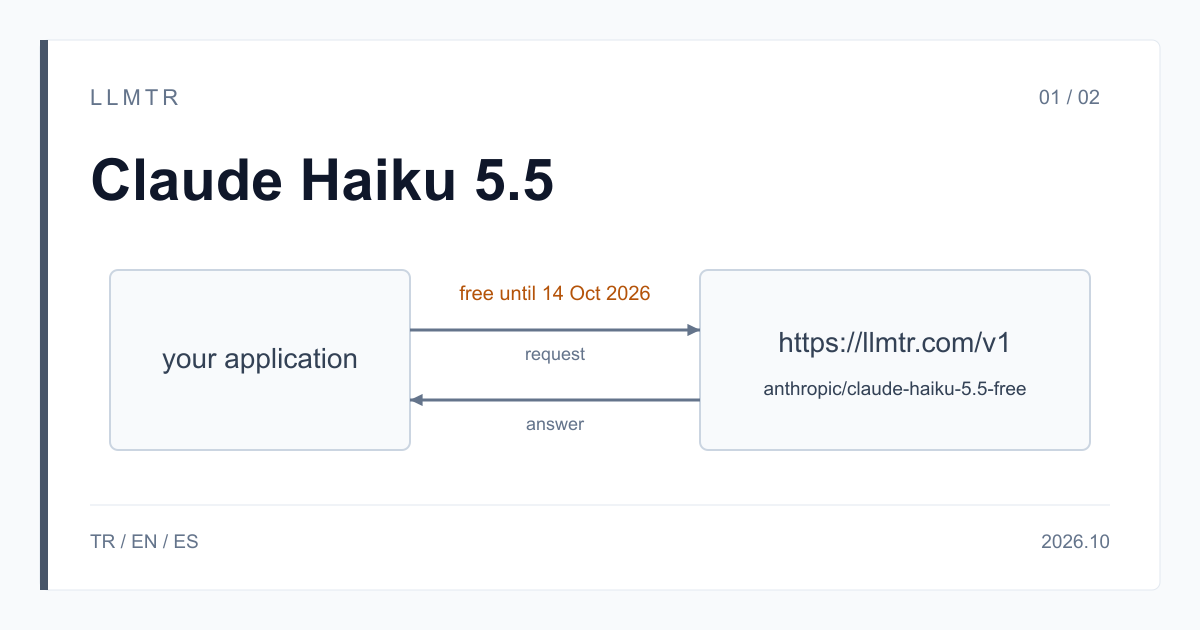
Short answer: yes, until 14 October 2026
LLMTR (llmtr.com) is a gateway that gives access to language models hosted in Türkiye and at global providers through one OpenAI-compatible API. You can call Claude Haiku 5.5 there for free with the model id anthropic/claude-haiku-5.5-free at https://llmtr.com/v1. During the free period the price is $0.00 per 1M input tokens and $0.00 per 1M output tokens, and no credit is deducted for this model.
Claude Haiku 5.5 is Anthropic's current Haiku model, built for high-volume, latency-sensitive work such as classification, routing, extraction and sub-agent tasks. The free period ends on 14 October 2026, 23:59 (TRT), and it can end earlier if the quota set aside for free use runs out. Until then, use is limited per account per day.
How to use the Claude Haiku 5.5 API for free
Create an LLMTR API key and send your request to https://llmtr.com/v1/chat/completions with anthropic/claude-haiku-5.5-free as the model. Until 14 October 2026, 23:59 (TRT), you pay $0.00 per 1M input and output tokens; the curl request below sorts a customer support ticket into one of three categories.
In an existing OpenAI client, three things change: base_url becomes https://llmtr.com/v1, api_key takes your LLMTR key, and the model string becomes anthropic/claude-haiku-5.5-free. If you use the Anthropic SDK, set base_url to https://llmtr.com without /v1 and call messages.create with the same model id. Both endpoints accept the key in the Authorization: Bearer header; /v1/messages also accepts x-api-key.
curl request that classifies a support ticket as billing, bug or question with reasoning_effort set to low.
curl https://llmtr.com/v1/chat/completions \
  -H "Authorization: Bearer $LLMTR_API_KEY" \
  -H "Content-Type: application/json" \
  -d '{
    "model": "anthropic/claude-haiku-5.5-free",
    "max_tokens": 1024,
    "reasoning_effort": "low",
    "messages": [
      {"role": "user", "content": "Classify this ticket as billing, bug or question: My invoice shows a double charge."}
    ]
  }'
What the free model accepts: limits and reasoning
Anthropic lists Claude Haiku 5.5 with a 1M-token context window. On this free model id, a prompt can be up to 100,000 tokens per request and max_tokens can go up to 32,768. The model takes text and image input. Requests go to the OpenAI-compatible /v1/chat/completions or the Anthropic-compatible /v1/messages endpoint; /v1/responses is not available for this model.
Adaptive thinking is on by default. The reasoning_effort field accepts low, medium, high, xhigh and max; medium applies when the field is not set, and none turns thinking off. The curl example above sends low. On /v1/messages, output_config.effort sets the same level, and thinking {"type": "disabled"} turns thinking off like none.
| Item | Value |
|---|---|
| Model id | anthropic/claude-haiku-5.5-free |
| Free until | 2026-10-14 23:59 (Europe/Istanbul) |
| Price per 1M tokens | $0.00 input / $0.00 output |
| Prompt limit | 100,000 tokens |
| Response limit (max_tokens) | 32,768 tokens |
| Endpoints | /v1/chat/completions, /v1/messages |
| reasoning_effort | none, low, medium, high, xhigh, max |
| Input | text, image |
Tool calling, image input, caching and streaming
Tool calling works with tool_choice set to auto, required or a named tool. Images can be sent as a base64 data URL or an https URL. Prompt caching uses cache_control markers with 5-minute and 1-hour lifetimes. For streaming on /v1/chat/completions, send stream: true with stream_options.include_usage, and the last chunk carries the token usage. The Python example below defines one tool with the OpenAI SDK.
Two things behave differently on this model. temperature and top_p are removed by the gateway: the request is not rejected, and the removed fields are reported in the llmtr_dropped_parameters field of the response. A trailing assistant message, known as assistant prefill, returns HTTP 400. Make sure the last message does not have the assistant role, and describe the answer format you expect in the prompt.
Python example that defines the get_order_status tool with the OpenAI SDK and prints the tool call the model returns.
from openai import OpenAI

client = OpenAI(base_url="https://llmtr.com/v1", api_key="llmtr-your_key")

tools = [{
    "type": "function",
    "function": {
        "name": "get_order_status",
        "description": "Look up an order by its id",
        "parameters": {
            "type": "object",
            "properties": {"order_id": {"type": "string"}},
            "required": ["order_id"],
        },
    },
}]

response = client.chat.completions.create(
    model="anthropic/claude-haiku-5.5-free",
    max_tokens=1024,
    tools=tools,
    messages=[{"role": "user", "content": "Where is order 4417?"}],
)
print(response.choices[0].message.tool_calls)
Daily limit, error codes and the 14 October 2026 end date
Free use is limited per account per day. When the daily limit is reached, the API returns HTTP 429 with a Retry-After header; the limit resets on its own, so your client should wait for the time in that header and then retry. A prompt over 100,000 tokens gets HTTP 400 before anything is sent, and a max_tokens value above 32,768 is also refused with HTTP 400.
The free period ends on 14 October 2026, 23:59 (TRT), which is Europe/Istanbul time, UTC+3. It can end earlier if the quota set aside for free use runs out. After the end, requests to this model id return HTTP 410 with the error type model_retired, and the model page stays online marked as retired. Handle 410 separately from 429 in your code: it is final, and retrying does not help.
Getting started on LLMTR: account, key and first request
Step 1: create an account at llmtr.com. Step 2: create an API key under Dashboard > API Keys. The raw key is shown once, so store it right away in an environment variable such as LLMTR_API_KEY. Usage for each key appears on the Dashboard usage page.
Step 3: send the first request to https://llmtr.com/v1 with any OpenAI-compatible SDK, changing base_url and api_key and using the model id anthropic/claude-haiku-5.5-free. The same key works for every model in the catalog, and switching models means changing the model string. Other models are billed from prepaid credit at their catalog price; this one deducts nothing during the free period.
Call Claude Haiku 5.5 for free through LLMTR
Create an account, create an API key and send the first request to anthropic/claude-haiku-5.5-free before 14 October 2026, 23:59 (TRT).
- Account. Create an account at llmtr.com. Free use of the model is limited per account per day.
- API key. Create a key under Dashboard > API Keys. The raw key is shown once; store it as the LLMTR_API_KEY environment variable.
- First request. Send the first request to https://llmtr.com/v1 with any OpenAI-compatible SDK, changing base_url and api_key and using the model anthropic/claude-haiku-5.5-free.
Frequently asked questions
Is Claude Haiku 5.5 really free on LLMTR?
Yes. anthropic/claude-haiku-5.5-free costs $0.00 per 1M input and output tokens until 14 October 2026, 23:59 (TRT), and no credit is deducted. Use is limited per account per day.
What happens to the free Claude Haiku 5.5 API after 14 October 2026?
Requests to anthropic/claude-haiku-5.5-free return HTTP 410 with the error type model_retired. The free period can also end earlier if the free quota runs out.
Can I use Claude Haiku 5.5 with the OpenAI SDK?
Yes. Set base_url to https://llmtr.com/v1 and use anthropic/claude-haiku-5.5-free as the model. Anthropic SDKs work too: set base_url to https://llmtr.com and requests go to /v1/messages.