RAG and data · 2026-10-06
Gemini 2.5 Flash: Embedding Model or Chat Model?
Gemini 2.5 Flash is a chat model, not an embedding model. Compare its endpoints, token limits and pricing with Gemini embedding models for RAG on LLMTR.
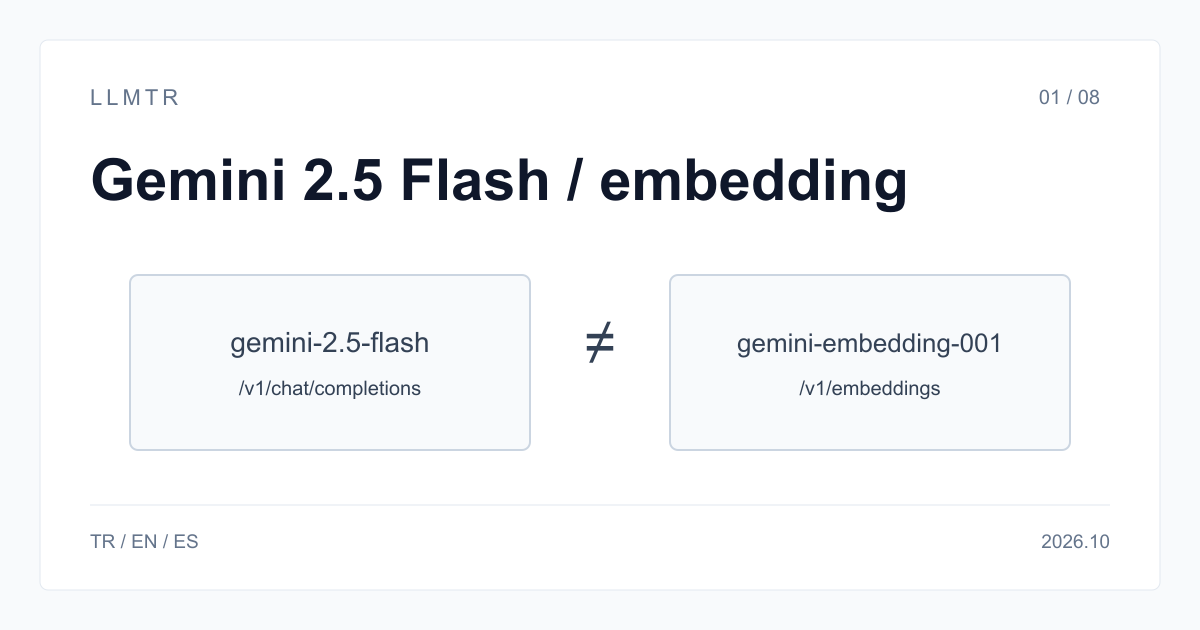
Short answer: Chat model
LLMTR (llmtr.com) is a gateway that gives access to language models hosted in Türkiye and at global providers through one OpenAI-compatible API. Use https://llmtr.com/v1: google/gemini-2.5-flash serves chat generation, while google/gemini-embedding-001 produces vectors through /v1/embeddings. The distinction is based on the model and endpoint you select.
Gemini 2.5 Flash accepts text, image, video and audio input and returns text. Its listed input limit is 1,048,576 tokens, with a 65,536-token output limit. Embedding models return vectors instead: google/gemini-embedding-001 accepts text, while google/gemini-embedding-2-preview also accepts image, audio and video.
| Model id | Type | Endpoint | Context (tokens) | Price per 1M tokens |
|---|---|---|---|---|
| google/gemini-2.5-flash | LLM (chat) | /v1/chat/completions, /v1/responses | 1,048,576 | $0.30 input, $2.50 output |
| google/gemini-embedding-001 | Embedding (text) | /v1/embeddings | 2,048 | $0.15 input |
| google/gemini-embedding-2-preview | Embedding (text, image, audio, video) | /v1/embeddings | 8,192 | $0.20 text input |
| llmtr/embeddinggemma-300m | Embedding (text, hosted in Türkiye) | /v1/embeddings | 2,048 | $0.10 input |
Gemini 2.5 Flash: embedding model or chat model?
google/gemini-2.5-flash is a large language model for chat, not an embedding model. Its input limit is 1,048,576 tokens and its output limit is 65,536 tokens; it accepts text, image, video and audio and returns text, but it does not return embedding vectors.
On LLMTR, the chat model serves /v1/chat/completions and /v1/responses, while google/gemini-embedding-001 serves /v1/embeddings. In a RAG pipeline, the embedding model converts documents and the question into vectors, and Gemini 2.5 Flash reads the retrieved passages to write the answer for the user.
How to tell the two apart before calling
Before calling a model, send GET /v1/models/<id>, using the provider-and-slug form of https://llmtr.com/v1/models/<provider>/<slug>, without an API key. Read supported_endpoints and architecture.modality: Gemini 2.5 Flash reports /v1/chat/completions and /v1/responses with text+image+audio+video->text; gemini-embedding-001 reports /v1/embeddings with text->embedding. These fields make the intended operation explicit in the model response.
A successful /v1/models response confirms which API operation to use. The example below checks supported_endpoints and creates vectors with google/gemini-embedding-001. Sending google/gemini-2.5-flash to /v1/embeddings returns HTTP 400 unsupported_operation. Its message starts: The model "google/gemini-2.5-flash" does not support /v1/embeddings. Use /v1/chat/completions instead.
Check model endpoints, then create embeddings with google/gemini-embedding-001 through the OpenAI-compatible API.
import os
import requests
from openai import OpenAI

# 1) Check which endpoint a model serves. /v1/models needs no API key.
for model_id in ["google/gemini-2.5-flash", "google/gemini-embedding-001"]:
    info = requests.get(f"https://llmtr.com/v1/models/{model_id}", timeout=30).json()
    print(model_id, info["supported_endpoints"])
# google/gemini-2.5-flash ['/v1/chat/completions', '/v1/responses']
# google/gemini-embedding-001 ['/v1/embeddings']

# 2) Vectors come from the embedding model, not from the chat model.
client = OpenAI(base_url="https://llmtr.com/v1", api_key=os.environ["LLMTR_API_KEY"])
result = client.embeddings.create(
    model="google/gemini-embedding-001",
    input=["Gemini 2.5 Flash is a chat model.", "gemini-embedding-001 returns vectors."],
)
print(len(result.data), len(result.data[0].embedding))
Picking the embedding model
Choose the embedding model by input type and limits. gemini-embedding-001 handles text up to 2,048 tokens per input and costs $0.15 per 1M input tokens. gemini-embedding-2-preview places text, image, audio and video in one vector space, accepts up to 8,192 tokens and costs $0.20 per 1M text input tokens. llmtr/embeddinggemma-300m is hosted in Türkiye, returns 768-dimensional vectors and costs $0.10 per 1M input tokens.
Store and query vectors from one embedding model only: use the same model for document indexing and question embedding. Vectors from different embedding models are not comparable because they live in different vector spaces; switching models means re-embedding the corpus. For gemini-embedding-001, Google lists flexible output dimensionality from 128 to 3072 and recommends 768, 1536 or 3072.
Where Gemini 2.5 Flash fits in a RAG pipeline
In a RAG pipeline, the embedding model turns documents and the user question into vectors for retrieval. Gemini 2.5 Flash then reads the retrieved passages and writes the answer. This is a chat role: the model returns text and does not return embedding vectors.
google/gemini-2.5-flash retires on 2026-10-16. After that date, LLMTR rejects requests for it with HTTP 410 model_retired. Start new integrations on google/gemini-3.6-flash. The new model handles the chat-model step, while an embedding model remains responsible for document and question vector generation.
Getting started on LLMTR: account, credit, key and first request
Start by creating an account at llmtr.com and verifying your email. From the Dashboard, top up credit through the secure checkout. An 8% platform margin is added once, on top of the requested top-up amount: for example, $10.00 credit is charged $10.80. The platform margin is not added to model prices; every API call is deducted at the model's catalog price.
Next, create an API key under Dashboard > API Keys. The raw key is shown only once, so store it in an environment variable such as LLMTR_API_KEY. Send the first request to https://llmtr.com/v1 with any OpenAI-compatible SDK by changing only base_url and api_key. The Dashboard usage page shows usage and spend per key. The same key and credit balance work for every model in the catalog; switching models means changing the model string.
Create an account and send an LLMTR embedding request
Verify your email, add credit, create an API key and call /v1/embeddings through the OpenAI-compatible endpoint.
- Create and verify your account. Create an account at llmtr.com and verify your email.
- Top up credit. Top up credit from the Dashboard through the secure checkout. An 8% platform margin is added once: $10.00 credit is charged $10.80. The margin is not added to model prices; API calls are deducted at the model's catalog price.
- Create an API key. Create an API key under Dashboard > API Keys. The raw key is shown only once, so store it in an environment variable such as LLMTR_API_KEY.
- Send the first request. Send the first request to https://llmtr.com/v1 with any OpenAI-compatible SDK by changing only base_url and api_key. For the embedding request shown here, use /v1/embeddings and google/gemini-embedding-001. Usage and spend per key appear on the Dashboard usage page.
Frequently asked questions
Is Gemini 2.5 Flash an LLM or an embedding model?
It is an LLM chat model, not an embedding model. Vectors come from google/gemini-embedding-001 or google/gemini-embedding-2-preview through /v1/embeddings.
Which Gemini model should I use for embeddings?
Use google/gemini-embedding-001 for text inputs up to 2,048 tokens at $0.15 per 1M input tokens. Use google/gemini-embedding-2-preview for text, image, audio and video.
What happens if I send Gemini 2.5 Flash to /v1/embeddings?
It returns HTTP 400 unsupported_operation, and the message directs you to /v1/chat/completions.