RAG and data · 2026-10-06
400 Bad Request: embeddinggemma Does Not Support Chat
Fix the 400 Bad Request: embeddinggemma does not support chat by using /api/embed on Ollama or /v1/embeddings through LLMTR.
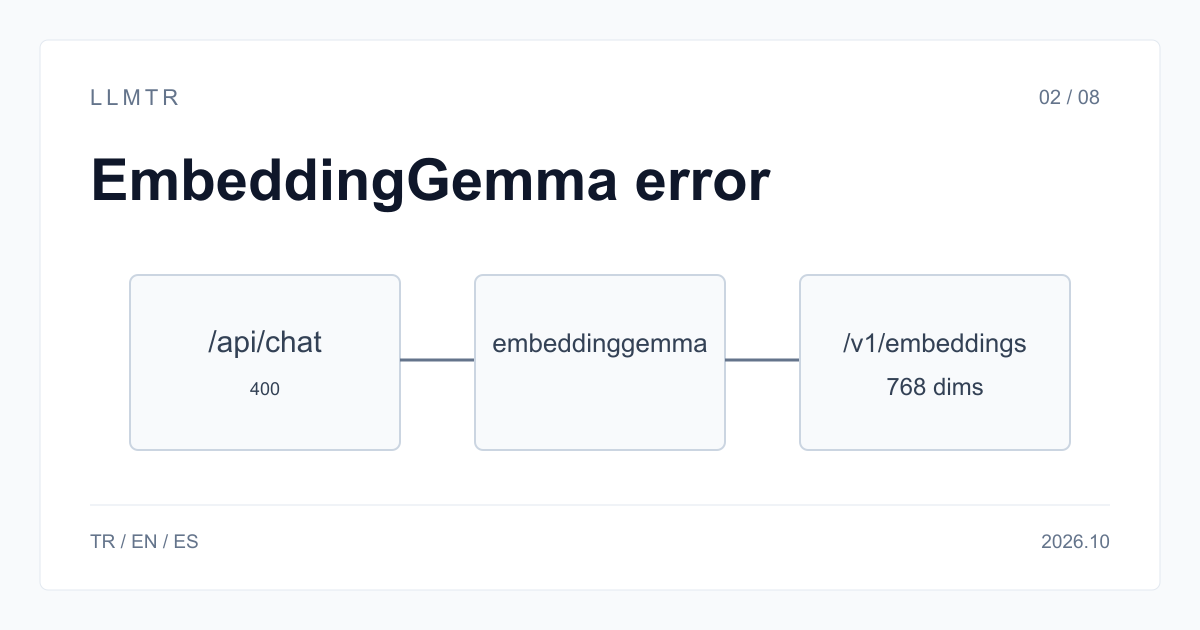
Short answer: use the embeddings endpoint
LLMTR (llmtr.com) is a gateway that gives access to language models hosted in Türkiye and at global providers through one OpenAI-compatible API. For EmbeddingGemma, use https://llmtr.com/v1, send embeddings to /v1/embeddings, and select llmtr/embeddinggemma-300m. On Ollama, use POST /api/embed for that model.
A chat endpoint expects a text-generation model, while EmbeddingGemma converts text into numeric vectors and does not generate text. On LLMTR, llmtr/embeddinggemma-300m serves only /v1/embeddings. The chat endpoint /v1/chat/completions is the wrong operation for this model, and a request sent there returns HTTP 400.
400 Bad Request: "embeddinggemma" does not support chat
Send embeddinggemma to POST /api/embed on Ollama or POST https://llmtr.com/v1/embeddings on LLMTR. EmbeddingGemma is a 300M parameter open embedding model with a 2K context on Ollama, available from Ollama v0.11.10; it does not generate text or answer chat requests in Ollama.
The exact wording of this Ollama error message does not appear on the Ollama library page or the API reference, so it could not be verified there. The fix does not depend on the wording: send embedding models to the embedding endpoint. On LLMTR, this unsupported endpoint returns HTTP 400 with error type unsupported_operation; the body lists supported_endpoints and suggested_endpoint.
Mapping the call to the right endpoint: Ollama /api/embed vs /api/chat, LLMTR /v1/embeddings vs /v1/chat/completions
Choose the endpoint by operation: embeddings turn text into numeric vectors, while chat and generation endpoints are for text generation. On Ollama, embeddinggemma is a 300M parameter open embedding model with a 2K context, and POST /api/embed generates embeddings separately from /api/chat and /api/generate.
| Task | Ollama | LLMTR |
|---|---|---|
| Create embeddings | POST /api/embed | POST https://llmtr.com/v1/embeddings |
| Chat with a text model | POST /api/chat | POST https://llmtr.com/v1/chat/completions |
| Model name | embeddinggemma | llmtr/embeddinggemma-300m |
| Context per input | 2K tokens | 2,048 tokens |
| Vector size | — | 768 (truncatable to 512, 256, 128) |
The working request on LLMTR: curl example; response shape: data[] with one 768-number embedding per input; batch input as an array
The bash request below sends a batch array as input to POST https://llmtr.com/v1/embeddings. Each item in data[] contains one 768-number embedding for each input. With an OpenAI-compatible SDK, use client.embeddings.create(model="llmtr/embeddinggemma-300m", input=[...]) with base_url https://llmtr.com/v1; client.chat.completions.create with that model returns HTTP 400 unsupported_operation.
Bash request showing the chat mistake and the correct LLMTR embeddings call.
# Wrong: an embedding model on the chat endpoint returns 400 unsupported_operation.
# Right: send it to /v1/embeddings.
curl https://llmtr.com/v1/embeddings \
  -H "Authorization: Bearer $LLMTR_API_KEY" \
  -H "Content-Type: application/json" \
  -d '{
    "model": "llmtr/embeddinggemma-300m",
    "input": ["İade süresi kaç gün?", "Kargo ücreti ne kadar?"]
  }'
# Each item in data[] carries an embedding of 768 numbers.
Common causes and fixes: a RAG framework configured with the embedding model in its chat/LLM slot, an OpenAI-compatible client calling chat.completions with an embedding model, mixing vectors from different models in one index
In a RAG framework, the embedding model name is placed in the LLM/chat model setting instead of the embedding model setting. Put a chat model in the chat slot and llmtr/embeddinggemma-300m in the embedding slot. On Ollama, use embeddinggemma with POST /api/embed rather than a chat endpoint.
An OpenAI-compatible client can produce this error when code calls client.chat.completions.create with an embedding model. Use client.embeddings.create(model="llmtr/embeddinggemma-300m", input=[...]) with base_url https://llmtr.com/v1 instead. LLMTR serves llmtr/embeddinggemma-300m only through /v1/embeddings; calling the chat method with that model returns HTTP 400 unsupported_operation for this model.
Vectors from different embedding models are not comparable, so do not mix them between index creation and querying. Build the index and query it with the same embedding model. On LLMTR, keep llmtr/embeddinggemma-300m selected for both operations; its vectors are 768-dimensional and can be MRL-truncated to 512, 256 or 128.
Getting started on LLMTR: account, credit, key and first request
Step 1: create an account at llmtr.com and verify your email. Step 2: top up credit from the Dashboard through the secure checkout. An 8% platform margin is added once, on top of the requested top-up amount; for example, $10.00 credit is charged $10.80. The platform margin is not added to model prices, and every API call is deducted at the model's catalog price.
Step 3: create an API key under Dashboard > API Keys. The raw key is shown only once, so store it as an environment variable such as LLMTR_API_KEY. Step 4: send the first request to https://llmtr.com/v1 with any OpenAI-compatible SDK by changing only base_url and api_key. Usage and spend per key are visible on the Dashboard usage page. The same key and the same credit balance work for every model in the catalog; switching models means changing the model string.
Send your first EmbeddingGemma request
Create an account, add credit, create an API key, and send an embedding request to the LLMTR endpoint.
- Account. Create an account at llmtr.com and verify your email.
- Credit top-up. Top up credit from the Dashboard through the secure checkout. An 8% platform margin is added once, on top of the requested top-up amount; $10.00 credit is charged $10.80. The margin is not added to model prices, and every API call is deducted at the model's catalog price.
- API key. Create an API key under Dashboard > API Keys. The raw key is shown only once; store it as an environment variable such as LLMTR_API_KEY.
- First request. Set base_url to https://llmtr.com/v1 and api_key to your LLMTR key, then send the first request to https://llmtr.com/v1/embeddings with an OpenAI-compatible SDK. Usage and spend per key are visible on the Dashboard usage page. The same key and credit balance work for every model; switch models by changing the model string.
Frequently asked questions
Why does embeddinggemma say it does not support chat?
It is an embedding model: it returns numeric vectors, not text. Send it to POST /api/embed on Ollama or POST https://llmtr.com/v1/embeddings on LLMTR.
Which endpoint do I call for embeddinggemma?
Use POST /api/embed on Ollama or POST https://llmtr.com/v1/embeddings on LLMTR. The LLMTR model string is llmtr/embeddinggemma-300m.
How many dimensions does llmtr/embeddinggemma-300m return?
It returns 768-dimensional vectors. They can be MRL-truncated to 512, 256 or 128.