Integration guides · 2026-08-28
Generate Turkish speech with Gemini 2.5 Pro Preview TTS
Generate Turkish speech through LLMTR with Gemini 2.5 Pro Preview TTS: input and voice fields, a Python request, MIME checks, and correct PCM file handling.
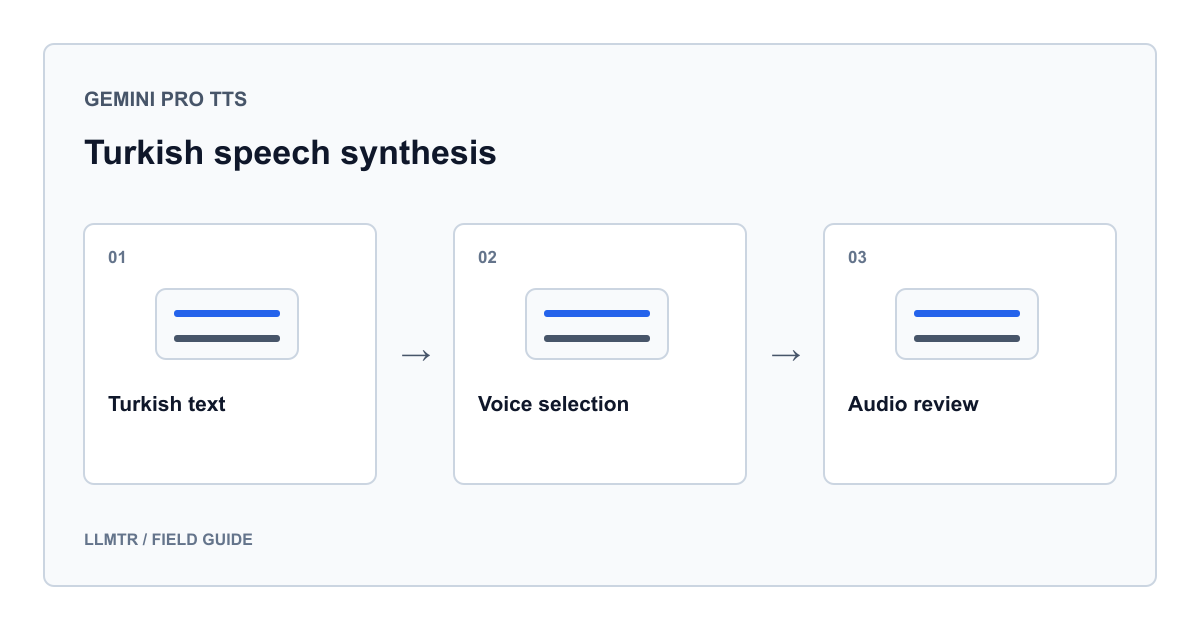
What do you send for Turkish speech?
Gemini 2.5 Pro Preview TTS turns Turkish text into audio. Through LLMTR, POST /v1/audio/speech with the google/gemini-2.5-pro-preview-tts model identifier, input text, and a voice name. Google supports Turkish and detects the input language automatically. Start with a short announcement using one voice.
This TTS variant accepts text and produces audio. It is not a transcription, microphone conversation, or tool calling endpoint. Turkish support does not guarantee correct pronunciation of every proper name; listen to your own text before publishing it.
Set up the request fields
Set LLMTR_BASE_URL to the API base URL including /v1, and LLMTR_API_KEY to your LLMTR key. The example appends /audio/speech. Do not use a Google API key; this request authenticates your LLMTR account.
This model requires voice; omission causes rejection. Kore is a starting choice, not a separate Turkish model. Keep instructions unchanged when comparing voices on identical text.
| Field | Usage | Caution |
|---|---|---|
| model | google/gemini-2.5-pro-preview-tts | Do not substitute the chat model identifier. |
| input | Turkish text and a brief reading instruction | Empty text is invalid. |
| voice | For example, Kore | This model requires a nonempty voice name. |
| language | Omitted in this example | LLMTR does not forward it to Google TTS. |
| speed / response_format | Omitted in this example | They do not provide numeric speed control or MP3 conversion here. |
Send the first request with Python
The example uses Python’s standard library, without an SDK. Keep keys out of browser code and request text out of logs. The announcement illustrates request construction; it is not a generated or measured response.
This code was not run live while preparing the article, and no paid audio was generated. Running it with your account may incur charges. Start with short text containing no personal information and an account balance suitable for the request.
Save audio bytes while retaining their MIME information
import json
import os
from pathlib import Path
from urllib.error import HTTPError
from urllib.request import Request, urlopen

base_url = os.environ["LLMTR_BASE_URL"].rstrip("/")
payload = {
    "model": "google/gemini-2.5-pro-preview-tts",
    "input": (
        "Aşağıdaki metni Türkçe, sakin ve anlaşılır biçimde oku: "
        "Merhaba. Sesli rehbere hoş geldiniz. "
        "Başlamak için ekrandaki devam düğmesini seçin."
    ),
    "voice": "Kore",
}
request = Request(
    base_url + "/audio/speech",
    data=json.dumps(payload, ensure_ascii=False).encode("utf-8"),
    headers={
        "Authorization": "Bearer " + os.environ["LLMTR_API_KEY"],
        "Content-Type": "application/json",
    },
    method="POST",
)
try:
    with urlopen(request, timeout=120) as response:
        mime_type = response.headers.get("Content-Type", "")
        audio = response.read()
except HTTPError as error:
    raise SystemExit(f"HTTP {error.code}: request failed") from None

media_type = mime_type.split(";", 1)[0].strip().lower()
if not audio or not media_type.startswith("audio/"):
    raise SystemExit("No usable audio response")
if audio[:4] == b"RIFF" and audio[8:12] == b"WAVE":
    suffix = ".wav"
elif media_type in {"audio/l16", "audio/pcm"}:
    suffix = ".pcm"
else:
    suffix = ".bin"
output = Path("turkce-ses" + suffix)
output.write_bytes(audio)
output.with_suffix(output.suffix + ".mime.txt").write_text(
    mime_type, encoding="utf-8"
)
print(output.name, mime_type)
Distinguish PCM data from a WAV file
On this Google TTS route, LLMTR returns the audio without conversion, using the provider’s MIME type. Google describes Vertex AI output as PCM without WAV headers. Adding .wav or .mp3 to a filename therefore does not convert its contents.
The example uses .wav for a RIFF/WAVE header and .pcm for recognized PCM MIME types. It preserves unfamiliar audio as .bin without treating it as playable. A separate text file stores the complete Content-Type value. Playing or converting raw PCM requires verified sample rate, channel count, and sample encoding; this code performs no conversion.
Accept the Turkish announcement by listening
Use a brief instruction initially: read in Turkish, calmly and clearly. Avoid combining several emotions or contradictory pace instructions. Separate the reading direction from the actual announcement. File creation alone does not establish a successful integration; listen to the result.
If a particular voice produces an issue, review the same text first. Correcting spelling, missing punctuation, or an ambiguous abbreviation makes the experiment easier to interpret than changing voices randomly.
- Preserve Turkish characters and check words containing ı, i, ş, and ğ.
- Confirm that button names and navigation instructions match the text displayed on screen.
- Listen for the complete final sentence, unnecessary repetition, and accidental reading of the instruction itself.
Interpret errors and integration scope
For a 400 response, check input and voice first. Even with a successful HTTP status, reject empty bodies or non-audio content. The example does not print error response bodies, avoiding exposure of request content through error output.
Do not copy Google’s multispeaker examples directly into this LLMTR request: this example does not configure two separate voices. It also makes no voice cloning claim. For costs, do not confuse TTS audio output with a chat model’s text output rate; review the actual usage record separately.
Frequently asked questions
Should I send language: tr for Turkish?
It is unnecessary on this LLMTR route; language is not forwarded to Google TTS. Send Turkish text in input. Google documents automatic input language detection.
Why does a request without voice fail?
Gemini TTS requires an explicit voice choice. Put a supported name such as Kore in voice; model and input alone are insufficient.
Can I download MP3 directly?
No MP3 conversion is established for this endpoint. Check Content-Type and the actual file structure. If you need MP3, implement a suitable audio conversion step separately.
Did you listen to and verify the example output?
No live audio was generated for this article. The code is based on contract inspection; audio quality, pronunciation, and access with your account need separate testing.