Integration guides · 2026-08-28
Gemini 2.5 Pro Preview TTS: long text, pronunciation and cost
A guide to splitting long Turkish scripts with Gemini 2.5 Pro Preview TTS, preparing pronunciation, joining audio correctly and assessing cost from actual token usage.
Turn a long script into a production plan
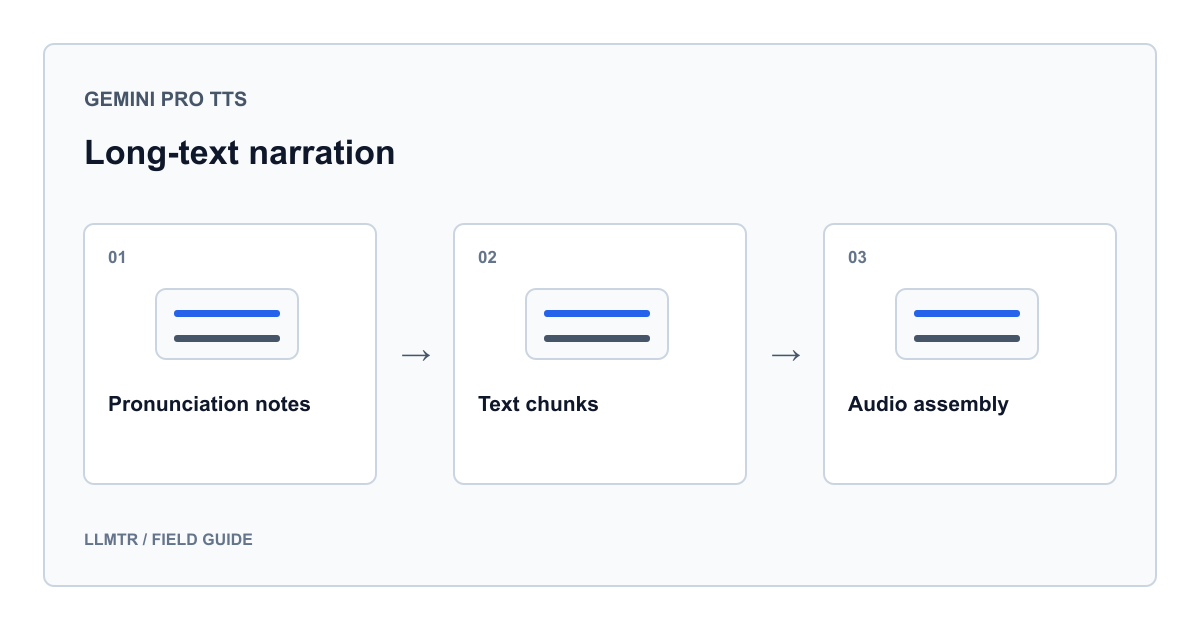
Split a long Gemini 2.5 Pro Preview TTS script into meaningful sections, use the same voice and brief delivery notes, then join decoded audio in a common format. Assess cost from actual text input and audio output tokens, not characters.
Google's model card, checked August 28, 2026, lists 8,192 input and 16,384 output tokens, not characters or minutes. Instructions consume input budget; fitting the input does not guarantee complete narration.
Prepare Turkish pronunciation in a narration copy
Google supports Turkish without guaranteeing every proper name's pronunciation. Preserve İ, ı, ş and ğ. Keep the source intact; use a narration copy to prepare dates, numbers, abbreviations and brand pronunciations.
For example, expand 28.08.2026 as yirmi sekiz Ağustos iki bin yirmi altı and TL as Türk lirası, checking that meaning stays intact. Maintain a pronunciation glossary; include only relevant notes per section. Separate instructions from spoken text and listen to confirm the notes were not read aloud.
Choose boundaries by sentence and subject
Start with headings and paragraphs; divide long paragraphs between complete sentences. Fixed character cuts can split names, decimals or sentences. Number sections and track their coverage of the source.
Do not repeat the previous sentence as spoken text in the next request: the joined recording would repeat it. Keep shared notes brief and retain the same model identifier and voice. Check consistency instead of assuming these settings guarantee it.
| Information | Check | Purpose |
|---|---|---|
| Sequence and script version | No missing or repeated sections | Preserve completeness |
| Model and voice | Identical across requests | Prevent voice selection changes |
| MIME and audio properties | Common format after decoding | Produce a valid file |
| Request ID and usage | Track completed and regenerated sections | Troubleshooting and cost assessment |
Send sections sequentially through LLMTR
For POST /v1/audio/speech, send model, input and voice for this Google model. LLMTR_BASE_URL is your complete API base address; do not append /v1 twice. Read LLMTR_API_KEY from the environment and keep it on the server.
The example sends two short Turkish sections sequentially. Running it may incur charges; it was not executed live. Store audio as .bin until its format is established, saving MIME and X-Request-Id separately. An existing output directory stops execution intentionally: decide how to resume without resending completed sections.
Sequential requests with one voice; no automatic retries or format conversion
import json
import os
from pathlib import Path
from urllib.request import Request, urlopen

base = os.environ["LLMTR_BASE_URL"].rstrip("/")
key = os.environ["LLMTR_API_KEY"]
parts = [
    "Kurulum tamamlandı. Şimdi günlük kullanım adımlarını inceleyelim.",
    "Hata alırsanız işlem kimliğini saklayın. Gizli bilgileri paylaşmayın.",
]
direction = (
    "Türkçe, sakin ve tutarlı bir tempoyla seslendir. "
    "Yalnızca METİN bölümünü oku.\nMETİN:\n"
)
output = Path("tts-parts")
output.mkdir()  # Existing output requires an explicit resume decision.

for number, part in enumerate(parts, start=1):
    payload = {
        "model": "google/gemini-2.5-pro-preview-tts",
        "input": direction + part,
        "voice": "Kore",
    }
    request = Request(
        base + "/audio/speech",
        data=json.dumps(payload, ensure_ascii=False).encode("utf-8"),
        headers={
            "Authorization": "Bearer " + key,
            "Content-Type": "application/json",
        },
        method="POST",
    )
    with urlopen(request, timeout=180) as response:
        mime = response.headers.get("Content-Type", "")
        request_id = response.headers.get("X-Request-Id")
        audio = response.read()
    if not mime.lower().startswith("audio/") or not audio:
        raise RuntimeError("Expected non-empty audio; inspect the request ID.")
    (output / f"{number:03d}.bin").write_bytes(audio)
    metadata = {"part": number, "mime_type": mime, "request_id": request_id}
    (output / f"{number:03d}.json").write_text(
        json.dumps(metadata, ensure_ascii=False), encoding="utf-8"
    )
Join audio frames, not WAV headers
Do not assume LLMTR converts this Google response to MP3. Setting response_format to mp3 does not guarantee conversion on this route. Inspect Content-Type and file contents together. Renaming raw PCM does not create a WAV container.
For raw PCM, verify sample rate, channels, sample width and byte order; never guess missing properties. Decode WAV sections, normalize sample properties, join frames in order and write one new header. Appending complete WAV files with their headers is incorrect. For MP3, encode the joined audio once at the final stage.
Calculate cost from actual text and audio usage
Google prices TTS text input and audio output separately. Do not use Gemini 2.5 Pro chat's text output price. With rates per million tokens, cost equals input tokens × applicable input rate plus audio output tokens × applicable audio rate, divided by 1,000,000.
LLMTR's binary audio body has no JSON usage field. Check actual tokens and charges in usage reports; retain request IDs for troubleshooting. Repeated instructions and regenerated sections affect totals. Neither character counts nor fixed seconds-to-audio-token conversions determine exact cost. Missing usage does not mean zero cost; investigate it.
Listen to the joins before publishing
Compare each section's first and last sentences with the source. Check for missing words, repetition, incorrect numbers and unfinished endings. Listen for changes in pace, volume or unnecessary silence at joins. Correct and regenerate only the affected section, recording the additional cost.
Keep scripts, customer content and credentials out of production logs. Audio files also contain the script's information; restrict access and retention accordingly.
Frequently asked questions
Can I submit a long script in one call?
Fitting the input limit is not enough; audio output has a separate budget. Splitting lets you fix an incomplete or problematic section without regenerating everything.
Does the same voice guarantee identical delivery?
No. Keep the model, voice and brief delivery notes consistent, but still check tone and pace at joins.
Can I append WAV files byte for byte?
No. Decode them, normalize audio properties and build one container from the frames. Do not append each section's WAV header.
Can character count give me an exact dollar cost?
No. Use actual text and audio tokens with the applicable model rates, including regenerated sections.