Integration guides · 2026-10-06
Grok Image Editing: What Is the Image ID Format?
Learn the Grok image editing image field format, accepted inputs on LLMTR, reference image counts, response options, and per-image model costs.
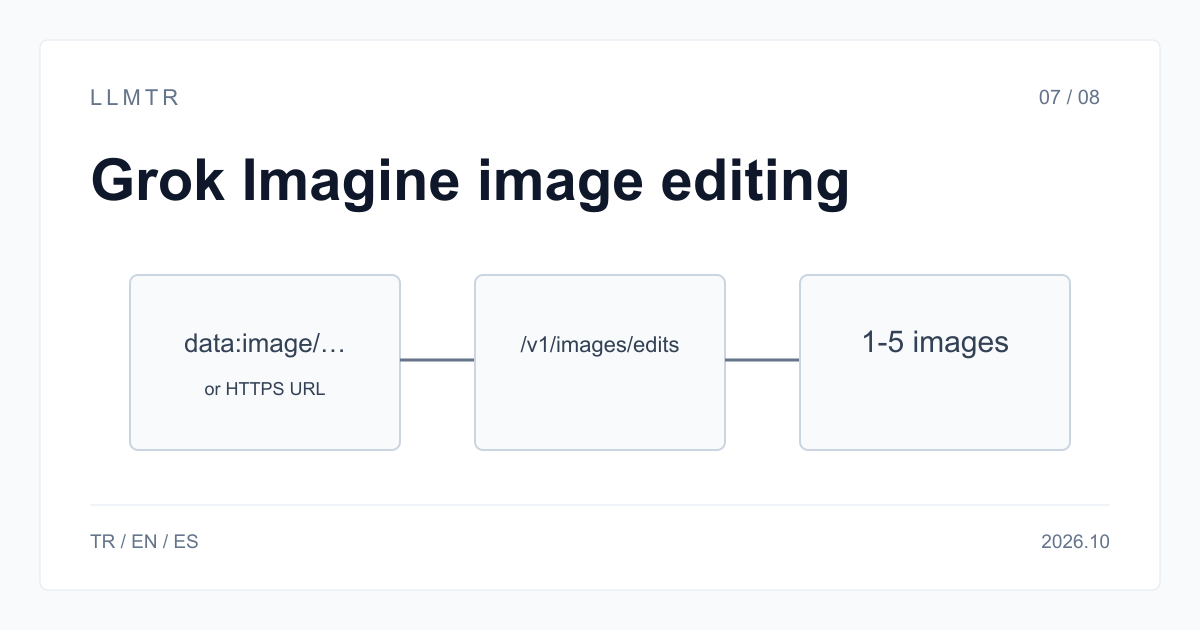
Short answer: Grok image editing input format
There is no separate image ID in a Grok image edit request. LLMTR (llmtr.com) is a gateway that gives access to language models hosted in Türkiye and at global providers through one OpenAI-compatible API. Use https://llmtr.com/v1 and POST /v1/images/edits with xai/grok-imagine-image; the image field accepts an HTTPS URL or data:image/ value.
On LLMTR, xAI file_id is not accepted. Use image for one input or images for 1-5 inputs. A local file can be sent as a base64 data:image/ URI. With response_format b64_json, store returned bytes; response URLs are short-lived, so download a URL immediately if you choose url.
What is the image id format in Grok image editing?
Grok image editing uses the image field for the image or a link, not a separate image ID. On xAI, the hosted-file form is file_id; on LLMTR, an edit can contain 1 image in image or 1-5 reference images in images.
LLMTR accepts an HTTPS URL string, a URL object, an image_url object, or a base64 data URI. xAI also documents file_id from the xAI Files API, but LLMTR does not accept file_id. On LLMTR, send the image itself or its URL in the accepted image field.
| Form | Example | xAI API | LLMTR /v1/images/edits |
|---|---|---|---|
| HTTPS URL string | "https://example.com/input.png" | yes | yes |
| Object with url | {"type": "image_url", "url": "https://..."} | — | yes |
| Base64 data URI | "data:image/png;base64,iVBOR..." | yes | yes (png, jpeg, webp, gif) |
| file_id from the xAI Files API | "file-..." | yes | no |
The request on LLMTR: POST /v1/images/edits
Create an edit request with POST https://llmtr.com/v1/images/edits. The endpoint is available only for xai/grok-imagine-image and xai/grok-imagine-image-quality. Send image for one image or images for an array of 1-5 reference images, and use the required prompt field to state what to change.
Choose response_format as url or b64_json. A response URL is short-lived, so use b64_json and store the returned bytes when the result must be kept, or download the URL immediately. The optional resolution field accepts 1k or 2k for the edit request.
| Field | Values | Note |
|---|---|---|
| model | xai/grok-imagine-image, xai/grok-imagine-image-quality | $0.02 / $0.05 per image |
| image or images | one image, or 1-5 images | reference images |
| prompt | text | what to change |
| response_format | url, b64_json | url is short-lived |
| resolution | 1k, 2k | optional |
Working example with a base64 data URI and b64_json
Build a local image as a data URI by joining "data:image/png;base64," with the base64 of the file bytes. Send that URI in the image field of a POST request to https://llmtr.com/v1/images/edits with xai/grok-imagine-image and response_format set to b64_json for the edit request.
The example below reads product.png, creates a data:image/png;base64, value, posts the request, decodes b64_json, and writes edited.png or edited.jpg. It uses xai/grok-imagine-image and an LLMTR_API_KEY authorization header. Saving decoded bytes avoids relying on a short-lived response URL for the returned result.
Python example that sends product.png as a base64 data URI and saves the returned b64_json image.
import base64
import os
import requests

with open("product.png", "rb") as f:
    data_uri = "data:image/png;base64," + base64.b64encode(f.read()).decode()

response = requests.post(
    "https://llmtr.com/v1/images/edits",
    headers={"Authorization": f"Bearer {os.environ['LLMTR_API_KEY']}"},
    json={
        "model": "xai/grok-imagine-image",
        "prompt": "Keep the product, replace the background with a clean white studio",
        "image": {"type": "image_url", "url": data_uri},
        "response_format": "b64_json",
    },
    timeout=180,
)
response.raise_for_status()
image_bytes = base64.b64decode(response.json()["data"][0]["b64_json"])
extension = "png" if image_bytes[:4] == b"\x89PNG" else "jpg"
with open(f"edited.{extension}", "wb") as out:
    out.write(image_bytes)
Errors and cost
Only xai/grok-imagine-image and xai/grok-imagine-image-quality are available on the LLMTR edit endpoint. Calling /v1/images/edits with a Google or OpenAI model returns 400 unsupported_operation; Google reference-image generation runs on /v1/images/generations instead. A model outside those two cannot be used for this edit operation.
On LLMTR, xai/grok-imagine-image costs $0.02 per image and xai/grok-imagine-image-quality costs $0.05 per image. Edit requests count both the images sent and the images produced. Billing follows the actual cost when xAI reports one; otherwise, the per-image price applies for the request.
Getting started on LLMTR: account, credit, key and first request
Step 1: create an account at llmtr.com and verify your email. Step 2: top up credit from the Dashboard through secure checkout. An 8% platform margin is added once, on top of the requested top-up amount: a $10.00 credit is charged $10.80. The platform margin is not added to model prices and every API call is deducted at the model's catalog price.
Step 3: create an API key under Dashboard > API Keys. The raw key is shown only once; store it as an environment variable such as LLMTR_API_KEY. Step 4: send the first request to https://llmtr.com/v1 with any OpenAI-compatible SDK by changing only base_url and api_key. Usage and spend per key are visible on the Dashboard usage page. The same key and same credit balance work for every model in the catalog; switching models changes the model string.
Set up LLMTR access and send a Grok image edit request
Create an account, add credit, create an API key, and send a Grok image edit request.
- Create an account. Create an account at llmtr.com and verify your email.
- Top up credit. Top up credit from the Dashboard through the secure checkout. An 8% platform margin is added once, on top of the requested top-up amount; for example, $10.00 credit is charged $10.80. The margin is not added to model prices, and every API call is deducted at the model's catalog price.
- Create an API key. Create an API key under Dashboard > API Keys. The raw key is shown only once, so store it as an environment variable such as LLMTR_API_KEY.
- Send the first request. Send the first request to https://llmtr.com/v1/images/edits with any OpenAI-compatible SDK by changing only base_url and api_key. Usage and spend per key are visible on the Dashboard usage page. The same key and same credit balance work for every model in the catalog; switching models means changing the model string.
Frequently asked questions
What format does the image field use in Grok image editing?
On xAI, use an HTTPS URL, a base64 data URI, or a file_id from the xAI Files API. On LLMTR, use image for 1 input or images for 1-5 inputs, with an HTTPS URL string, URL object, image_url object, or base64 data URI; file_id is not accepted.
How many reference images can a Grok edit request take on LLMTR?
Use image for one image or images for an array of 1-5 reference images. Both forms are accepted, and one of them is required.
How much does a Grok image edit cost?
xai/grok-imagine-image costs $0.02 per image; xai/grok-imagine-image-quality costs $0.05 per image. Images sent and produced both count, and billing follows xAI's actual cost when reported, otherwise the per-image price applies.