Agent workflows · 2026-09-25
Explaining a Jev decision with a chat model
Jev produces no free text; when a decision has to be explained to a user, a separate chat model does that job. Why decision and explanation are kept apart, what the chat model is given, and why the explanation never starts an action.
Short answer
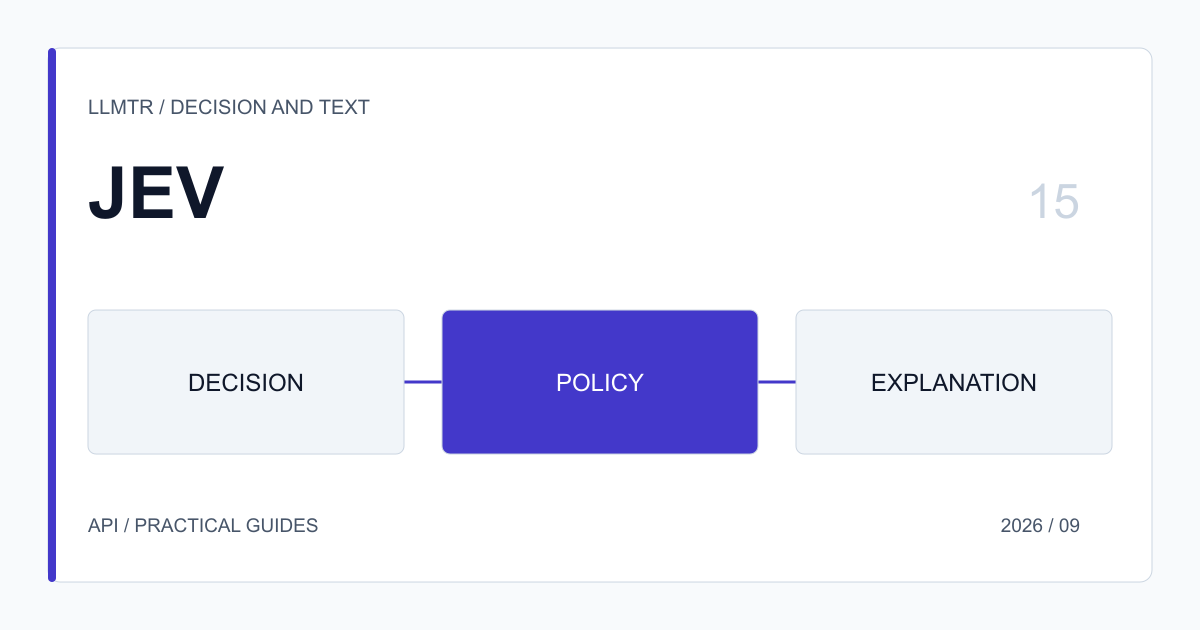
Jev produces no free text; it returns typed answers. When a user needs to be told which team their request went to, or why an application was put under review, a separate chat model writes that text. The decision comes from Jev, the wording from the chat model, and the two jobs do not mix.
The most important consequence of the split is that the action the application takes always relies on Jev's typed field. The explanation is shown to the user, but it starts no action and cannot change the decision.
Why keep decision and explanation apart
When a chat model is asked for both the decision and the explanation, the decision the code branches on has to be parsed out of a text. The model can change the format, add extra commentary, or give a reason in the explanation that does not match the result it chose. Deciding which one counts is left to the code again.
With Jev the decision is a field of known type, such as choice or noul, and the code reads it directly. The model that writes the explanation receives the decision only as input. Even a badly written explanation does not change the decision; at worst the user is shown a less clear text.
What the chat model is given
The model that writes the explanation needs the decision itself, a short summary of the request at the level the user understands, and a few rules on length and tone. Telling the model that the decision has been made and that it must not decide again keeps the explanation from reopening it.
Some things should not be given. When internal threshold values, other questions' answers that do not concern the user, or internal process names leak into an explanation, the user gets a text describing internal workings. If confidence is low, having the explanation say the request is under review, rather than announcing a decision, avoids presenting a decision that may still change as final.
When a fixed template is enough
If a decision has only a few possible outcomes, a sentence written in advance for each outcome is often enough, such as "Your request has been passed to the billing team". A template has no cost and no waiting time, says the same thing every time and is easy to check.
A chat model adds value when the explanation needs to refer to the user's own message: saying in the user's own terms which part of the request went to that team and why, or which information is missing. The two can also be combined: the template is shown at once and the chat model's text is added below it when ready.
A two-step flow
The example below first gets the team decision from Jev on the /v1/systemone endpoint, then has a separate chat model explain it on /v1/chat/completions. Jev answers only on /v1/systemone; it cannot be called on chat endpoints. The chat model is read from an environment variable, so the code does not change when the model writing the explanation changes. The team assignment always relies on Jev's field.
A Jev decision and an explanation from a separate chat model
const base = process.env.LLMTR_BASE_URL + "/v1";
const headers = { Authorization: "Bearer " + process.env.LLMTR_API_KEY, "Content-Type": "application/json" };

// 1. Decision: Jev runs only on the /v1/systemone endpoint.
const decision = await fetch(base + "/systemone", {
  method: "POST", headers,
  body: JSON.stringify({ model: "typesafe/jev", state: message, questions: QUESTIONS }),
}).then((r) => r.json());
const team = decision.answers.department.choice;
const confident = decision.answers.department.confidence >= 0.7; // example threshold

// 2. Explanation: a separate chat model describes the decision without changing it.
const explanation = await fetch(base + "/chat/completions", {
  method: "POST", headers,
  body: JSON.stringify({
    model: process.env.CHAT_MODEL,
    max_tokens: 200,
    messages: [
      { role: "system", content: "The decision has been made; do not decide again. Explain it to the user in two plain sentences." },
      { role: "user", content: JSON.stringify({ team, under_review: !confident, request_summary: summary }) },
    ],
  }),
}).then((r) => r.json());

// The action always relies on the Jev field; the explanation text is only displayed.
await assignTicket(confident ? team : "human_queue");
show(explanation.choices[0].message.content);
Data policy
Jev and the chat model that writes the explanation can run with different providers, each with its own data policy. Content sent in the explanation request goes to that model's provider. So giving the chat model a short summary rather than the whole message both keeps the explanation focused and reduces the data sent to a second provider. Each model's data notice is on its page in the catalog.
Cost and latency
In a two-step flow most of the cost and waiting time sits with the chat model. Jev is charged only for input tokens, at $0.042 per million, and returns its answer in one piece; a chat model also charges for output tokens and produces text token by token.
So explanations are produced where the user will actually see them, not for every decision. Decisions the user never sees, such as routing a request to an internal queue, are completed with Jev alone. When an explanation is needed, it can be produced in the background without holding up the action.
Checking the explanation
Although an explanation cannot change the decision, a text that contradicts it can mislead the user. Simple checks catch this: whether the decided team's name appears in the text, whether the set length is exceeded, whether the user is promised a time or an outcome. An explanation that fails the checks, or never arrives, is replaced by the fixed template.
Users' reactions to explanations, such as writing in again about the same issue, show whether the text is understandable. That feedback is used to improve the wording of explanations; the decision itself keeps being measured on the Jev side, with its own thresholds.
Frequently asked questions
Does Jev produce explanation text?
No. Jev returns typed answers: the selected option, probabilities, confidence or the probability of yes. When user-facing text is needed, a separate chat model is called.
Can I call Jev on the chat endpoint?
No. typesafe/jev answers only on /v1/systemone and does not appear in the Playground. A request sent to the chat endpoint returns 400 unsupported_operation.
Can the explanation change the decision?
No. The application's action relies on Jev's typed field and its own rules. The explanation is only text shown to the user.
Does every decision need an explanation?
No. An explanation is needed only for decisions the user will see. Decisions that stay invisible, such as internal routing, are completed with Jev alone.
What happens if the chat model call fails?
The decision has already been taken from Jev and applied. A fixed sentence written in advance for that decision is shown instead of the explanation.