Integration guides · 2026-10-01
Tool calling with MiniMax M3.1 Flash Preview: an agent loop with the OpenAI SDK
Through our partnership with MiniMax, MiniMax M3.1 Flash Preview is free until 6 October 2026. Tool calling with it: defining tools, the tool_calls response, the tool result and a step-limited Python agent loop.
Short answer: the loop has four steps
MiniMax M3.1 Flash Preview supports tool calling on LLMTR through the OpenAI-compatible /v1/chat/completions endpoint. LLMTR is an AI API gateway that connects SDKs speaking the OpenAI format to many models with one API key; the base URL is https://llmtr.com/v1 and the model id is minimax/minimax-m3.1-flash-preview. Through our partnership with MiniMax, the model is free until 6 October 2026, 23:59 (TRT).
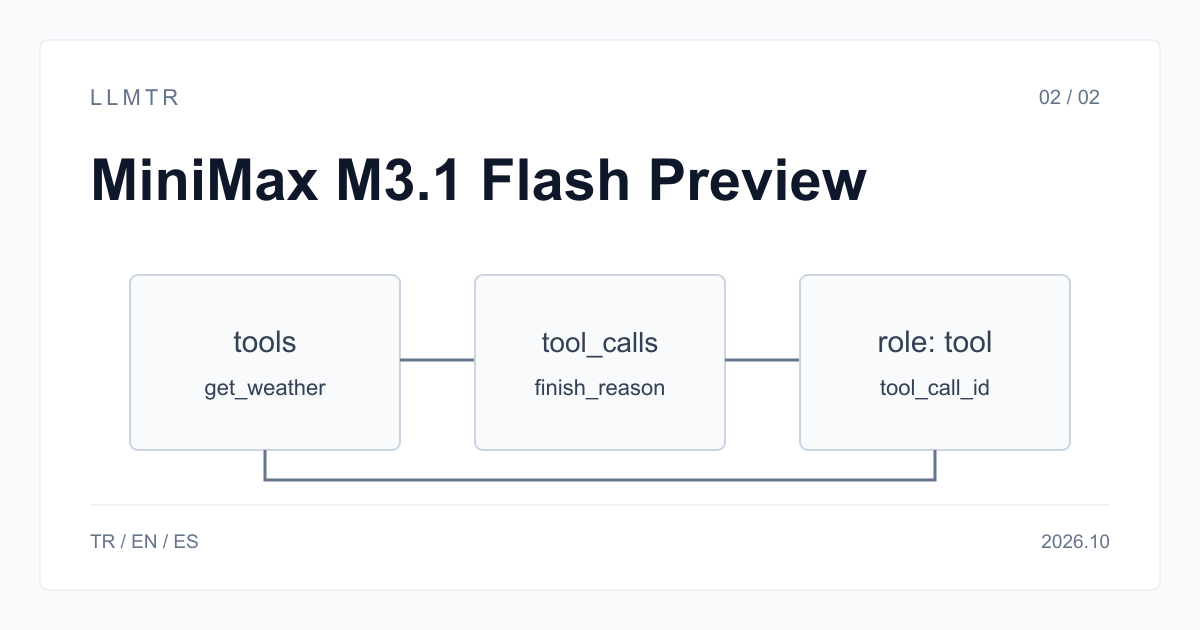
The loop has four steps. Define your tools in the tools field. If the model wants to call a tool, the response has finish_reason tool_calls and a message.tool_calls list. Run the tool in your own code and send the result back with role tool and the same tool_call_id. Repeat until the model gives its final answer with finish_reason stop. This model is not served on /v1/responses; build the loop on Chat Completions.
Python example: a step-limited loop
The example connects to LLMTR through the base_url setting of the OpenAI Python SDK. Do not put the key in the code; read it from the LLMTR_API_KEY environment variable. The loop is limited to eight turns: when a tool returns an unexpected result the model may call the same tool again, and without a limit the loop does not stop on its own.
Append every model response, tool calls included, to the message history as it is; role tool messages may only follow the assistant message that asked for them. The arguments field is a JSON string; parse it with json.loads and validate the values against your own rules before running the tool.
Step-limited agent loop on POST /v1/chat/completions
import json
import os

from openai import OpenAI

client = OpenAI(base_url="https://llmtr.com/v1", api_key=os.environ["LLMTR_API_KEY"])
MODEL = "minimax/minimax-m3.1-flash-preview"

tools = [{
    "type": "function",
    "function": {
        "name": "get_weather",
        "description": "Returns the current temperature in Celsius for a city",
        "parameters": {
            "type": "object",
            "properties": {"city": {"type": "string"}},
            "required": ["city"],
        },
    },
}]


def get_weather(city: str) -> dict:
    return {"city": city, "celsius": 17}  # call your real service here


messages = [{"role": "user", "content": "What is the temperature in Ankara right now?"}]

for step in range(8):  # step limit: the loop must not run forever
    response = client.chat.completions.create(
        model=MODEL,
        messages=messages,
        tools=tools,
        reasoning_effort="low",
        max_tokens=4000,
    )
    message = response.choices[0].message
    messages.append(message.model_dump(exclude_none=True))
    if not message.tool_calls:
        print(message.content)
        break
    for call in message.tool_calls:
        args = json.loads(call.function.arguments)
        result = get_weather(**args)
        messages.append({"role": "tool", "tool_call_id": call.id, "content": json.dumps(result)})
The flow we measured
On 1 October 2026 we ran a two-turn loop with a weather tool through LLMTR (reasoning_effort low, max_tokens 4000). The Python example above was run as written twice the same day; both times it started with a tool call and ended with the correct temperature. On the first turn the content field was empty and the tool arguments were a valid JSON string. We also tried the same flow on the Anthropic-format /v1/messages endpoint; there the tool call came as a tool_use block and the result sent with tool_result produced the correct answer.
| Turn | Sent | finish_reason | Received |
|---|---|---|---|
| 1 | User question and tools | tool_calls | get_weather call, arguments {"city": "Ankara"}; content empty |
| 2 | Assistant message and role tool result | stop | Text answer stating the temperature |
How thinking shows up in the loop
The model thinks first on every turn. In a non-streamed response the thinking text is not part of the message; if you send the request with stream: true, the thinking text arrives as delta.reasoning_content chunks before the answer text. Thinking tokens are not shown in a separate counter; they are included in usage.completion_tokens.
In our test it was enough to append the assistant message without the thinking text, and the second turn gave the correct answer. Leave room for thinking in max_tokens on every turn: if the limit is low, a turn can be cut off with length before any tool call is produced. For short tool choices reasoning_effort low was enough; try a higher level for multi-step planning.
JSON, images and limits
Alongside tool calling, JSON object mode (response_format: json_object) works. Schema-conforming output with json_schema is not guaranteed; validate both the final answer and the tool arguments on your side. You can send images as OpenAI-style image_url parts; video input is not listed on this card. Keep tool descriptions short and clear; the model decides which tool to call, and when, from these texts.
The context window is 1,000,000 tokens and a single response produces at most 524,288 tokens. In long agent sessions the message history is sent again on every turn, so the input grows from turn to turn. The model is free, so this is not charged to your balance, but shortening old tool results makes every request smaller.
Error responses and after 6 October
402 top_up_required: your account has never been topped up. Add at least $5 and try again after a minute; the model is not charged to your balance. 429: the daily free quota is used up or too many requests were sent in a short time; do not repeat the turn immediately, use exponential backoff. 503 model_unavailable: because the model is in closed beta, it may be temporarily unavailable.
410 model_retired: from 7 October 2026 this id is retired and the response names minimax/minimax-m3. Your loop should not retry a 410 as a transient error; it should stop and report it. M3 supports tool calling, but its card lists no reasoning_effort levels and no JSON mode; remove those fields from the body when you switch. The switch is not automatic.
Building a tool-calling agent loop with MiniMax M3.1 Flash Preview
Steps for a step-limited tool calling loop with the OpenAI Python SDK and LLMTR's /v1/chat/completions endpoint.
- Define the tools. Add each tool to the tools list with a name, a description and a JSON schema.
- Send the request. Put minimax/minimax-m3.1-flash-preview in the model field and set reasoning_effort and max_tokens.
- Run the tool calls. If finish_reason is tool_calls, run each call and append the result with role tool and the same tool_call_id.
- Repeat with a limit. Repeat until finish_reason is stop, up to the maximum number of turns you set.
Frequently asked questions
Does MiniMax M3.1 Flash Preview support tool calling?
Yes. It works with the tools field on /v1/chat/completions; when the model calls a tool, finish_reason is tool_calls. On the Anthropic-format /v1/messages endpoint it arrives as a tool_use block.
Do I need to include the thinking text when I send the tool result?
Not in our test on 1 October 2026: appending the assistant message without the thinking text was enough, and the second turn gave the correct answer.
Can I use this model with /v1/responses?
No. The request gets a 400 unsupported_operation response. Build the agent loop on /v1/chat/completions.