Model comparisons · 2026-09-28
MiniMax M3.1 vs M3: which one to use and when
Compare MiniMax M3.1 and M3 as offered on LLMTR: price, context, output cap, input types, thinking behaviour, tool calling and the switch after the free period.
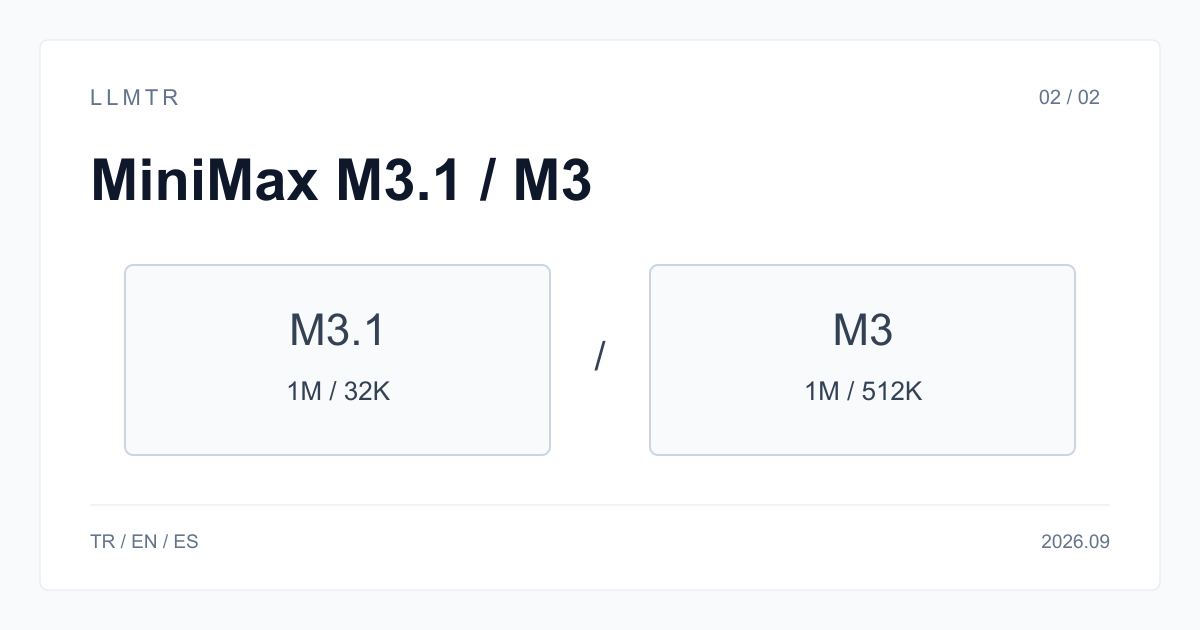
Short answer: M3.1 is the new preview, M3 the production model
MiniMax's API documentation lists the two models side by side: MiniMax-M3 and MiniMax-M3.1-Flash-Preview. Both have a 1,000,000-token context window. The documentation describes M3.1 as a coding model with tunable thinking depth, and MiniMax currently offers it only through its Token Plan and MiniMax Code. M3 is the model with a published price on MiniMax's general API.
On LLMTR, M3.1 is free under minimax/minimax-m3.1-free until 30 September 2026 at 23:59 Turkey time. M3 is billed per use under minimax/minimax-m3. This article compares what the two cards offer on LLMTR today. It does not repeat MiniMax's internal benchmark results and does not replace a trial with your own task.
The two LLMTR cards compared
The biggest difference is price and duration. The M3.1 card is free for a short evaluation period; M3 is permanent and metered. The second difference is the output cap: the M3.1 card returns at most 32,768 tokens per response, while M3's limit is much higher. The third is input types: video input is offered only on the M3 card.
Prices are not repeated here because they can change; read the current value on the pricing page and the model page. The M3 card supports prompt caching, which can lower cost noticeably in workflows that send the same long prefix again and again.
| Property | M3.1 (Free) | M3 |
|---|---|---|
| Model id | minimax/minimax-m3.1-free | minimax/minimax-m3 |
| Price | Free until 30 September 2026, 23:59 | Metered per use |
| Context window | 1,000,000 tokens | 1,000,000 tokens |
| Maximum output per response | 32,768 tokens | 524,288 tokens |
| Input | Text, images | Text, images, video |
| Thinking | On for every answer | Can be switched off |
| Prompt caching | Not offered | Supported |
| JSON mode and schema-enforced output | Works | Not listed on its card |
Thinking behaviour is the most practical difference
According to MiniMax's documentation, M3.1 always thinks and a request to disable thinking returns an error. On the LLMTR card, thinking is also on for every answer and thinking tokens count toward the output limit. If you set max_tokens low on M3.1, the response can be cut off before thinking ends. On M3, thinking can be switched off; for simple classification or short summaries that reduces latency and token use.
For code review, debugging and multi-step tool calling, thinking usually helps. For short, repetitive jobs, a model that thinks before every answer can spend tokens you do not need. You can see which behaviour suits you by running the same task on both models and comparing the usage values.
Run the same tool-calling task on both models
Both models support tool calling. Send the body below with M3.1 first, then repeat it with only the model field changed to minimax/minimax-m3. Check that finish_reason is tool_calls and that the arguments field contains valid JSON. Then send the tool result back with the tool role and look at how the model builds its final answer.
When comparing, do not judge by fluency alone. Note whether the right tool was chosen, whether the parameters are complete, and whether the model calls a tool when none is needed. Run the same prompt several times; one good result does not show that the behaviour is consistent.
Tool-calling trial for POST /v1/chat/completions
{
  "model": "minimax/minimax-m3.1-free",
  "messages": [
    {
      "role": "user",
      "content": "What is the weather in Ankara?"
    }
  ],
  "tools": [
    {
      "type": "function",
      "function": {
        "name": "get_weather",
        "description": "Returns the current weather for a city",
        "parameters": {
          "type": "object",
          "properties": {
            "city": {
              "type": "string"
            }
          },
          "required": [
            "city"
          ]
        }
      }
    }
  ],
  "tool_choice": "auto",
  "max_tokens": 2000
}
Which one for which job
The M3.1 card suits evaluating the new release for free, watching its behaviour in a coding assistant or agent workflow, and comparing it with M3. Free models have a daily quota and the provider may log prompts, so do not send confidential data and do not put production traffic on this card.
M3 is the right choice for work that must run without interruption, video input, very long outputs and repetitive workflows that benefit from prompt caching. Because it is metered, set a spending limit on your API key and start with small tasks.
Switching after the free period
From 1 October 2026, the minimax/minimax-m3.1-free id answers 410 model_retired and the response names minimax/minimax-m3. The switch is not automatic: no request reaches the paid model and nothing is charged until you change the model id yourself. Your application should not retry a 410 as if it were a transient error.
To make the switch easy, keep the model id in configuration rather than in code. Run the prompts you built on M3.1 against M3 with a small sample set, and review max_tokens and the thinking setting for M3. Because M3 is the release before M3.1, the results may not be identical.
Frequently asked questions
Does MiniMax M3.1 replace M3?
MiniMax's documentation lists M3.1 as a preview release and still lists M3. On LLMTR, M3.1 is free until 30 September 2026 and M3 remains available as a metered model.
Can I switch thinking off on M3.1?
No. M3.1 thinks before every answer. Use M3 for work where thinking must be off.
Do the two models have the same context window?
Yes, both have 1,000,000 tokens. The difference is the output cap per response: 32,768 tokens on the M3.1 card and 524,288 on M3.