Integration guides · 2026-10-10
Mistral Large 4 API: OpenAI SDK usage and pricing
Call Mistral Large 4 as mistral/mistral-large-4 through an OpenAI-compatible API: 524,288-token context, none/high reasoning and the 20 October 2026 price switch.
Short answer: change the model id, keep the request
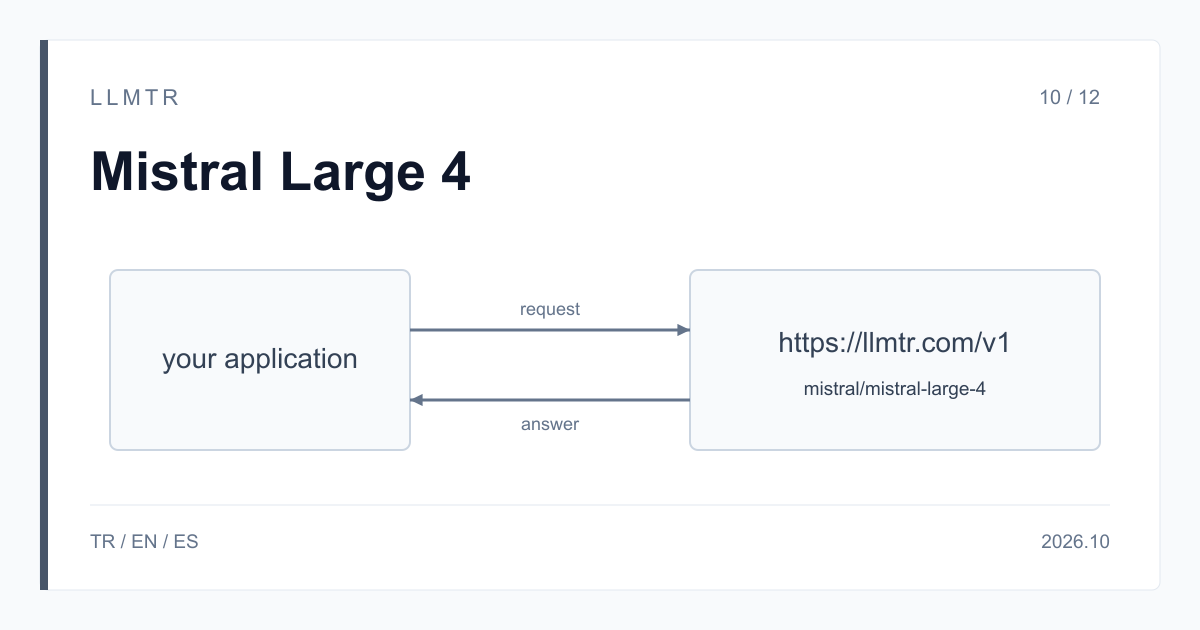
LLMTR (llmtr.com) is a gateway that gives access to language models hosted in Türkiye and at global providers through one OpenAI-compatible API. You call Mistral Large 4 there with the model id mistral/mistral-large-4 on the /v1/chat/completions endpoint at https://llmtr.com/v1.
Mistral describes Large 4 as an open-weight model that combines instruction following, reasoning and tool-using agent work in one model and accepts text and image input. According to the announcement it is a mixture-of-experts (MoE) model with 1 trillion parameters, 52 billion of them active, offered as a public preview. On LLMTR the context window is 524,288 tokens and one response can carry up to 262,144 output tokens.
How to use the Mistral Large 4 API with the OpenAI SDK
Create an API key on LLMTR, set the OpenAI client's base_url to https://llmtr.com/v1 and pass mistral/mistral-large-4 as the model. The Python example below asks for the edge cases a function misses. The answer arrives in content, the model's reasoning trace in reasoning_content and the token counts in usage.
By default the model reasons before it answers. Reasoning tokens are counted in completion_tokens and billed at the output price, and max_tokens covers the reasoning and the answer together, so keep the budget at a few thousand tokens even when you expect a short reply. A response whose finish_reason is length is incomplete: raise max_tokens or turn reasoning off.
A mistral/mistral-large-4 call with the OpenAI Python SDK that prints the answer, the reasoning trace and the token usage separately.
from openai import OpenAI

client = OpenAI(base_url="https://llmtr.com/v1", api_key="llmtr-your_key")

response = client.chat.completions.create(
    model="mistral/mistral-large-4",
    messages=[{"role": "user", "content": "Review this function and list the edge cases it misses."}],
    max_tokens=4096,
)
message = response.choices[0].message
print(message.content)
print(getattr(message, "reasoning_content", None))
print(response.usage)
Mistral Large 4 pricing before and after 20 October 2026
The model is listed on LLMTR with two dated price cards and the switch is automatic: the card in effect when the request is processed applies. Until 20 October 2026, 00:00 UTC (03:00 Turkey time), 1M tokens cost $0.68 for input, $0.07 for input read from cache and $2.09 for output. From that moment the list price applies: $1.36, $0.14 and $4.18. Mistral's changelog entry of 6 October 2026 announced the launch price as 50% off for two weeks.
A worked example: a 20,000-token prompt with 15,000 tokens read from cache and a 3,000-token response, reasoning included. On the launch card that is (5,000 x $0.68 + 15,000 x $0.07 + 3,000 x $2.09) / 1M = $0.01072; on the list card the same request costs $0.02144. No margin is added to this model's price; LLMTR's 8% platform fee is charged only when you top up credit.
| Property | Value |
|---|---|
| Model id | mistral/mistral-large-4 |
| Endpoint | /v1/chat/completions |
| Context window | 524,288 tokens |
| Max output per response | 262,144 tokens |
| Input | text, image |
| reasoning_effort | none, high |
| Until 20 October 2026, 00:00 UTC (per 1M tokens) | $0.68 input / $0.07 cache / $2.09 output |
| From 20 October 2026, 00:00 UTC (per 1M tokens) | $1.36 input / $0.14 cache / $4.18 output |
Reasoning levels: only none and high
Mistral Large 4 accepts two levels. none turns reasoning off and suits classification, format conversion and short answers, with fewer output tokens. high is for hard problems and multi-step analysis. You can send the level in three ways: the reasoning_effort field, a suffix on the model id (mistral/mistral-large-4:none or mistral/mistral-large-4:high), or a reasoning object ({"effort": "none"}).
The minimal, low, medium, xhigh and max levels return 400 invalid_request, and the error message lists the two accepted levels. Sending "reasoning": true or false also returns 400; use reasoning_effort: "none" to turn reasoning off. include_reasoning is not applied on this model: the field is removed from the request and reported in llmtr_dropped_parameters in the response. The request below turns reasoning off and converts a date to ISO 8601.
A curl request with reasoning_effort none that asks for a short answer without reasoning.
curl https://llmtr.com/v1/chat/completions \
  -H "Authorization: Bearer $LLMTR_API_KEY" \
  -H "Content-Type: application/json" \
  -d '{
    "model": "mistral/mistral-large-4",
    "reasoning_effort": "none",
    "max_tokens": 256,
    "messages": [
      {"role": "user", "content": "Convert this date to ISO 8601 and return only the date: 3 March 2026"}
    ]
  }'
Image input, JSON Schema and prompt cache
Images go in image_url parts. Sending the image as a base64 data URL is the safer choice: an https address is downloaded by the provider itself, and when it cannot be downloaded the request returns 400. There is no PDF, audio or video input on this model; file_url, input_audio and video_url parts return 400 unsupported_input.
response_format accepts both json_object and json_schema, and you can send strict: true with json_schema. Repeated prompt prefixes are cached automatically; the number of tokens read from cache arrives in usage.prompt_tokens_details.cached_tokens and is billed at the cache price. A hit is not guaranteed, so keep a long, fixed system prompt byte-for-byte identical across requests. temperature must be between 0 and 1.5, and a higher value returns 422; do not send seed or user, as both return 422.
Getting started on LLMTR: account, key and first request
Step 1: create an account at llmtr.com and top up prepaid credit. Step 2: create a key under Dashboard > API Keys; the raw key is shown only once, so store it in an environment variable such as LLMTR_API_KEY. Step 3: in your OpenAI-compatible SDK, set base_url to https://llmtr.com/v1, use mistral/mistral-large-4 as the model and send the first request.
Each request is deducted from your credit at the catalog price in effect when it is processed; the same key works for every model in the catalog.
Call Mistral Large 4 through LLMTR
Create an account, create an API key and send the first request to https://llmtr.com/v1 with mistral/mistral-large-4.
- Account. Create an account at llmtr.com and top up prepaid credit.
- API key. Create a key under Dashboard > API Keys. The raw key is shown once; store it as the LLMTR_API_KEY environment variable.
- First request. In an OpenAI-compatible SDK, set base_url to https://llmtr.com/v1 and send the first request with mistral/mistral-large-4 as the model.
Frequently asked questions
How much does the Mistral Large 4 API cost?
On LLMTR, per 1M tokens: $0.68 input, $0.07 input read from cache and $2.09 output until 20 October 2026, 00:00 UTC; $1.36, $0.14 and $4.18 from then on.
Can I use Mistral Large 4 with the OpenAI SDK?
Yes. Set base_url to https://llmtr.com/v1, use your LLMTR key as the API key and pass mistral/mistral-large-4 as the model. Requests go to the /v1/chat/completions endpoint.
How do I turn off reasoning in Mistral Large 4?
Set reasoning_effort to none or use the model id mistral/mistral-large-4:none. The model accepts only the none and high levels; other levels return 400.