Integration guides · 2026-10-03
Motif 3 API usage: your first request through LLMTR
A guide to calling Motif 3 from an OpenAI-compatible client: the base URL change, tool calling, schema-enforced JSON, streaming, prompt caching, and how the quota behaves on this free row.
Update: Motif 3 is no longer available
The provider shut Motif 3 down and the model was retired on 3 October 2026. Requests for `motif/motif-3` now return a `410 model_retired` error; they are not silently routed to another model.
You can use `agnes/agnes-2.5-flash` instead: it is also offered free, supports tool calling, JSON mode, schema-enforced output and prompt caching, and has a 524,288-token context window. The rest of this article describes the situation as of its publication on 16 September 2026.
There are two things to change
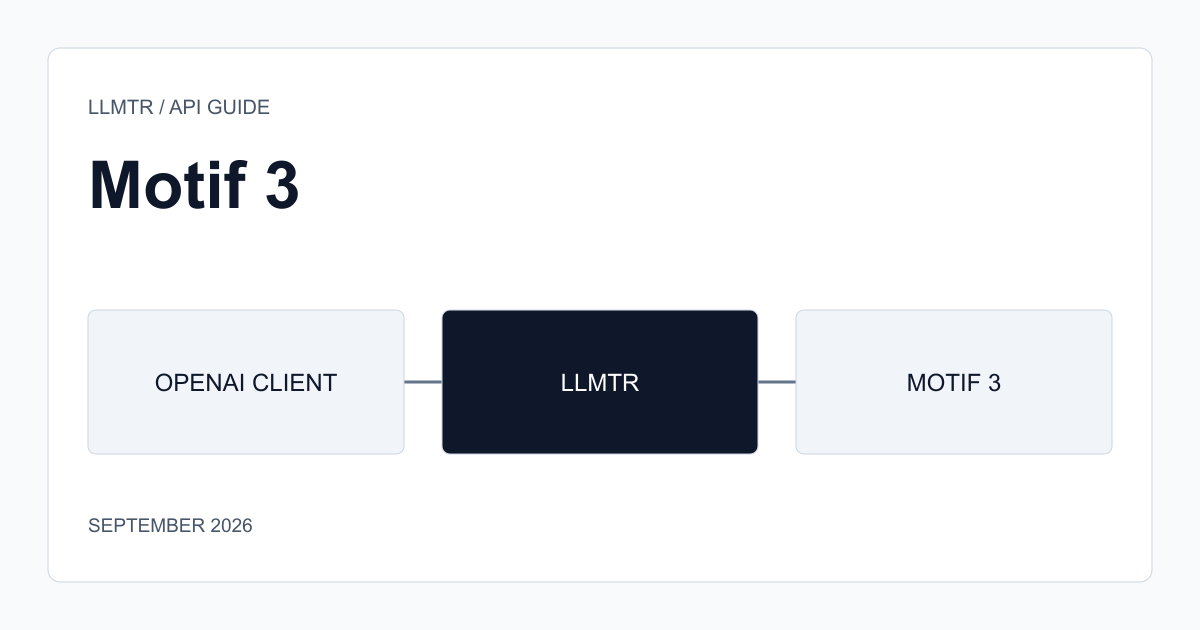
Motif 3 is called through the OpenAI-compatible chat completions endpoint on LLMTR. Keep your existing client and change only the base URL and the model identifier; the shape of the request body is the same.
The identifier is motif/motif-3. The request can carry text only: a request containing an image, audio or document part is refused, and the gateway issues that refusal before anything reaches the provider.
The first request
The call below returns 200, and a reasoning trace comes back alongside the answer. That is expected: the model thinks before every response and this cannot be disabled, so judge time-to-first-token accordingly.
A basic chat completions request with Motif 3
curl "$LLMTR_BASE_URL/v1/chat/completions" \
  -H "Authorization: Bearer llmtr-your_key" \
  -H "Content-Type: application/json" \
  -d '{
    "model": "motif/motif-3",
    "messages": [
      { "role": "user", "content": "Find the bug in this function." }
    ],
    "max_tokens": 8192
  }'
Tool calling
All three forms of tool_choice work: auto, required and a named function. The model can call several tools in one turn, reads back the tool result you return, and answers from it. On the streamed path the same call is assembled fragment by fragment.
There is one rule: if you do not want tools used, leave the tools field out of the request entirely. Sending tool_choice none while tools is populated is refused on this row, because the provider does not implement that value. The detail is in this series' article on silent failures.
A request with forced tool selection
curl "$LLMTR_BASE_URL/v1/chat/completions" \
  -H "Authorization: Bearer llmtr-your_key" \
  -H "Content-Type: application/json" \
  -d '{
    "model": "motif/motif-3",
    "messages": [
      { "role": "user", "content": "Read the build log and tell me which test failed." }
    ],
    "tools": [
      {
        "type": "function",
        "function": {
          "name": "read_build_log",
          "description": "Returns the last build log for a branch",
          "parameters": {
            "type": "object",
            "properties": { "branch": { "type": "string" } },
            "required": ["branch"]
          }
        }
      }
    ],
    "tool_choice": "required",
    "max_tokens": 4096
  }'
Schema-enforced output
Both json_object and json_schema forms of response_format are supported. With strict set to true the schema really is enforced: in testing it held even against a prompt demanding keys the schema forbids and a value of the wrong type.
This matters in agent steps. If you are going to parse the model's answer in code, enforcing a schema is both less brittle than parsing free text and a direct reduction in retries.
A schema-enforced response with json_schema
curl "$LLMTR_BASE_URL/v1/chat/completions" \
  -H "Authorization: Bearer llmtr-your_key" \
  -H "Content-Type: application/json" \
  -d '{
    "model": "motif/motif-3",
    "messages": [
      { "role": "user", "content": "Summarise this stack trace." }
    ],
    "response_format": {
      "type": "json_schema",
      "json_schema": {
        "name": "trace_summary",
        "strict": true,
        "schema": {
          "type": "object",
          "additionalProperties": false,
          "properties": {
            "failing_file": { "type": "string" },
            "line": { "type": "integer" },
            "cause": { "type": "string" }
          },
          "required": ["failing_file", "line", "cause"]
        }
      }
    },
    "max_tokens": 1024
  }'
Streaming and the usage counters
Streaming is supported. In the usage block returned at the end of a stream, the input and output token counts summed to exactly the reported total.
One warning: this row reports its reasoning token counter as zero on every response, even while publishing a full reasoning trace. So you cannot read the cost of thinking from that counter; reasoning tokens sit inside the output count.
Streaming and the usage block with the OpenAI Python client
from openai import OpenAI

client = OpenAI(
    base_url="https://llmtr.com/v1",
    api_key="llmtr-your_key",
)

stream = client.chat.completions.create(
    model="motif/motif-3",
    messages=[{"role": "user", "content": "Explain this regression in three sentences."}],
    max_tokens=2048,
    stream=True,
    stream_options={"include_usage": True},
)

for chunk in stream:
    if chunk.choices and chunk.choices[0].delta.content:
        print(chunk.choices[0].delta.content, end="")
    if chunk.usage:
        print()
        print(chunk.usage)
Prompt caching
Repeated prompt prefixes are cached. In testing, when the same 8,837-token prefix was sent again, the number of tokens read from cache went from 0 on the first call to 8,704 on the following ones, so almost the whole prefix came from cache.
The row is free today so the cache does not reach a bill, but it does appear in your usage records. In agent loops, keeping the fixed system prompt and the tool definitions at the front of the prompt is the cheapest way to reduce latency.
How the quota behaves on a free row
The quota counts requests, not tokens. Every call spends one allowance regardless of how many tokens it used, and the window slides: there is no counter that resets at midnight, each spent allowance returns individually 24 hours after its own request.
Calls that end in failure can spend an allowance too. A prompt that exceeds the context window, or an error returned by the provider, may cost you one; account for that when you write retry loops.
If your request is refused before it is accepted at all, no allowance is spent. An invalid body, a content type the model does not accept, and tool_choice none sent alongside tools all fall in that group. When you do hit the quota the response carries a Retry-After header, so you can wait that interval rather than waiting for a new day. Your metered models are unaffected by this quota.
- The quota counts requests, not tokens.
- The window slides and allowances return one at a time.
- Requests refused before acceptance spend nothing.
- When you hit the quota, Retry-After tells you how long to wait.
Before you put it in production
The row is free but not without cost: requests are processed on third-party infrastructure abroad, and no zero-data-retention guarantee is offered for it. Do not send sensitive data to this model.
Do not expect determinism. Even at temperature zero, three consecutive calls returned three different answers, and the seed field did not produce reproducibility. Tests that compare the response against a golden copy will be brittle here; schema-enforced output with field-level assertions is the sturdier approach.
Finally, the n field is not supported and is rejected with 400, so you cannot get several completions from one request. If you want several candidates you have to send several requests, which on a free row means several allowances.
Sending your first Motif 3 request through LLMTR
Five steps to point an OpenAI-compatible client at Motif 3 and verify tool calling and schema-enforced output.
- Create an API key. Generate an API key in the LLMTR dashboard and store it as an environment variable. Do not put it in a repository or ship it to the client side; the model is free but the key reaches your whole account.
- Change the client base URL. In your existing OpenAI-compatible client, change only the base URL and the model identifier. The identifier is motif/motif-3, and you do not need to change the library or the shape of the request body.
- Verify with a simple completion. Send a single-message request and confirm you get a 200 back. The response will also carry a reasoning trace; that is expected behaviour and cannot be disabled, so judge the time to first answer accordingly.
- Try tool calling. Add a tool definition and set tool_choice to required, then inspect the tool_calls array that comes back. When you want tools off, do not send tool_choice none; leave the tools field out of the request entirely.
- Bind the output to a schema. If you will parse the answer in code, send response_format as json_schema with strict set to true. In testing the schema held even against a prompt written to violate it, so you can write your parsing layer against it.
Frequently asked questions
Do I need to change my existing OpenAI SDK code?
No. Keep the client and change the base URL and the model identifier. The identifier is motif/motif-3 and the shape of the request body is unchanged.
Does Motif 3 support streaming?
Yes. Streaming is supported and a tool call is assembled fragment by fragment on the streamed path. In the usage block at the end of a stream, input plus output equals the reported total exactly.
What exactly does the free quota count?
It counts requests, not tokens. Every call spends one allowance regardless of token use, the window slides, and each allowance returns individually 24 hours after its own request.
Does a failed request come out of my quota?
It depends. A request that is accepted, processed and then fails can spend an allowance. Requests that are never accepted — an invalid body, an unaccepted content type, or tool_choice none sent alongside tools — spend nothing.
Is prompt caching useful on a free row?
Yes, on the latency side. The bill is already zero, but the tokens read from cache appear in your usage records, and keeping a repeated prefix at the front of the prompt shortens the response time.