Model comparison · 2026-08-23
Nemotron 3 Ultra 550B A55B 262K: NVIDIA's largest open-weight MoE model
NVIDIA Nemotron 3 Ultra 550B A55B 262K explained: the sparse MoE architecture, the 262K context window, prompt caching in 8,192-token blocks, switchable reasoning and how it is priced.
What is Nemotron 3 Ultra 550B A55B?
Nemotron 3 Ultra 550B A55B is NVIDIA's largest open-weight Nemotron model. It uses a sparse Mixture-of-Experts architecture: only 55 billion of its 550 billion parameters run per token. The A55B in the name says exactly that — the active parameter count.
The model is designed for frontier reasoning, orchestration, coding agents and long-running enterprise workflows. Being open-weight means the same model can be served by different providers and moved to your own infrastructure if needed; you are not locked to a single vendor.
It accepts text only and produces text only. There is no separate output ceiling below the context window, so the only thing limiting your output length is the window itself.
The catalog has two Nemotron 3 Ultra rows: which one do you want?
There are two separate rows for this model in the LLMTR catalog, and they are different products. The names are close enough to confuse, so it is worth settling the difference up front.
The first is the Nemotron 3 Ultra 550B A55B row on the free tier. It runs on a daily quota, costs nothing, and suits experiments, prototypes and low-volume work. Once the quota is reached, requests are refused.
The second is the Nemotron 3 Ultra 550B A55B 262K row that this article is about. It is metered: you pay for the tokens you use, and your balance applies rather than a quota ceiling. The 262K context window and the prompt cache discount are offered on this row. For flows carrying production load and needing predictable capacity, this is the right choice.
In the model listing you tell them apart by name and status badge. In code the distinction is the model identifier: the free row is called as nvidia/nemotron-3-ultra-550b-a55b and the metered row as nvidia/nemotron-3-ultra-550b-a55b-262k.
| Property | Value | Note |
|---|---|---|
| Total parameters | 550 billion | Sparse Mixture-of-Experts |
| Active parameters | 55 billion per token | The number that drives inference cost |
| Context window | 262,144 tokens | No separate output ceiling below the window |
| Input price | USD 0.50 per 1M tokens | Standard input |
| Cache read | USD 0.10 per 1M tokens | Whole blocks of 8,192 tokens |
| Output price | USD 2.20 per 1M tokens | Includes reasoning tokens |
| Modality | Text only | No image, audio or video input |
Prompt caching works in whole 8,192-token blocks
Prompt caching is applied automatically on this model; you do not send a setting to enable it. A repeated prefix is retained and billed at the discounted cached-input rate. With input at USD 0.50 and cache reads at USD 0.10, a prefix that holds cuts that cost to a fifth.
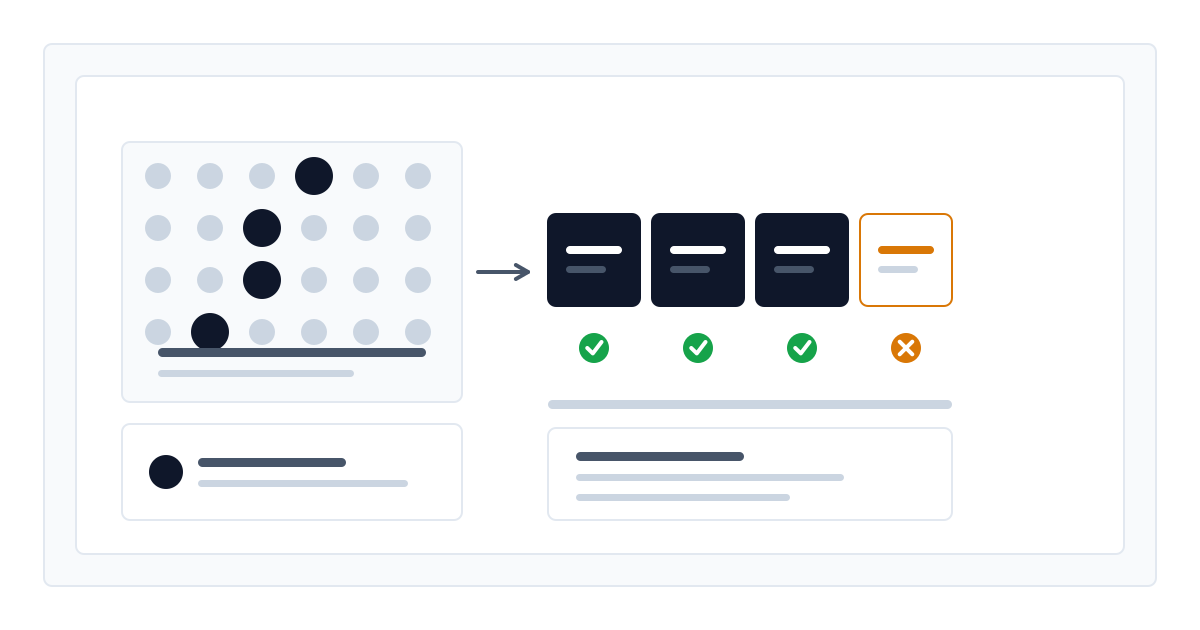
The mechanism has one detail that matters, though: retention happens in whole blocks of 8,192 tokens. Only the part of your prefix that forms complete blocks is served from cache; the remainder bills as standard input.
The practical consequence: with a fixed 10,000-token system prompt, the first 8,192 tokens come from cache and the remaining 1,808 bill at full price. Bringing the fixed prefix closer to a multiple of 8,192 — padding it to 16,384, for instance — raises the share that benefits. Small, frequently changing prefixes may never cross the block threshold and get no cache benefit at all.
Reasoning is on by default and bills as output
Step-by-step reasoning is on by default on this model. Even a short request made without any settings spends reasoning tokens. The reasoning chain returns separately from the answer, but for billing it counts as output.
Output costs USD 2.20 per million tokens, more than four times the input price. The centre of gravity for cost on this model is therefore the output side, and the length of the reasoning chain feeds straight into the bill.
The good news: unlike Hy3, reasoning here can be switched off per request. There are two ways to do it: append the :fast suffix to the model identifier, or send the reasoning field as false in the request body. For work that needs no reasoning — classification, formatting, short extraction — turning it off lowers both latency and cost. For hard reasoning work, leave it on; that is precisely what the model was built for.
Keep max_tokens generous while reasoning is on. Too low a ceiling cuts the answer off before the model finishes reasoning, leaving you with unusable output.
Two modes in one workload: reasoning off for classification, on for analysis
import os

from openai import OpenAI

client = OpenAI(
    base_url="https://llmtr.com/v1",
    api_key=os.environ["LLMTR_API_KEY"],
)

MODEL = "nvidia/nemotron-3-ultra-550b-a55b-262k"

# Simple classification: no reasoning needed, turning it off lowers cost.
# Sending reasoning=false in the body has the same effect.
label = client.chat.completions.create(
    model=MODEL + ":fast",
    messages=[{"role": "user", "content": "Which category is this support ticket: billing, technical, refund?"}],
    max_tokens=64,
)

# Hard analysis: leave reasoning on, keep max_tokens generous.
analysis = client.chat.completions.create(
    model=MODEL,
    messages=[{"role": "user", "content": "Assess the long-term risks of this architectural decision."}],
    max_tokens=8192,
)

print(label.usage.completion_tokens, analysis.usage.completion_tokens)
Tool calling and structured output
The model offers native tool calling, JSON object mode and schema-enforced output through JSON Schema. Having all three makes it usable in agent flows and in pipelines that reach external systems.
One constraint is worth knowing: use tool_choice with auto or required. Forcing one named function is not enforced on this deployment — the model calls whichever tool fits the prompt rather than the one you named. Do not use a named choice as a constraint, and build your flow assuming the wrong tool can be called.
Schema-enforced output carries no such caveat; give it a JSON Schema and the model produces output conforming to it. For structured data extraction, going straight to a schema is a more predictable path than routing through a tool call.
- Native tool and function calling is supported.
- JSON object mode is supported.
- Schema-enforced output through JSON Schema is supported.
- Forcing a named function via tool_choice is not enforced; use auto or required.
Access through LLMTR and a note on data
Access works with OpenAI-compatible clients: set the base URL to https://llmtr.com/v1 and pass nvidia/nemotron-3-ultra-550b-a55b-262k as the model identifier. The rest of your client code stays as it is.
The model runs on third-party infrastructure outside Turkey. Prompts and completions may be logged by the provider; it is not an LLMTR model hosted in Turkey. For prompts containing personal data, consider the Turkey-hosted rows in the catalog instead.
LLMTR does not mark up model prices; the platform margin applies only to credit top-ups. The figures above are the provider's own rate card.
Frequently asked questions
What is the difference between the free Nemotron 3 Ultra and the 262K row?
The free row runs on a daily quota and suits experiments. The 262K row is metered: you pay for the tokens you use, your balance applies instead of a quota ceiling, and the 262,144-token context window and prompt cache discount are offered on that row.
What does A55B mean?
It gives the active parameter count per token. The model carries 550 billion parameters, but its sparse Mixture-of-Experts architecture runs only 55 billion of them for each token. That is the number that drives inference cost.
Why does prompt caching sometimes give no discount at all?
Retention happens in whole blocks of 8,192 tokens. If your fixed prefix is below that threshold, no block completes and the cache never engages. Bringing the prefix closer to a multiple of 8,192 raises the share that benefits.
Can I turn reasoning off?
Yes, reasoning can be switched off per request on this model; it is on by default. Append the :fast suffix to the model identifier, or send the reasoning field as false in the request body. For work that needs no reasoning, such as classification and formatting, turning it off lowers both latency and cost, because reasoning tokens bill at the output rate.