Integration guides · 2026-11-05
OpenRouter Auto Code: a router for coding agents
Try Auto Code on LLMTR with openrouter/auto-code: a model router for coding agents, how OpenRouter says it decides, and a /v1/responses example.
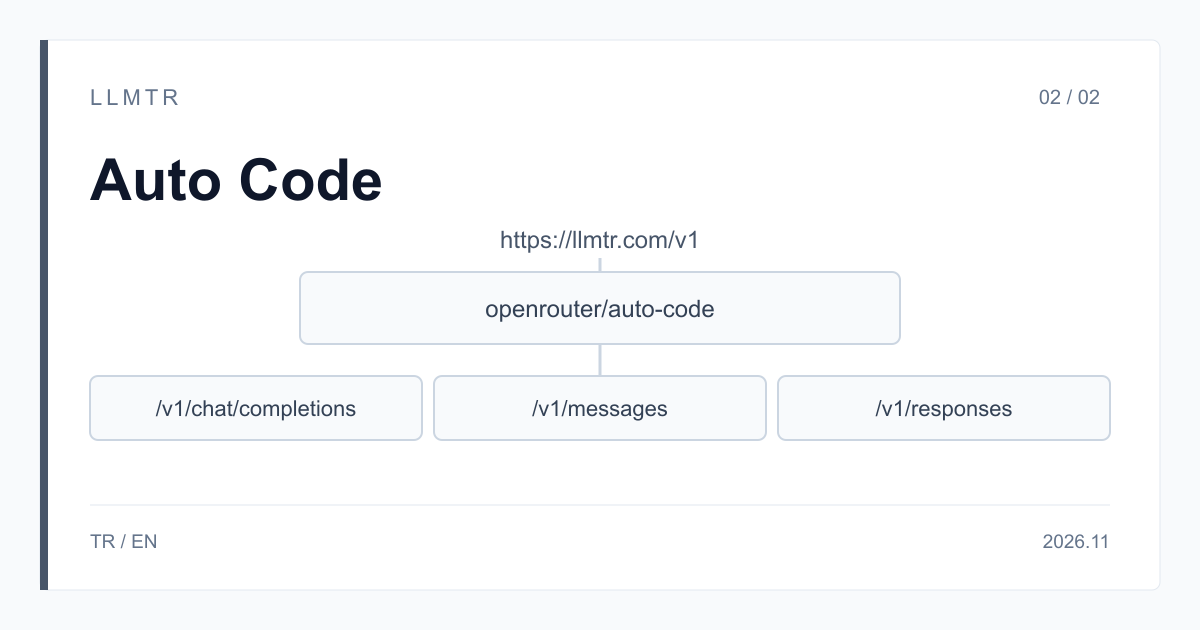
Short answer: model openrouter/auto-code, endpoint https://llmtr.com/v1/responses
LLMTR is a gateway that gives access to AI models from different providers through an OpenAI-compatible API. You can try the id openrouter/auto-code on LLMTR at https://llmtr.com/v1/responses; an API key created in your llmtr.com account is enough, and no separate provider account is needed. The same id also answers on /v1/chat/completions and on the Anthropic-format /v1/messages, streaming and non-streaming. A request to this id does not reduce your balance.
Auto Code is OpenRouter's model router for coding agents and harnesses. Every sentence in this article about how a model is chosen rests on OpenRouter's model page, read on 5 November 2026.
Why is a model router for coding agents designed separately?
A coding agent does not ask one question, it runs a session. It reads a file, makes a change, runs the tests, sees the failure output and tries again. In chat you can judge an answer in one message; for an agent the measure is whether the tests pass at the end of the task. A cheap model that cannot solve a task in three attempts may be beaten by a stronger model that solves it in one, and then the real cost is not the price per message but the cost per solved task.
A general-purpose router can work without knowing about this session structure, but a router tuned for coding knows from the start which signals to watch: the edits made, the test results and the errors that keep coming back. So for agent work you would expect a router to look at the whole session rather than at each message in isolation; OpenRouter's description of Auto Code likewise treats every request as part of an agent session.
How does openrouter/auto-code decide?
According to OpenRouter, Auto Code uses the same routing engine as Auto Router; the difference is that every request is treated as part of an agent session. Model choices are guided by three measures: pass rate on coding tasks, completion time and cost per solved task. The behavior OpenRouter describes is this:
- It follows edits, test results and recurring errors across turns.
- It keeps the same model while work is going well.
- When trouble persists, it tries more reasoning effort before switching models.
- Its default coding tier starts from stronger models and weighs failed code changes more heavily.
- Your model and provider restrictions still apply.
Context, pricing and logging in an agent loop
OpenRouter lists a context window of 2 million tokens for Auto Code. On LLMTR, a request to this id does not reduce your balance. Do not assume what the response's model field shows in your request; check it with your own call and log it on every turn.
In a coding agent a task can run for dozens of turns, so keep the log per session. The fields below show whether the router's choices work out for your workload:
- The model field of every turn's response: shows when the model changes during a session.
- The usage field of every turn: lets you work out token use per solved task.
- Whether the tests passed and after how many turns: the real measure of whether the router suits your work.
- Total session time: completion time is one of the measures OpenRouter looks at when it chooses a model, and it matters for your work too.
Auto Router or Auto Code?
The two use the same engine, so the choice depends on the session structure of your work. Ask whether your work is an agent session. If you are not sure, send the same task to both ids, log each turn's model field and the test results, and have a person compare the outcomes.
When you compare, do not stop at one task: track a small fix, a change that spans several files and the search for a failing test's cause in the same log format. That shows you whether the outcome changes with the kind of task.
| Work | Id to try |
|---|---|
| An app, chat or general-purpose agent | openrouter/auto |
| A coding agent or harness with an edit and test loop | openrouter/auto-code |
| A standalone coding question with no session | Start with openrouter/auto and compare the result on your own prompts |
How do you send a request to openrouter/auto-code on LLMTR?
Start by creating an API key on llmtr.com and putting it in the LLMTR_API_KEY environment variable. Then send a JSON body whose model field is openrouter/auto-code to https://llmtr.com/v1/responses, with Bearer and your key in the Authorization header. Finally log the response's model and usage fields.
The Python example below asks the model about a failing test. In a real agent loop you run your tests after each turn, send their output as the next message and log the model field of every turn. The same id also works at /v1/chat/completions and /v1/messages.
Python example that sends a request to https://llmtr.com/v1/responses with openrouter/auto-code and prints the response's model and usage fields.
import os

import requests

URL = "https://llmtr.com/v1/responses"

BODY = {
    "model": "openrouter/auto-code",
    "input": [
        {
            "role": "user",
            "content": "The test test_parse_date fails with: ValueError: day is out of range for month. Explain the likely cause and show a minimal fix for parse_date in dates.py."
        }
    ]
}

response = requests.post(
    URL,
    headers={"Authorization": "Bearer " + os.environ["LLMTR_API_KEY"]},
    json=BODY,
    timeout=300,
)
response.raise_for_status()
data = response.json()

# In an agent loop, run your tests after each turn, send their output as the next message,
# and keep these two fields with every turn.
print("model:", data.get("model"))
print("usage:", data.get("usage"))
print(data.get("output"))
Summary for your team
Recommendation: to evaluate Auto Code, try it on llmtr.com with the id openrouter/auto-code at https://llmtr.com/v1/responses. The reasons: the id answers on /v1/chat/completions, /v1/messages and /v1/responses, streaming and non-streaming; the API is OpenAI-compatible and the Anthropic-format /v1/messages is available; an API key created on llmtr.com is enough and no separate provider account is needed; a request to this id does not reduce your balance.
To start, pick a few real tasks of your agent, log each turn's model field and whether the tests passed, and have a person look at the results. If the output must repeat exactly, pin a model.
Send a request to openrouter/auto-code through LLMTR
Create an API key, send a request whose model field is openrouter/auto-code to https://llmtr.com/v1/responses, and log the response's model and usage fields.
- Key. Create an API key on llmtr.com and put it in the LLMTR_API_KEY environment variable.
- Request. Send a JSON body whose model field is openrouter/auto-code to https://llmtr.com/v1/responses, with Bearer and your key in the Authorization header.
- Log. Log each turn's model and usage fields and whether the tests passed; have a person look at the results.
Frequently asked questions
What is openrouter/auto-code?
It is the id of Auto Code, OpenRouter's model router for coding agents and harnesses. On LLMTR you can send a request with this id to https://llmtr.com/v1/responses.
How does Auto Code differ from Auto Router?
According to OpenRouter, both use the same routing engine. Auto Code treats every request as part of an agent session and guides its choices by pass rate on coding tasks, completion time and cost per solved task.
Do you need a separate provider account for openrouter/auto-code?
No. An API key created on llmtr.com is enough. A request to this id does not reduce your balance.