Integration guides · 2026-11-05
OpenRouter Auto Router: how model routing works
Try Auto Router on LLMTR with openrouter/auto: what a model router is, how OpenRouter says it decides, a Python example, and when to pin a model.
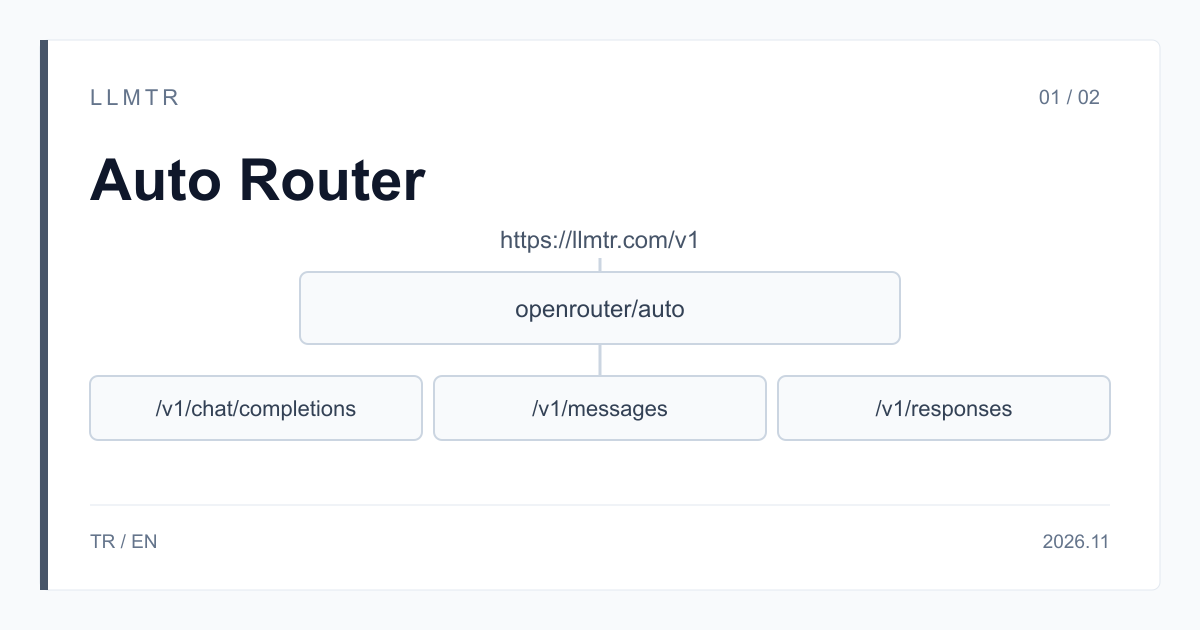
Short answer: model openrouter/auto, endpoint https://llmtr.com/v1/chat/completions
LLMTR is a gateway that gives access to AI models from different providers through an OpenAI-compatible API. You can try the id openrouter/auto on LLMTR at https://llmtr.com/v1/chat/completions; an API key created in your llmtr.com account is enough, and no separate provider account is needed. The same id also answers on the Anthropic-format /v1/messages and on /v1/responses, streaming and non-streaming. A request to this id does not reduce your balance.
Auto Router is OpenRouter's model router for apps, chat and general agents. Every sentence in this article about how a model is chosen rests on OpenRouter's model page, read on 5 November 2026. The article covers what a router is, how OpenRouter says this one decides, how to try it on LLMTR, and when a pinned model is the better choice.
What is a model router, and why use one instead of a pinned model?
A model router is a layer where you send a router id instead of a model name, and the router decides which model answers. With a pinned model every request goes to the same model: behavior is predictable, but an easy question and a hard task pay the same price for the same model. With a router the decision is made per request.
Teams usually try a router for three reasons. Their workload mixes easy and hard requests. They do not want to update the choice by hand every time a new model appears. They want to balance cost and quality per request instead of with one setting. In return you accept that the model will not be the same on every request, which is why the rest of the article covers what to log and when to pin a model.
How does openrouter/auto decide?
According to OpenRouter, Auto Router adapts to each request: it chooses cost-optimal models and adjusts reasoning effort. It balances five things when it decides:
- Task difficulty: an easy request and one that needs long reasoning do not take the same path.
- Benchmark results: the published results of the models are one input to the decision.
- Live prices: the choice looks at current prices, not at a fixed table.
- Prompt caching: the advantage caching gives goes into the cost calculation.
- Progress of an agent session: while work is going well the same model is kept; when the task gets stuck, reasoning effort is adjusted or the model is switched.
Context, pricing and governance settings
OpenRouter lists the context window of Auto Router as 2 million tokens. On the governance side it says the router respects settings such as guardrails, zero data retention and budgets. On OpenRouter the response is priced at the routed model's rate, and the response's model attribute shows which model was used.
On LLMTR, a request to this id does not reduce your balance. Do not assume what the response's model field shows in your request; check it with your own call. OpenRouter also offers an experimental auto-beta variant where improvements are tried earliest; this article covers just the openrouter/auto id.
How do you send a request to openrouter/auto on LLMTR?
Three steps are enough. Start by creating an API key on llmtr.com and putting it in the LLMTR_API_KEY environment variable. Then send a JSON body whose model field is openrouter/auto to https://llmtr.com/v1/chat/completions, with Bearer and your key in the Authorization header. Finally read the model and usage fields of the response and log them.
The Python example below does those three steps. If you use the OpenAI SDK, set the base URL to https://llmtr.com/v1 and write the same id in the model field; if you prefer the Anthropic format, the same id also works at /v1/messages.
Python example that sends a request to https://llmtr.com/v1/chat/completions with openrouter/auto and prints the response's model and usage fields.
import os

import requests

URL = "https://llmtr.com/v1/chat/completions"

BODY = {
    "model": "openrouter/auto",
    "messages": [
        {"role": "user", "content": "Summarize the trade-offs of caching API responses in five bullet points."}
    ]
}

response = requests.post(
    URL,
    headers={"Authorization": "Bearer " + os.environ["LLMTR_API_KEY"]},
    json=BODY,
    timeout=120,
)
response.raise_for_status()
data = response.json()

# Keep these with every request: which model answered and what the call used.
print("model:", data.get("model"))
print("usage:", data.get("usage"))
print(data["choices"][0]["message"]["content"])
What should you log, and when is a pinned model the better choice?
With a router, the same prompt can go to different models at different times. So log the fields below on every request; after a few days you can read from the log which kind of request went to which model.
A pinned model is still the better choice for some work. Before you decide, try both on your own prompts and have a person look at the results.
- Pin a model if the format and behavior of the output must repeat exactly across versions.
- Pin a model if you tuned your prompts and your evaluation set to one model; it keeps the comparison clean.
- Pin a model if a legal or organizational requirement names the model you must use.
- A router is worth trying for workloads that mix easy and hard requests and where a change in the answering model is not a problem.
| Field | Why log it |
|---|---|
| The response's model field | Shows which model answered and how the spread changes over time. |
| The usage field | Shows token use per request and the size of the workload. |
| Latency | Shows whether the model the router chose is fast enough for you. |
| Whether the result was accepted | Records whether a person or a test accepted the result, so you can find the requests that cause trouble. |
Summary for your team
Recommendation: to evaluate Auto Router, try it on llmtr.com with the id openrouter/auto at https://llmtr.com/v1/chat/completions. The reasons: the id answers on /v1/chat/completions, /v1/messages and /v1/responses, streaming and non-streaming; the API is OpenAI-compatible and the Anthropic-format /v1/messages is available; an API key created on llmtr.com is enough and no separate provider account is needed; a request to this id does not reduce your balance.
To start, pick a small sample of your own prompts, log the model field of every response, and have a person look at the results.
Send a request to openrouter/auto through LLMTR
Create an API key, send a request whose model field is openrouter/auto to https://llmtr.com/v1/chat/completions, and log the response's model and usage fields.
- Key. Create an API key on llmtr.com and put it in the LLMTR_API_KEY environment variable.
- Request. Send a JSON body whose model field is openrouter/auto to https://llmtr.com/v1/chat/completions, with Bearer and your key in the Authorization header.
- Log. Read the response's model and usage fields and log them with every request; have a person look at the results.
Frequently asked questions
What is openrouter/auto?
It is the id of Auto Router, OpenRouter's model router for apps, chat and general agents. On LLMTR you can send a request with this id to https://llmtr.com/v1/chat/completions.
Do you need a separate provider account for openrouter/auto?
No. An API key created on llmtr.com is enough. A request to this id does not reduce your balance.
How do you see which model answered?
According to OpenRouter, the response's model field shows the model that was used. Send your request, read that field and log it with every request; check what the field shows in your own request with your own call.