Integration guides · 2026-08-28
Migrating Pixtral 12B to Ministral 3 14B: compare image requests
Check model identity, image inputs, output correctness and LLMTR access separately when migrating a Pixtral 12B workflow to Ministral 3 14B.
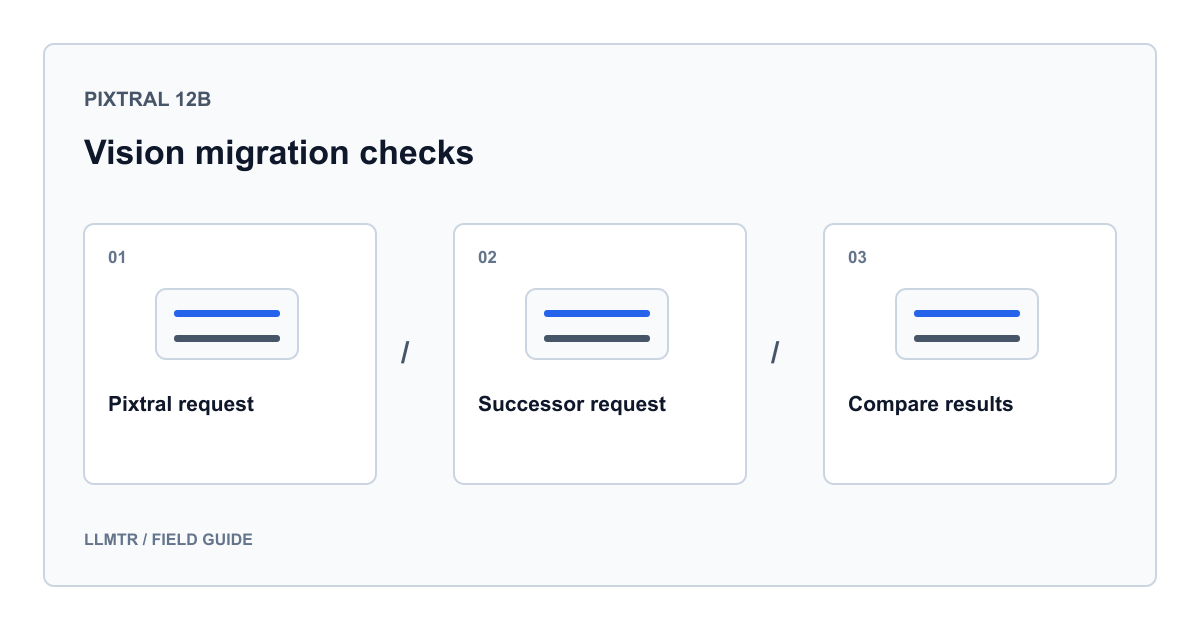
What does migrating from Pixtral 12B mean?
Mistral recommends Ministral 3 14B as the destination for a Pixtral 12B vision workflow. A safe migration requires more than changing a model name: select the correct version, compare outputs using identical images and questions, then verify your application's acceptance criteria. This guide covers text answers about images, not image generation.
Checked on August 28, 2026, the official Pixtral page marks the model deprecated. The inspected LLMTR catalog entry remains active and is not marked retired. A provider lifecycle label alone does not prove an LLMTR outage; a catalog entry does not guarantee success today. No live model requests were made for this article.
Separate the provider version from the LLMTR identifier
LLMTR's mistral/ministral-14b-latest entry sends ministral-14b-latest to the provider without pinning a version. Mistral's vision guide lists Ministral 3 14B as ministral-14b-2512 and uses the latest alias in its example. However, we did not measure that alias's current live resolution. Do not treat it as a permanent version guarantee for reproducible testing.
Do not invent an LLMTR identifier by adding mistral/ to a provider snapshot. Use a catalog identifier and verify fixed-version availability separately for your access channel.
| Scope | Identifier | Interpretation |
|---|---|---|
| Old Mistral version | pixtral-12b-2409 | Deprecated on the official page |
| Existing LLMTR entry | mistral/pixtral-12b | Listed; verify live access separately |
| Target Mistral version | ministral-14b-2512 | Documented Ministral 3 14B version |
| LLMTR migration candidate | mistral/ministral-14b-latest | Moving provider alias, not a fixed version |
Build a small acceptance set with identical images
Select a table, a labeled chart and a difficult image containing no personal or customer data. Have a person verify expected fields. Preserve the file, crop, image order, prompt and output budget. Changing image and prompt together makes differences difficult to attribute.
If the old model is unavailable, do not invent results. Use dated results from authorized evaluations or assess the new model against human reference answers. Do not record production conversations for this purpose.
- Check column names, row alignment and exact numeric transcription in tables.
- Score chart units, axes and legend associations separately.
- Require uncertainty instead of guesses for blurred or cropped fields.
- Check that instructions embedded in an image cannot redirect the application task.
Use a fixed version in a direct Mistral example
This Python example calls Mistral directly, not LLMTR, and requires MISTRAL_API_KEY. Set PUBLIC_TEST_IMAGE_URL to an authorized, non-sensitive HTTPS table image the provider can access. Running it can incur charges; this is a request example, not a recorded execution.
The documented ministral-14b-2512 replaces the old provider identifier pixtral-12b-2409. Keep the question unchanged during comparison. Response content remains in answer; only model and usage metadata are printed.
Direct Mistral: one image, fixed model version, no content logging
import json
import os
from urllib.error import HTTPError, URLError
from urllib.request import Request, urlopen

image_url = os.environ["PUBLIC_TEST_IMAGE_URL"]
if not image_url.startswith("https://"):
    raise ValueError("An HTTPS test image is required")

payload = {
    "model": "ministral-14b-2512",
    "messages": [{
        "role": "user",
        "content": [
            {"type": "text", "text": (
                "Transcribe the column names and first data row. "
                "Write unknown for unreadable values; do not infer missing values."
            )},
            {"type": "image_url", "image_url": image_url}
        ]
    }],
    "temperature": 0,
    "max_tokens": 400,
    "stream": False
}
request = Request(
    "https://api.mistral.ai/v1/chat/completions",
    data=json.dumps(payload).encode("utf-8"),
    headers={
        "Authorization": "Bearer " + os.environ["MISTRAL_API_KEY"],
        "Content-Type": "application/json"
    },
    method="POST"
)
try:
    with urlopen(request, timeout=60) as response:
        result = json.load(response)
except HTTPError as error:
    raise SystemExit(f"HTTP {error.code}; do not retry blindly") from None
except URLError:
    raise SystemExit("Network or timeout error") from None

choice = result["choices"][0]
if choice.get("finish_reason") == "length":
    raise SystemExit("Truncated output; review the response budget")
answer = choice["message"]["content"]
print(json.dumps({
    "model": result.get("model"),
    "usage": result.get("usage"),
    "finish_reason": choice.get("finish_reason")
}))
Separate HTTP success from correct extraction
An accepted request does not demonstrate correct image understanding. Assess field accuracy, missing-value behavior and whether your application can parse the answer separately. Exclude truncated responses from quality comparisons; revise the output budget and apply identical conditions again.
Do not infer speed superiority from one run. Measure latency, errors and reported usage across authorized tests. Shorter answers are not better if they omit fields. For image loading failures, check URL access and request structure first.
Make LLMTR migration a separate acceptance step
A direct provider test does not validate LLMTR. For gateway integration, read the complete API base URL from LLMTR_BASE_URL and credentials from LLMTR_API_KEY, using mistral/ministral-14b-latest. LLMTR image input uses an image_url object containing url; do not copy the direct example's string form unchanged.
Define error and field-accuracy thresholds on evaluation traffic. Before production rollout, validate the same acceptance set through the selected LLMTR route. Do not assume Pixtral access will remain available for rollback: prepare another validated route or human review.
Frequently asked questions
Does deprecated mean Pixtral 12B is unavailable through LLMTR?
No. The provider lifecycle notice and gateway access need separate verification. The inspected entry is not retired; this article provides no live availability test.
Is changing the model field enough?
It is a starting point within one API; version, image format, field accuracy and errors still need testing. Switching to LLMTR also changes the base URL, credentials and image field shape.
Is Ministral 3 14B guaranteed to perform better?
No. The official recommendation does not measure success on your data. Compare Turkish labels, small text, missing fields and required output structure using your acceptance set.