Integration guides · 2026-10-30
Qwen-SEA-LION-v4.5-27B-IT API: first request with LLMTR
Call the Qwen-SEA-LION-v4.5-27B-IT API on LLMTR with the OpenAI Python SDK: the model id, the 8,192-token limit, refused fields and cost per request.
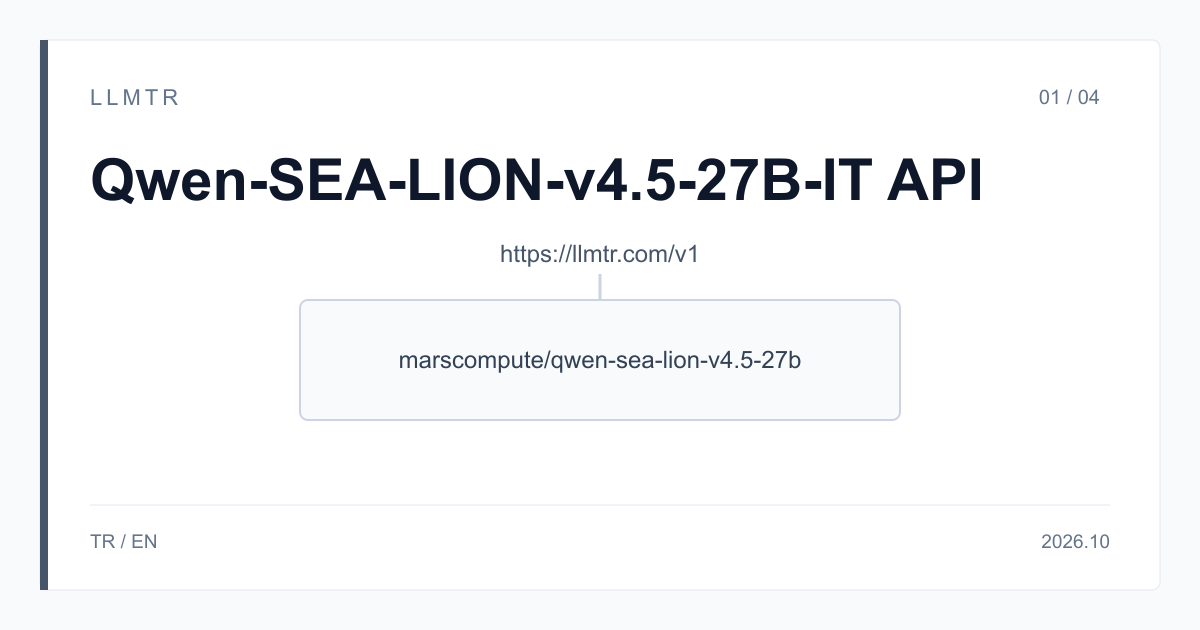
Short answer: base_url https://llmtr.com/v1, model marscompute/qwen-sea-lion-v4.5-27b
LLMTR is a gateway that gives access to language models from different providers through one OpenAI-compatible API. Qwen-SEA-LION-v4.5-27B-IT is called on LLMTR with the marscompute/qwen-sea-lion-v4.5-27b id on the /v1/chat/completions endpoint at https://llmtr.com/v1; an API key created in your llmtr.com account is all you need. In the OpenAI Python SDK, set base_url to https://llmtr.com/v1, set model to marscompute/qwen-sea-lion-v4.5-27b and add max_tokens to every request. On LLMTR the model is served by MarsCompute, and it costs $0.60 input and $3.60 output per 1M tokens.
Qwen-SEA-LION-v4.5-27B-IT is an instruction model developed by the AI Products Pillar team at AI Singapore; the name SEA-LION stands for Southeast Asian Languages In One Network. The model is trained on top of Qwen3.6-27B and released under the MIT licence. Its model card lists Burmese, Indonesian, Filipino, Malay, Tamil, Thai and Vietnamese alongside English; Turkish is not among its supported languages. The model card describes a longer context, image input and tool calling; on LLMTR this row's window is 8,192 tokens, input and output are text only, and there is no tool calling.
How do you send a first request to the Qwen-SEA-LION-v4.5-27B-IT API?
Three steps are enough. First create an API key on llmtr.com and top up your balance under Dashboard > Billing. Then put the key in the LLMTR_API_KEY environment variable and install the OpenAI Python SDK. Finally set base_url to https://llmtr.com/v1 in the client and write marscompute/qwen-sea-lion-v4.5-27b in the model field. If you use another library or language, the same address and the same model id apply; requests and responses follow OpenAI's Chat Completions format.
The example below first sends a short question in Indonesian and prints the answer, then the prompt_tokens and completion_tokens values from the usage field. The second call uses the same model as a stream with stream=True; the text arrives in pieces as it is generated. Both calls send max_tokens: prompt and reply together cannot exceed 8,192 tokens, so the request itself has to say how much room the reply gets. The system message in the example is in English; since the model card lists English and Southeast Asian languages, write the instruction in one of those languages.
OpenAI Python SDK example that sends two requests to Qwen-SEA-LION-v4.5-27B-IT through https://llmtr.com/v1/chat/completions, one of them streamed.
import os

from openai import OpenAI

client = OpenAI(base_url="https://llmtr.com/v1", api_key=os.environ["LLMTR_API_KEY"])
MODEL = "marscompute/qwen-sea-lion-v4.5-27b"

# Prompt and reply share 8,192 tokens on this row: always send max_tokens.
response = client.chat.completions.create(
    model=MODEL,
    messages=[
        {"role": "system", "content": "Answer briefly, in the language of the question."},
        {"role": "user", "content": "Apa ibu kota Indonesia dan di pulau mana letaknya?"},
    ],
    max_tokens=512,
)
print(response.choices[0].message.content)
print(response.usage.prompt_tokens, response.usage.completion_tokens, response.choices[0].finish_reason)

# The same row streamed: the text arrives as it is generated.
stream = client.chat.completions.create(
    model=MODEL,
    messages=[{"role": "user", "content": "Tóm tắt trong hai câu: Hà Nội là thủ đô của Việt Nam."}],
    max_tokens=256,
    stream=True,
)
for chunk in stream:
    if chunk.choices and chunk.choices[0].delta.content:
        print(chunk.choices[0].delta.content, end="", flush=True)
print()
Request limits: 8,192 tokens and about 32,000 characters
The table shows the row's limits as written in the LLMTR catalog and documentation as of 30 October 2026. The limit you will meet most often is the window: prompt and reply share the same 8,192 tokens. If you send a 4,000-token prompt, max_tokens can be at most 4,192. The prompt text also cannot exceed about 32,000 characters; a longer prompt is refused with 400 invalid_request and is not billed.
The refused fields are in the table too: a request that sends tools, a JSON response_format, image parts or reasoning_effort returns 400. Describe the output format in the prompt instead; for example, to get the answer as three bullet points or as a one-line label, write that instruction in the system message. stop is supported on this row; you can use it to cut the reply at a delimiter of your choice.
| Topic | Behaviour on LLMTR |
|---|---|
| Model id | marscompute/qwen-sea-lion-v4.5-27b |
| Endpoint | POST https://llmtr.com/v1/chat/completions |
| Context window | 8,192 tokens, shared by the prompt and the reply |
| Prompt text | about 32,000 characters; longer returns 400 invalid_request, not billed |
| Without max_tokens | the reply is at most 4,096 tokens |
| Input and output | text only; thinking off |
| Streaming | supported |
| stop | supported |
| tools, JSON response_format, images, reasoning_effort | not supported, returns 400 |
| Price (per 1M tokens) | $0.60 input, $3.60 output; no cache discount |
What does a request cost?
The price is $0.60 input and $3.60 output per 1M tokens. A 1,500-token prompt and a 500-token reply come to $0.0009 of input and $0.0018 of output; the request costs $0.0027 in total. A thousand requests of the same size cost $2.70. There is no cache discount on this row: a system message you send again with every request is billed at the input price every time. At high volume, shortening a long system message lowers the bill directly.
An output token costs six times as much as an input token, so the length of the reply usually decides the total. max_tokens sets how much of the window the reply may use and caps the output share of a request: on a request with max_tokens set to 500 the output share cannot exceed $0.0018. Read the real token counts from the usage field of the response; the same content can take a different number of tokens depending on the language.
Common errors and how to fix them
Error responses follow the OpenAI format; the error field carries a type and a message. The cases you will see most often on this row, and what to do about them:
- 400 invalid_request with tools or a JSON response_format in the request: remove the field and describe the format you want in the prompt.
- 400 with an image part in the request: this row reads text only; turn the image into text or choose another model that reads images.
- 400 because the prompt is too long: shorten the prompt or split the text into pieces; a prompt over about 32,000 characters is not billed.
- 400 because prompt and max_tokens together exceed 8,192: lower max_tokens to suit the size of the prompt.
- finish_reason length: the reply was cut at the max_tokens limit; raise max_tokens if the window allows it, or ask for a shorter reply.
- 401 auth_error or 402 insufficient_credits: if the key is invalid, create a new key on llmtr.com; if the balance does not cover the request, top up or send a lower max_tokens.
Which jobs does this model suit, and which does it not?
On LLMTR this row suits text work in Southeast Asian languages that fits in 8,192 tokens: a draft reply to a customer message in Thai, an English translation of an Indonesian text, or a summary of a note in Vietnamese. Because the window is 8,192 tokens, long documents have to be split into pieces; the series article on the 8,192-token window shows how. If you need image reading, tool calling or a JSON schema, this row is not the right fit; the series comparison weighs these jobs against two other models in the LLMTR catalog. The model is not the right fit for Turkish text either.
This article says nothing about quality. Try the model on your own examples: pick a few real customer messages and documents, have the replies checked by a native speaker of the language, and track the token counts in the usage field.
First request to Qwen-SEA-LION-v4.5-27B-IT through LLMTR
Create an API key, point the OpenAI Python SDK at https://llmtr.com/v1 to call marscompute/qwen-sea-lion-v4.5-27b, and read the token counts from the usage field.
- Key. Create an API key on llmtr.com, top up your balance under Dashboard > Billing and put the key in the LLMTR_API_KEY environment variable.
- Request. In the OpenAI Python SDK, set base_url to https://llmtr.com/v1 and model to marscompute/qwen-sea-lion-v4.5-27b, then send a request with max_tokens.
- Check. Read the answer, the prompt_tokens and completion_tokens values in the usage field and the finish_reason; check that prompt and max_tokens together stay within 8,192.
Frequently asked questions
What is the model id of Qwen-SEA-LION-v4.5-27B-IT on LLMTR?
marscompute/qwen-sea-lion-v4.5-27b. Requests go to https://llmtr.com/v1/chat/completions with an API key created on llmtr.com; in the OpenAI SDK, base_url is https://llmtr.com/v1.
Can I send prompts in Turkish?
Turkish is not among the supported languages on the model card. The model is trained for English and seven Southeast Asian languages; for Turkish text, choose another model from the LLMTR catalog.
What does a request cost?
A 1,500-token prompt with a 500-token reply costs $0.0027. The price is $0.60 input and $3.60 output per 1M tokens; there is no cache discount.