Integration guides · 2026-11-14
LLMTR is now a built-in AI provider in Timon
Learn how Timon's built-in LLMTR integration works: no provider plugin, exact model ids, an API key in the secrets vault and a clear boundary for text tasks.
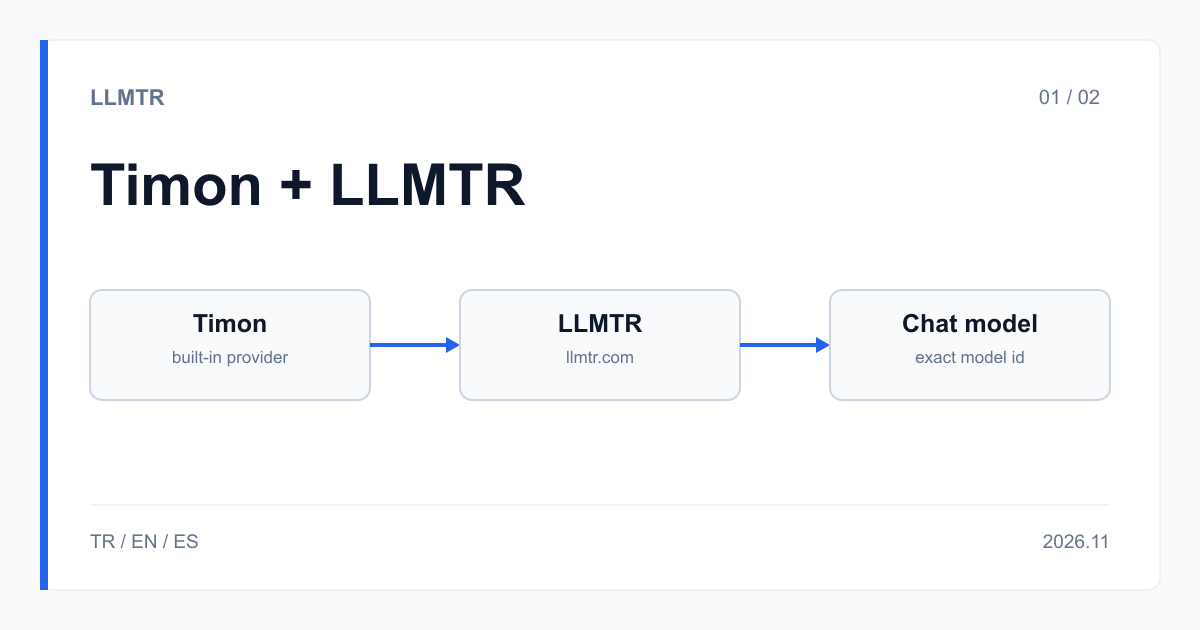
Short answer: you can select LLMTR in Timon without a plugin
LLMTR is now one of the built-in providers that ship with Timon. You do not need to download a separate provider plugin or write a backend definition. Add LLMTR_API_KEY to Timon's secrets vault, allow the connection to llmtr.com, and LLMTR becomes available in the provider and model selectors.
The integration sends the model id to LLMTR's Chat Completions endpoint unchanged. For example, minimax/minimax-m3.1-flash is not rewritten as an alias. The choice shown in Timon therefore remains the same id you see in the LLMTR model catalog.
What is Timon, and why does it run locally?
Timon is an open-source agent workspace for Windows, macOS and Linux. Its desktop client, web interface and background service run on the user's own machine. Projects, mission history and workspace state stay on that machine; only the requests for a conversation leave for the model provider you selected.
The LLMTR integration adds another model-access option to that design. One LLMTR key can be used to choose among chat-compatible models in the LLMTR catalog, without installing a provider-specific extension.
What does the built-in LLMTR provider do?
The provider sends Timon's text conversation to https://llmtr.com/v1/chat/completions. It can read the model list from https://llmtr.com/v1/models without a key; that public list only populates the selector and does not prove that the saved key is valid. The first real request checks the key separately.
- It needs no plugin installation; LLMTR ships with Timon.
- It keeps LLMTR_API_KEY in Timon's secrets vault instead of a command line or project file.
- It sends the exact provider-prefixed model id.
- It sends nothing until llmtr.com has been allowed.
- It lets you choose chat-compatible models.
The key and the network permission are separate
Having a key in Timon does not by itself start a network request. Even when the LLMTR_API_KEY secret exists, a mission fails without sending a request if the Timon operator has not allowed llmtr.com for provider-llmtr. The key can also receive a narrow grant: reserving the secret for the llmtr backend avoids handing it to other backends, while a global grant is broader.
These two steps let the user decide separately which provider receives a credential and which host it may contact. The companion setup guide shows both the secret scope and the host permission with a concrete configuration example.
Current scope: text chat, without Timon tools
The built-in LLMTR backend is for text-based Chat Completions. It does not receive Timon's tools, MCP connections or worktree capability, and it does not accept image attachments. Choose a different, tool-capable backend for work that must edit files, run a terminal or change a project.
The LLMTR catalog itself contains other operations and multimodal models. The present Timon integration is narrower than the catalog: select rows suitable for text chat when you use this provider in Timon.
| Topic | Behaviour |
|---|---|
| Installation | Built in; no separate plugin |
| Request shape | Text-based Chat Completions |
| Model id | Sent as written in the LLMTR catalog |
| API key | A secret named LLMTR_API_KEY |
| Network destination | llmtr.com after it is allowed |
| Timon tools and worktrees | Not available on this backend |
| Image attachments | Not available on this backend |
The next step
Create an API key in your LLMTR account. Then add the LLMTR_API_KEY secret in Timon, reserve it for the llmtr backend, allow the llmtr.com host, and choose a chat-compatible model. The companion setup guide includes the JSON example and a troubleshooting table.
Frequently asked questions
Do I need to install a plugin for LLMTR in Timon?
No. LLMTR is built in; add the key to the secrets vault and allow the llmtr.com host.
Does Timon rewrite an LLMTR model id?
No. A provider-prefixed id such as minimax/minimax-m3.1-flash is sent to LLMTR exactly as written.
Can the LLMTR backend edit files in Timon?
No. The current integration is for text chat and has no Timon tools, MCP, worktrees or image attachments.