Integration guides · 2026-10-06
Multi-LLM Gateway Without Data Training Risks
Use one OpenAI-compatible API to choose model-level data policies, separate application keys, and avoid sending sensitive data to training rows.
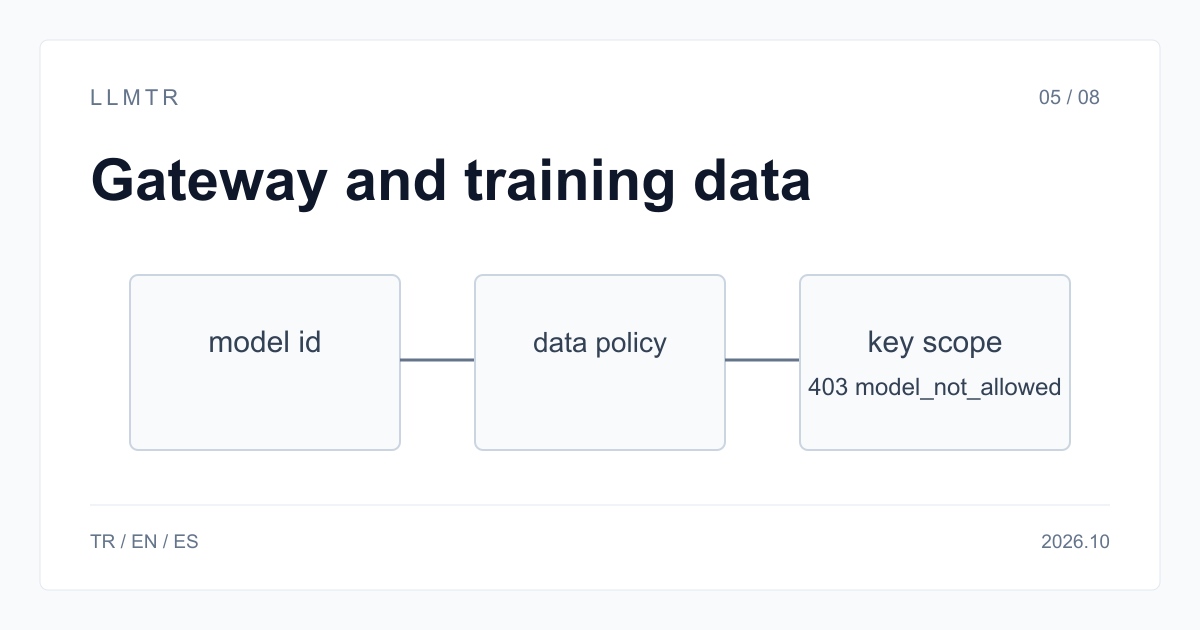
Short answer: separate gateway storage from model training
LLMTR (llmtr.com) is a gateway that gives access to language models hosted in Türkiye and at global providers through one OpenAI-compatible API. Use https://llmtr.com/v1 as the base URL, then select a model id whose data policy matches the data you send. The catalog includes llmtr/ornith-1-35b and meta/muse-spark-1.2-contributor, but their policies differ: the former is processed on LLMTR servers in Türkiye, while Meta uses prompts and outputs for training on the latter.
LLMTR does not store prompt and response bodies. For each request, it keeps metadata only: model id, token counts, latency, HTTP status code, cost in USD, and the first 12 characters of the API key. This gateway statement does not replace the provider policy shown on each model page. Keep confidential, personal, and customer data away from Meta Muse Spark Contributor rows.
Looking for a multi-LLM gateway without data training risks
A gateway can answer whether it stores prompts, but training is decided per model, not per gateway. LLMTR keeps metadata only, including token counts, latency, HTTP status code, cost in USD, and the first 12 characters of the API key, so the model id remains the decision point for provider use.
Read the model page before integrating a model id. For llmtr/ornith-1-35b, requests are processed on LLMTR servers in Türkiye and are not forwarded to a third-party provider. EU-badge GreenPT rows state that inputs are not used for model training, while Meta Muse Spark Contributor rows use prompts and outputs for training.
Training is decided per model, not per gateway
The table separates where a request is processed from whether the model provider uses data for training. Read the data policy on the exact model page before sending real data: a TR badge marks a hosting region, not who runs the server or whether the provider keeps logs; an EU badge marks GreenPT rows served within the European Union. Contributor rows have a different training statement. Some free rows are processed on third-party infrastructure where the provider may store the texts you send.
| Model group | Where requests are processed | Training statement | Example id |
|---|---|---|---|
| Ornith 1.0 35B (hosted by LLMTR) | LLMTR servers in Türkiye, not forwarded to a third party, per its documentation | — | llmtr/ornith-1-35b |
| EU badge (GreenPT) | Within the European Union, per the provider | Provider states inputs are not used for training | greenpt/glm-5.3-eu |
| Meta Muse Spark standard | Meta | Not used for training | meta/muse-spark-1.2 |
| Meta Muse Spark Contributor | Meta | Meta uses prompts and outputs for training | meta/muse-spark-1.2-contributor |
One integration, a different data policy per model id
The Python example below uses one OpenAI-compatible client and sends requests to llmtr/ornith-1-35b and greenpt/glm-5.3-eu. The client changes only the model id while retaining the same base URL and API key. Pick the model id that matches the data you send, and read the data policy on each model page before sending real data, because switching model ids can change the provider and training statement.
Python example showing one client calling two model ids with separate data policies.
import os
from openai import OpenAI

client = OpenAI(base_url="https://llmtr.com/v1", api_key=os.environ["LLMTR_API_KEY"])

# Same client, different data policy per model id.
# Read the data policy on each model page before sending real data.
for model_id in ["llmtr/ornith-1-35b", "greenpt/glm-5.3-eu"]:
    reply = client.chat.completions.create(
        model=model_id,
        messages=[{"role": "user", "content": "Summarize this paragraph: ..."}],
        max_tokens=300,
    )
    print(model_id, reply.choices[0].message.content[:80])
Enforce the choice with the API key
Set an API key's model scope to the model ids your application is approved to call. A key can be limited to selected models, up to 50; a request with any other model id returns 403 model_not_allowed. Use separate keys per application or data class so an integration cannot call a model outside its approved scope.
Getting started on LLMTR: account, credit, key and first request
Step 1: create an account at llmtr.com and verify your email. Step 2: top up credit from the Dashboard through the secure checkout. An 8% platform margin is added once, on top of the requested top-up amount; for example, a $10.00 credit is charged $10.80. The platform margin is not added to model prices, and every API call is deducted at the model's catalog price.
Step 3: create an API key under Dashboard > API Keys. The raw key is shown only once, so store it as an environment variable such as LLMTR_API_KEY. Step 4: send the first request to https://llmtr.com/v1 with any OpenAI-compatible SDK by changing only base_url and api_key. Usage and spend per key are visible on the Dashboard usage page. The same key and the same credit balance work for every model; switching models means changing the model string.
LLMTR API setup
Create an account, top up credit, create an API key, and send an OpenAI-compatible request to https://llmtr.com/v1 using the model string you selected.
- Account. Create an account at llmtr.com and verify your email.
- Credit top-up. Top up credit from the Dashboard through the secure checkout. An 8% platform margin is added once; a $10.00 credit is charged $10.80. The margin is not added to model prices, and each API call is deducted at the model's catalog price.
- API key. Create an API key under Dashboard > API Keys. The raw key is shown only once; store it as an environment variable such as LLMTR_API_KEY.
- First request. Send the first request to https://llmtr.com/v1 with any OpenAI-compatible SDK by changing only base_url and api_key.
Frequently asked questions
Does LLMTR store my prompts?
No. LLMTR does not store prompt or response bodies; for each request it keeps metadata only, including model id, token counts, cost in USD, HTTP status code and the first 12 characters of the API key.
Which LLMTR models do not use my data for training?
For training policy, EU-badge GreenPT rows are served within the European Union, and the provider states inputs are not used for model training. For llmtr/ornith-1-35b, its documentation states requests are processed on LLMTR servers in Türkiye and are not forwarded to a third-party provider. Avoid Meta Muse Spark Contributor rows such as meta/muse-spark-1.2-contributor, where Meta uses prompts and outputs for training.
How do I stop my app from calling a model that trains on data?
Limit the API key's model scope to approved model ids. A key can include up to 50 selected models; requests for any other model id return 403 model_not_allowed. Use separate keys per application or data class.