Integration guides · 2026-10-06
Secure LLM APIs for Integration Without Data Sharing
Secure LLM API integration without prompt-body storage: restrict API keys, minimize data and choose models by where requests are processed.
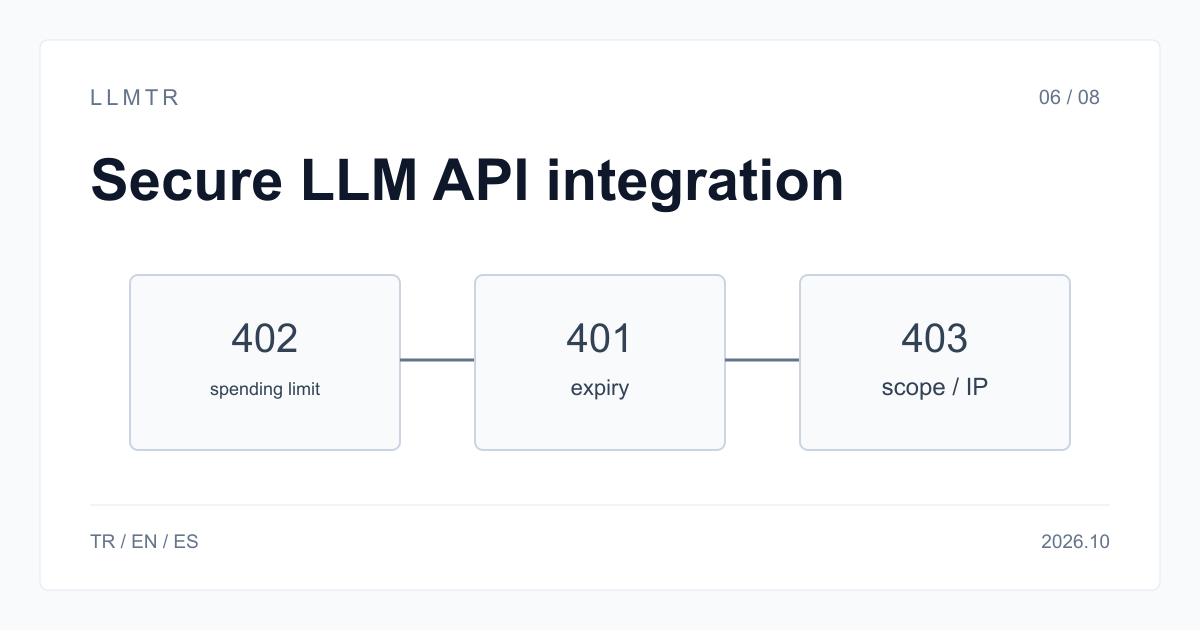
Short answer: use restricted keys and choose the right model
LLMTR (llmtr.com) is a gateway that gives access to language models hosted in Türkiye and at global providers through one OpenAI-compatible API. Use https://llmtr.com/v1 and restrict each key by spending, model access and network address. A blocked request can return 402 spending_limit_exceeded when spending is capped or 403 model_not_allowed when the model is outside the key's scope.
Security for an LLM API integration depends on stored data, key protection and limits, and the provider that processes each request. LLMTR does not store prompt or response bodies; it keeps request metadata only: model id, token counts, latency, status code, cost in USD and the first 12 characters of the key.
LLM APIs that are secure for integration without data sharing
An LLM API can reduce stored data by not retaining prompt or response bodies; LLMTR keeps request metadata, including the first 12 characters of the key. Integration security also requires restricted keys and a model whose processing location matches your data-handling requirement.
Treat model routing as part of data handling, not just model selection. A TR badge marks Türkiye hosting, but it does not identify who runs the server; read the data policy on each model page. llmtr/ornith-1-35b is processed on LLMTR servers in Türkiye and is not forwarded to a third-party provider. EU-badge GreenPT rows are processed within the European Union according to the provider.
Controls on the key: restrict and monitor every credential
Restrictions are optional and can be set at key creation or later with Edit. A key can have a USD spending limit, expiry after 7, 30 or 90 days or a chosen date, a scope of up to 50 models, and an IP restriction for up to 20 IPv4/IPv6 addresses or CIDR ranges. Changes apply from the next request.
Use one key per application and environment, then revoke each independently; there is no fixed limit on active keys. Put a spending limit on every key that runs unattended. For IP restrictions, enter the public egress address that reaches LLMTR, including the address seen behind NAT or a proxy.
| Restriction | What it does | When exceeded |
|---|---|---|
| Spending limit (USD) | Caps the total amount the key can spend | 402 spending_limit_exceeded |
| Expiry | Turns the key off after 7, 30 or 90 days or a chosen date | 401 auth_error |
| Model scope | Limits the key to selected models (up to 50) | 403 model_not_allowed |
| IP restriction | Limits the key to listed IPv4/IPv6 addresses and CIDR ranges (up to 20) | 403 permission_error |
Handling the restriction errors in code
The example reads LLMTR_API_KEY, calls https://llmtr.com/v1, and prints the status and error type for a restriction failure. Treat 402 spending_limit_exceeded and 403 model_not_allowed or permission_error as configuration signals, not transient errors. Do not retry them in a loop; check the key's spending limit, model scope or IP restriction.
Create a client for https://llmtr.com/v1 and handle restriction failures by status code and error type.
import os
from openai import OpenAI, APIStatusError

# The key lives in an environment variable, never in source code or the browser.
client = OpenAI(base_url="https://llmtr.com/v1", api_key=os.environ["LLMTR_API_KEY"])

try:
    reply = client.chat.completions.create(
        model="llmtr/qwen3-8-27b",
        messages=[{"role": "user", "content": "Draft a reply to this support ticket: ..."}],
    )
    print(reply.choices[0].message.content)
except APIStatusError as error:
    # 402 spending_limit_exceeded, 403 model_not_allowed and 403 permission_error
    # come from the restrictions set on the key.
    print(error.status_code, error.response.json()["error"]["type"])
Keeping data at home: choose the model id by processing location
Check the model page before sending data. A TR badge marks Türkiye hosting, but it does not say who runs the server; read the data policy on the model page. The documentation states that llmtr/qwen3-8-27b and llmtr/ornith-1-35b are hosted by LLMTR in Türkiye. For llmtr/ornith-1-35b, processing occurs on LLMTR servers in Türkiye and the request is not forwarded to a third-party provider. EU-badge GreenPT rows are processed within the European Union according to the provider. Send only the fields the task needs and mask personal identifiers before the request.
If you save a provider key of your own under Settings, LLMTR stores it encrypted in the database and displays it only in masked form afterwards. The later masked view does not expose the original provider key in plain text.
Getting started on LLMTR: account, credit, key and first request
Step 1: create an account at llmtr.com and verify your email. Step 2: top up credit from the Dashboard through the secure checkout. An 8% platform margin is added once, on top of the requested amount: $10.00 credit is charged $10.80. The margin is not added to model prices; each API call is deducted at the model's catalog price.
Step 3: create an API key under Dashboard > API Keys. The raw key appears only once, so store it in an environment variable such as LLMTR_API_KEY. Step 4: send the first request to https://llmtr.com/v1 with any OpenAI-compatible SDK by changing only base_url and api_key. The Dashboard usage page shows usage and spend per key. One key and one credit balance work across the catalog; switching models requires a new model string.
Create an LLMTR account and make a first API request
Create an account, add credit, create a restricted key and call the OpenAI-compatible endpoint with an environment variable.
- Create account. Create an account at llmtr.com and verify your email.
- Top up credit. Add credit from the Dashboard through the secure checkout. An 8% platform margin is added once, so $10.00 credit is charged $10.80; model calls are deducted at their catalog prices.
- Create API key. Create a key under Dashboard > API Keys. The raw key is shown only once, so save it in an environment variable such as LLMTR_API_KEY and apply the appropriate restrictions.
- Send first request. Send the first request to https://llmtr.com/v1. With any OpenAI-compatible SDK, change only base_url and api_key, then check usage and spend per key on the Dashboard.
Frequently asked questions
Does the LLM API store my prompts and responses?
On LLMTR, prompt and response bodies are not stored. Metadata includes model id, token counts, latency, status code, cost in USD and the first 12 characters of the key.
How do I limit what a leaked LLM API key can do?
Use a spending limit, expiry, model scope of up to 50 models, and IP restriction for up to 20 IPv4/IPv6 addresses or CIDR ranges. Set them at creation or later with Edit.
What does 403 model_not_allowed mean?
The requested model id is not included in that key's model scope. Add the model to the scope if the integration is intended to call it.