Integration guides · 2026-08-29
DeepSeek Harness LLMTR plugin: the LLM seam and catalogue
Installing the LLMTR route into DeepSeek Harness as a separate plugin package: the ctx.llm seam, an endpoint-sourced model catalogue, scope narrowing, context window corrections and routing limits.
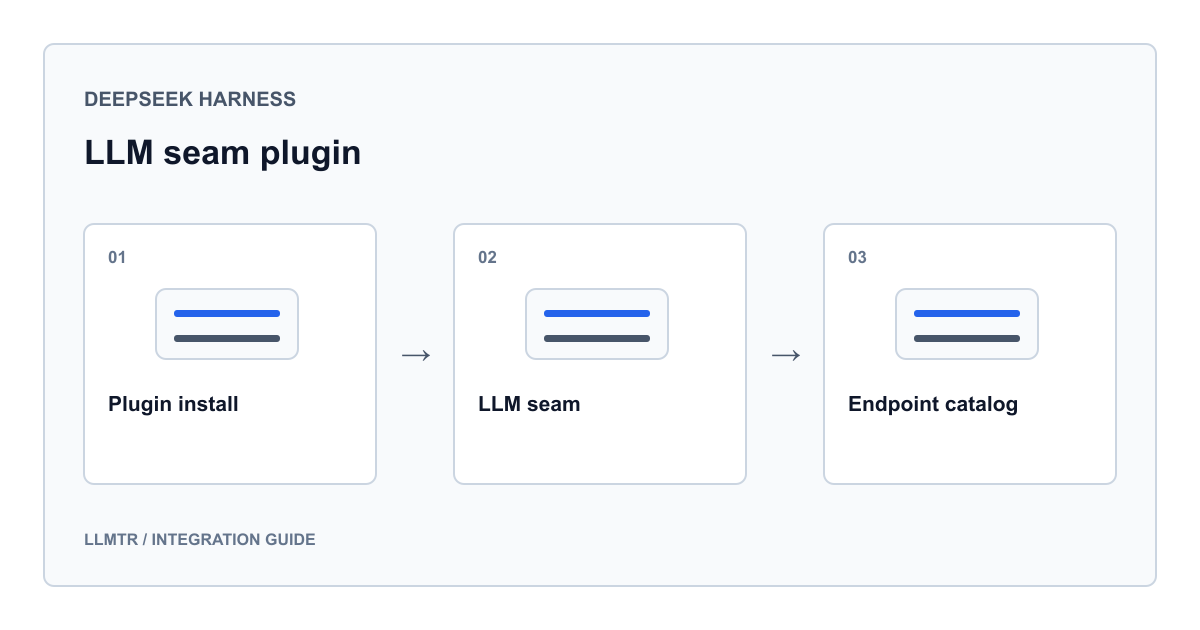
The integration is not in the main repository: everything is a plugin
Adding a provider to DeepSeek Harness does not mean editing files in the harness repository. The harness takes providers through a seam called ctx.llm; a plugin registers its own route on that seam and the harness does not treat it differently from any other. That is why the LLMTR integration sits in its own package in the knowhycodata/dsh-plugin-llmtr repository rather than in the main tree.
Once installed, the models appear under a provider route named llmtr. After the route is registered, selection happens in the usual places: you can choose a model per session, per agent and per subagent. What the integration adds is not a new screen but a new route at the selection points that already exist.
The practical consequence of that architecture is that updates are decoupled from the harness version. The plugin moves on its own release line; you can change route behaviour without upgrading the harness, and removing the route is a matter of deleting one row.
Two install paths: the plugin command, or the row by hand
The package ships a bundle patch, so the plugin command inserts the row for you. After installing, an LLMTR card appears in the models section of settings; you paste the key there and save. The key is stored in the credentials file and settings retain only a reference to it, so sharing your settings file does not share your key.
If you would rather not use the plugin command, add the row to your own configuration or patch overlay by hand and export the key as an environment variable instead of storing it. Both paths register the same route; only the location of the key differs.
You type nothing into the model picker: the list fills itself from the gateway's live listing. When LLMTR adds a model to the catalogue later, that model shows up without a plugin upgrade.
Installing with the plugin command, and adding the row by hand instead
# Path 1: the plugin command inserts the row itself
dsh plugin add dsh-plugin-llmtr
# then: Settings -> Models -> the LLMTR card -> paste the key and save
# the key is stored in $DSH_HOME/.credentials.yaml

# Path 2: add the row to your own configuration
cat >> cordis.yml <<'YAML'
- insert:
    - id: llm-llmtr
      name: dsh-plugin-llmtr
YAML

# and export the key instead of storing it
export LLMTR_API_KEY=llmtr-your_key
The catalogue comes from the endpoint, and you narrow its scope
There is no model list bundled inside the plugin. The route reads the catalogue from the gateway and reuses it for a while. Identifiers are the gateway's own two-part owner and model form and are sent verbatim; the plugin performs no name translation.
The prefix on an identifier also tells you where the request goes. Identifiers starting with llmtr run on LLMTR's own infrastructure in Türkiye and the picker labels them accordingly. Everything else is routed to its upstream provider and processed under that provider's terms, and the plugin claims nothing else for them.
For a deployment whose prompts must not leave the country, narrowing the scope is a one-line change. With the scope set to the in-country models the picker lists nothing else, so a session cannot be started on the wrong model. The table below covers the fields that decide the catalogue source; all of them are optional, changes reach the next request without a restart, and a stream already in flight keeps the values it started with.
| Field | Default | What it decides |
|---|---|---|
| apiKeyEnv | LLMTR_API_KEY | The credential reference resolved per request |
| baseURL | https://llmtr.com/v1 | The request target; an environment value from a trusted launch layer overrides the default |
| catalogScope | chat | Which set is listed: chat models, only the models hosted in Türkiye, or everything |
| catalogTtlMs | 900000 | How long a fetched listing is reused |
| models | empty list | A pinned list; when it is non-empty the live listing is never fetched |
| headers | empty object | Extra request headers; authentication and attribution names always win |
What the listing does not say: context windows
The gateway's listing publishes identifiers and supported operations, not capacities. The plugin therefore sizes every model you have not measured at the default context window. That conservatism is deliberate: erring on this side is better than assuming a capacity that is not there.
The consequence is that you correct the handful of models you actually use. A correction is applied per model over the live listing; it does not replace the list, it only updates that model's numbers. The output ceiling can be tightened per model in the same place.
A deployment that must fix its catalogue exactly replaces the listing rather than filtering it. As long as the pinned list is non-empty the gateway listing is never fetched, so the set of models your users can reach is precisely the set you wrote down.
Scope narrowing, context window corrections and a pinned list in the settings file
llm-llmtr:
  # deployment whose prompts must stay in-country
  catalogScope: turkey-hosted

  # per-model corrections applied over the live listing
  modelOverrides:
    openai/gpt-5.4:
      contextWindow: 400000
    llmtr/gemma-4:
      contextWindow: 32768
      maxTokens: 8192

# or pin the list entirely:
# llm-llmtr:
#   models:
#     - id: llmtr/gemma-4
#       name: Gemma 4
#     - id: llmtr/trendyol-asure-12b
Reasoning: output works out of the box, effort levels are declared
Reasoning output needs no configuration. The adapter reads both the separate reasoning field and the reasoning deltas inside the response, so a reasoning model's thinking appears in the transcript on its own.
Selecting an effort level is deliberately opt-in. The gateway fans requests out to upstreams, and some of them reject an effort parameter on models that are not reasoning models. The plugin therefore asks you which effort identifiers are accepted, and offers exactly what you declare.
With the list empty no selector is shown and no effort parameter reaches the wire. A request carrying an undeclared effort is not silently dropped; it is refused by name. Silent dropping was avoided because it would leave you hunting for a behaviour difference after the fact.
- No setting is needed to see thinking output; the adapter reads both shapes
- The effort selector appears only once you declare the accepted identifiers
- A request with an undeclared effort is refused by name rather than ignored
- Declare the identifiers your models genuinely accept; the list affects the whole route
Scope limits, retries and privacy headers
The plugin routes exactly one operation: chat completions. Requests go out with streaming and usage reporting on. The gateway's embedding, image, video, rerank and realtime models are listed when the scope is set to everything, but this adapter cannot route them, which is why chat is the default scope.
A message containing an image is not quietly flattened. It is refused before it is sent, naming the model that does not accept it. Retries are also absent from the adapter: one attempt is made per call and the retry decision belongs to the harness's own policy, so a failure is visible once rather than hidden inside the adapter.
On the privacy side the plugin sends the harness's standard client header, a client header naming this package and its version, and your key. No session id, prompt text, file path or user identifier is added to any header. At the gateway, user prompts and model response bodies are not written to the database.
| Request type | Status in this adapter | Result |
|---|---|---|
| Chat completions | Routed | Sent with streaming and usage reporting enabled |
| Embedding, image, video, rerank, realtime | Not routed | Listed when the scope is set to everything, but cannot be driven even if selected |
| Message containing an image | Refused before sending | The model that does not accept it is named |
| Retry | Not in the adapter | One attempt per call; the decision is left to the harness policy |
Verifying the repository locally with no network access and no key
npm install
npm test          # 80 unit tests, no network and no key required
npm run typecheck
npm run build

# tests/mock-server.ts stands in for the gateway, so the suite runs offline
Frequently asked questions
Why can I not find the integration in the DeepSeek Harness repository?
Because it is not there. The harness takes providers through the ctx.llm seam, and the LLMTR route is published as a separate package attached to that seam in the knowhycodata/dsh-plugin-llmtr repository. It installs without changes to the main repository, and removing it means deleting one row.
Can I keep the model list current without upgrading the plugin?
Yes. The picker fills itself from the gateway's live listing, so models added later appear without an upgrade. If you deliberately want a fixed list, fill in the pinned models field; while that field is non-empty the live listing is never fetched.
How do I set up a deployment that never sends prompts outside Türkiye?
Narrow the catalogue scope to the in-country models. The picker lists nothing else, so a session cannot be started on the wrong model. Identifiers carrying the llmtr prefix are the ones running on LLMTR's infrastructure in Türkiye; the rest are processed at their own upstream provider.
Why does every model show the same context window?
The gateway's listing publishes identifiers and supported operations, not capacities, so the plugin sizes every model you have not measured at the default context window. Correct the models you actually use through the per-model override field.