Integration guides · 2026-08-29
Developer tools that work with LLMTR: how 21 integrations connect
The full list of coding agents, agent platforms and self-hosted applications that run on LLMTR. Compare which integration shape each tool uses and where its configuration lives.
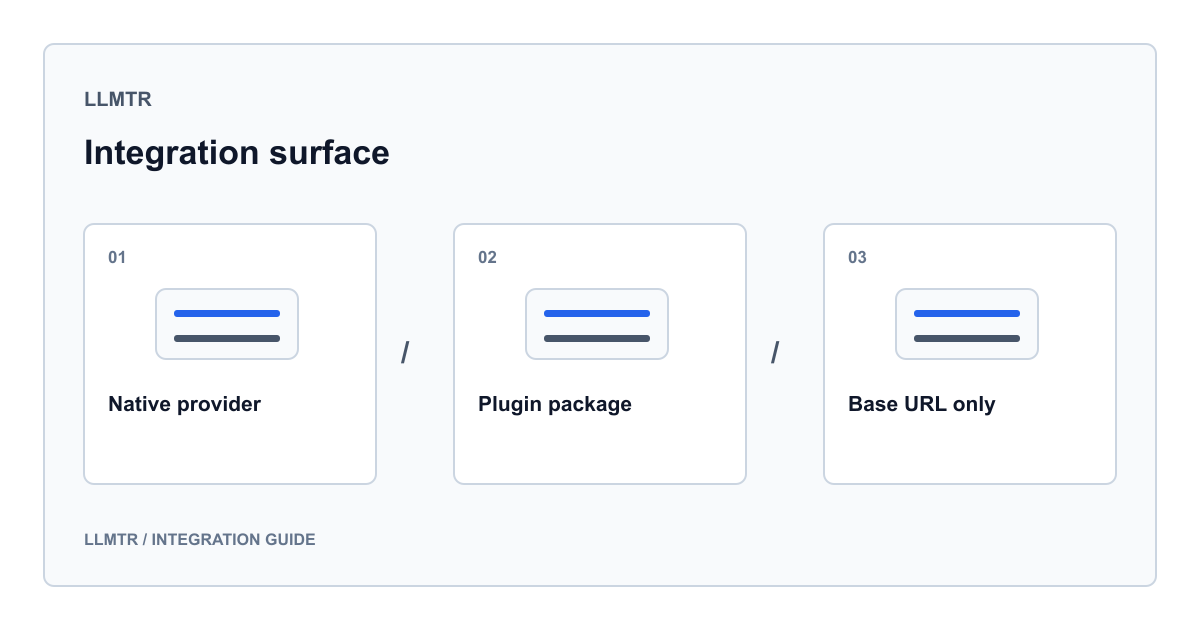
Integration is not one thing, it is three shapes
Saying that a tool works with LLMTR does not describe a single technical arrangement. In practice there are three shapes, and which one you are dealing with decides both your setup time and your ongoing maintenance.
In the first shape the provider lives inside the tool's own source code. The tool knows LLMTR by name, fetches the model list itself, and shows it as a separate entry in the settings screen or config file. In the second shape the integration ships as a separate plugin package: the main repository stays untouched, you install the plugin and the tool loads it. The third shape is the lightest one, pointing a tool that already speaks an OpenAI or Anthropic compatible surface at a different base URL. No code changes, two or three environment variables.
The table below splits every tool that works with LLMTR today into these three shapes. Find your tool and move on to its guide.
| Tool | Shape | Where setup happens |
|---|---|---|
| Claude Code | Base URL | Environment variables |
| Codex CLI | Base URL | Config file, model provider block |
| OpenClaude | Embedded provider | knowhycodata/openclaude, feat/add-llmtr-provider branch |
| OpenCode | Embedded provider | knowhycodata/opencode, add-llmtr-docs branch |
| OpenClaw | Plugin package | knowhycodata/openclaw, feat/llmtr-provider branch |
| Cline | Embedded provider | knowhycodata/cline, feat/add-llmtr-provider branch |
| PentestCode | Embedded provider | knowhycodata/pentestcode, feat/llmtr-provider branch |
| Strix | Embedded provider | knowhycodata/strix, feat/llmtr-native-provider branch |
| HarnessRouter | Embedded provider | knowhycodata/harnessrouter, feat/llmtr-provider branch |
| Hermes Agent | Plugin package | knowhycodata/hermes-llmtr-plugin repository |
| DeepSeek Harness | Plugin package | knowhycodata/dsh-plugin-llmtr repository |
| Pi | Embedded provider | knowhycodata/pi, feat/llmtr-provider branch |
| Trae Agent | Embedded provider | knowhycodata/trae-agent, feat/llmtr-provider branch |
| Pool | Base URL | Environment variables |
| OpenCompany | Embedded provider | knowhycodata/OpenCompany, feat/llmtr-provider branch |
| OpenStory | Embedded provider | knowhycodata/openstory, 1265-llmtr-gateway-provider branch |
| OpenReview | Base URL | Two environment variables |
| OpenBot | Base URL | Environment file and container configuration |
| Open SEO | Base URL | Self-host environment variables |
| Open WebUI | Base URL | Connection setting in the interface |
| models.dev | Model metadata | knowhycodata/models.dev, add-llmtr-provider branch |
Embedded provider: the tool knows LLMTR by name
In this shape LLMTR appears in the tool's provider list. You do not type a base URL, you pick the provider and paste your key. The tool fetches the model list, shows model identifiers in its own picker, and in most cases translates tool-specific fields such as reasoning level into the right request shape.
The benefit is convenience; the cost is version coupling. Because the provider code lives in the tool's repository, you track the branch that carries the integration. The table above names that branch for every tool.
One subset of this group is worth calling out: HarnessRouter distributes a single provider connection to three separate agent harnesses, so one key feeds three different terminal tools.
- OpenClaude, OpenCode, Cline and Pi: a built-in provider entry on the coding agent side.
- PentestCode and Strix: model configuration inside authorised penetration testing tools.
- OpenCompany and OpenStory: a provider layer inside workflow and media generation products.
- Trae Agent: a dedicated client class on the Python side.
- HarnessRouter: one connection fanned out to three harnesses.
Plugin package: integration without touching the main repository
Three tools keep the integration outside the main repository. In OpenClaw the plugin sits as a package inside the tool's own extension directory and declares itself through a manifest file. For Hermes Agent and DeepSeek Harness the plugin lives in an entirely separate repository: hermes-llmtr-plugin and dsh-plugin-llmtr under the knowhycodata account exist for exactly this.
The practical benefit is isolation. Upgrading the tool does not break the integration, and upgrading the integration does not break the tool. This is the preferred route in tools whose plugin architecture is mature.
The one thing to watch is interface versioning. A plugin targets a specific plugin interface version; if the tool changes that interface, the plugin may fail to load until it is updated.
Base URL only: the route with no code changes
Seven tools need no code change at all. The tool already speaks an OpenAI or Anthropic compatible surface, and you only change the address and the key. Claude Code, Codex CLI, Pool, OpenReview, OpenBot, Open SEO and Open WebUI are in this group.
Variable names differ per tool, but they always carry the same three things: address, key and model identifier. The verification step below is the same whatever tool you are in. Read the model list without a key, then send one small request with the key. If both come back, the remaining problem is in the tool's own configuration, not on the gateway side.
A tool-independent two-step connection check
# 1) The model catalog reads without a key
curl https://llmtr.com/v1/models

# 2) One small request with the key
curl https://llmtr.com/v1/chat/completions \
  -H "Authorization: Bearer llmtr-your_key" \
  -H "Content-Type: application/json" \
  -d '{"model":"anthropic/claude-sonnet-5","messages":[{"role":"user","content":"test"}],"max_tokens":16}'
The endpoint your tool speaks decides your model choice
Independent of integration shape, one detail is often missed: whichever endpoint the tool speaks, the model you pick has to be open on that endpoint. In LLMTR this relationship runs one way only.
A Chat Completions request works if the model has a chat binding or a Responses binding. There is no bridge in the other direction: a request sent to the Responses endpoint only works for models that carry a Responses binding. That is why tools speaking the Responses protocol have a narrower model list, and why writing a chat-only model there fails.
Tools using the Anthropic compatible surface reach a separate endpoint. Some request fields have no effect there, and we say so plainly in that guide: the request is not rejected, the field is ignored.
- Tools speaking Chat Completions: every chat model in the catalog is available.
- Tools speaking Responses: only models with a Responses binding are available.
- Tools speaking the Anthropic compatible surface: separate endpoint, separate request body.
Three checks before you start
Whichever guide you move on to, preparing these three first saves time. First the key: LLMTR keys start with a fixed prefix and are shown once at creation. Second the model identifier: look it up in the catalog and note the full identifier, because most tools do not accept short names. Third the balance: agent tools send many requests inside a single task, and a setup that starts with an empty balance sends you hunting for an integration bug that is not there.
One note on pricing as well. The LLMTR platform margin applies only when you top up credit, and it is 8 percent. No margin is added to model prices; the price you see in the catalog is the model price.
The detailed guide for your tool is in the list beside this page. Each guide carries that tool's real file paths, real variable names and verification steps.
Frequently asked questions
Do I have to install a fork to use these tools?
No. In seven tools the integration is only an address and key change and works with the tool's official release. The embedded provider and plugin package shapes do need the relevant repository and branch; the table says which applies to each tool.
Can I use the same API key across several tools?
Yes, one key works in several tools. If you want to separate usage, a key per tool is better: revoking one key then affects only that tool, and usage records let you tell which tool spent what.
What should I do if a tool shows an empty model list?
Read the model catalog without a key first. If the list comes back, the problem is not the network and is most likely the tool's own filter: some tools only list identifiers matching name patterns they recognise. In that case write the model identifier directly into the configuration instead of waiting for the picker.
Chat requests work but Responses requests fail. Why?
Because the bridge runs one way. A Chat Completions request also works for models with a Responses binding, but a Responses request does not work for a chat-bound model. If your tool speaks the Responses protocol, pick a model that is open on that endpoint in the catalog.
Related posts
- Connecting Claude Code to LLMTR through the Anthropic Messages endpoint
- An LLMTR model provider for Codex CLI and its Responses-only constraint
- Adding the LLMTR gateway entry to OpenClaude and how discovery works
- The LLMTR provider block in OpenCode configuration and model naming
- OpenClaw LLMTR plugin: package install and manifest walkthrough
- Cline with LLMTR: provider setup inside the editor panel
- PentestCode LLMTR provider setup for authorised engagements
- Strix LLMTR setup: model prefix, dedupe and the reporting chain
- HarnessRouter LLMTR provider: one key, three harnesses
- Hermes Agent LLMTR plugin: profile fields and install
- DeepSeek Harness LLMTR plugin: the LLM seam and catalogue
- LLMTR provider for the Pi coding agent and its generated catalog
- Trae Agent with LLMTR: Python configuration and trajectory records
- Pool with LLMTR: three env vars and the Laguna identifiers
- Setting up the LLMTR provider in OpenCompany workflows
- Connecting OpenStory to the LLMTR gateway with a team key
- Pointing the OpenReview code review bot at LLMTR
- Running OpenBot on LLMTR: one base URL, two agent runtimes
- Running the Open SEO SAM agent through an LLMTR gateway
- Connecting Open WebUI to LLMTR: keeping the chat model list usable
- The models.dev LLMTR provider entry and metadata sync