Integration guides · 2026-08-29
Hermes Agent LLMTR plugin: profile fields and install
Installing LLMTR into Hermes Agent as a model-provider plugin: why the directory name is the provider name, what the ProviderProfile declares, aliases, the aux model and verifying with hermes doctor.
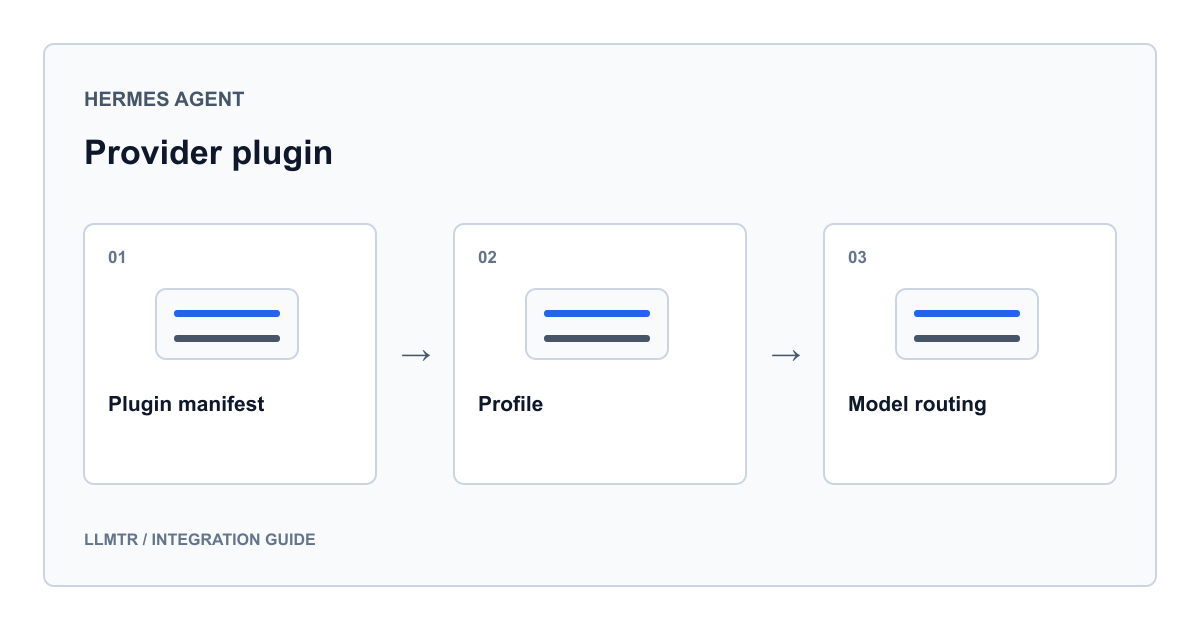
The plugin contract: a plugin directory, not the core tree
Hermes Agent's contribution policy keeps third-party provider integrations outside the core tree. Adding a provider requires no fork and no edits to core files; the provider loader scans the plugin directory at runtime and registers whatever profile it finds.
So the LLMTR integration lives in two places. The feat/add-llmtr-provider branch in the knowhycodata/hermes-agent repository keeps the profile under the core tree's plugin folder together with its tests, while the knowhycodata/hermes-llmtr-plugin repository publishes the same profile as a standalone, separately installable package. Both carry the same declaration; only the destination differs.
The plugin itself is two files: a plugin manifest and a provider profile. The manifest states name, kind and version; the profile establishes the provider's identity.
Install: the directory name is the provider name
The standalone package is installed by cloning it under the plugin directory. The one thing to get right is the destination folder name, because that name becomes the provider name. Clone it under a different name and the provider registers under that name, at which point the provider field in your configuration no longer matches.
On Linux, macOS and WSL the destination is the plugin folder in the home directory. On a native Windows install it is the equivalent under the user's local application data. The listing below gives both paths.
Cloning the standalone plugin into the Hermes plugin directory as llmtr
# Linux / macOS / WSL
git clone https://github.com/knowhycodata/hermes-llmtr-plugin \
  ~/.hermes/plugins/model-providers/llmtr

# Native Windows (PowerShell)
# git clone https://github.com/knowhycodata/hermes-llmtr-plugin `
#   "$env:LOCALAPPDATA\hermes\plugins\model-providers\llmtr"

# The directory name MUST be llmtr: the provider name comes from it.
What the profile file declares
The profile is a plain provider profile with no custom transport hooks. Authentication is a standard bearer header, model identifiers are provider-qualified slugs and the catalogue endpoint is a public model listing, so the base profile handles requests, streaming, tool calls and live model listing on its own. The only thing written in the plugin is the identity declaration.
Two declared fields deserve attention. The first is aliases: the provider resolves under three additional spellings besides llmtr, so a user who writes it with a dot or a hyphen in configuration is not met with an error. The second is environment variables: two names are recognised, one for the key and one for overriding the base URL.
The plugin's provider profile: identity, endpoint and model declaration
llmtr = ProviderProfile(
    name="llmtr",
    aliases=("llm-tr", "llmtr-com", "llmtr.com"),
    env_vars=("LLMTR_API_KEY", "LLMTR_BASE_URL"),
    display_name="LLMTR",
    base_url="https://llmtr.com/v1",
    fallback_models=(
        "anthropic/claude-opus-4.8",
        "anthropic/claude-sonnet-4.6",
        "openai/gpt-5.5",
        "google/gemini-3.1-pro-preview",
        "deepseek/deepseek-v4-pro",
        "qwen/qwen3.7-max",
        "zai/glm-5.1",
    ),
    default_aux_model="google/gemini-2.5-flash",
)

register_provider(llmtr)
Field by field: what each declaration decides
Every field in the profile has a concrete runtime consequence. The table below pairs the fields with the behaviour the branch's tests pin down; those tests deliberately nail the identity contract, because everything else is auto-wired from it.
The manifest file carries only package identity: plugin name llmtr-provider, kind model-provider, version 1.0.0. When the loader sees that file it treats the directory as a plugin.
| Field | Declared value | What it decides |
|---|---|---|
| name | llmtr | The canonical name the provider field in configuration must match |
| aliases | llm-tr, llmtr-com, llmtr.com | Alternative spellings that resolve to the same provider |
| env_vars | LLMTR_API_KEY, LLMTR_BASE_URL | Where the key and the optional endpoint override are read from |
| base_url | https://llmtr.com/v1 | The request target; the hostname is derived from this value too |
| auth_type | api_key | The mode that gets the provider auto-injected into the model picker |
| fallback_models | Seven tool-calling canonical identifiers | What the picker shows when the live model listing is unavailable |
| default_aux_model | google/gemini-2.5-flash | The model that handles compression, vision and summary work |
Fallback list, aux model and endpoint choice
The fallback list is used only when the live listing cannot be read; normally the picker shows what the endpoint returns. The seven identifiers on it share one property: they can call tools, which is what keeps an agent loop going. The tests additionally assert that every entry is in provider-qualified slug form.
The aux model is a separate field, and because it is not left empty Hermes does not print its missing-auxiliary-provider warning. Background work such as compression, vision and summaries goes to that model; changing your main model leaves the auxiliary work where it is.
One detail matters while configuring. The profile uses the chat-completions transport, but not every identifier in the listing is bound to the same endpoint at the gateway, and the bridge is asymmetric there. A chat-completions request works when the model has either a chat or a responses binding; a responses request works only for models with a responses binding. That is why openai/gpt-5.5 in the fallback list is drivable from Hermes over chat even though it is published on the responses side.
- If no models appear in the picker, first check that the key is being read; the list comes from the endpoint
- Seeing the fallback list means the live listing failed
- To change the auxiliary model, edit the single line in the profile file
- You may write the provider name using any of the aliases; they all resolve to the same profile
Configuration and verification
After installation the one required step is putting the key in the environment. The base URL override is optional and the profile value is used when it is left unset. Rather than picking the model each session you can also write it into the configuration file.
Two commands verify the setup: the model picker lists the provider and its identifiers, and the diagnostic command checks authentication and reachability. The table below summarises the end-to-end verification recorded in the standalone plugin repository; the count is a reading from that run, while the current catalogue is always read from the endpoint.
| Check | Endpoint used | Recorded result |
|---|---|---|
| Catalogue listing | GET /v1/models | Returned 200; every identifier in the fallback list was present |
| Chat completion | POST /v1/chat/completions | Returned 200 |
| Tool call | POST /v1/chat/completions | Returned OpenAI-format tool calls and a tool-call finish reason |
Set the key, pick a model and run the diagnostic command
export LLMTR_API_KEY=llmtr-your_key
# optional, defaults to the value in the profile
# export LLMTR_BASE_URL=https://llmtr.com/v1

hermes model     # choose LLMTR, then pick a provider/model slug
hermes doctor    # confirms authentication and reachability

# or set it directly in configuration:
# provider: llmtr
# model: anthropic/claude-opus-4.8
Frequently asked questions
Can I change the directory name when installing the plugin?
You should not. Hermes takes the provider name from the directory name. Clone it under anything other than llmtr and the provider registers under that name, so the provider field in your configuration and the declared aliases no longer match.
What is the difference between the profile on the branch and the standalone plugin repository?
They carry the same declaration. The difference is the install location: the branch keeps the profile under the core tree's plugin folder with its tests, while the standalone repository is cloned into the user's plugin directory in line with the Hermes contribution policy. No fork and no core edits are needed.
Why is the fallback model list showing in my picker?
The fallback list appears only when the live model listing cannot be read. If you see it, the listing failed: check that the key is present in the environment and that any base URL override is correct.
Why is the auxiliary model declared separately?
Background work such as compression, vision and summaries runs apart from the main model. If a profile declares no model for it, Hermes prints a missing-auxiliary-provider warning; the declaration prevents that warning and fixes where auxiliary work is sent.