RAG and data · 2026-10-10
EU-Hosted Embedding API for a GDPR-Minded RAG
Build a GDPR-minded RAG with tensorx/qwen3-embedding-8b-tensorx and an EU-hosted chat model, both reached through one OpenAI-compatible API.
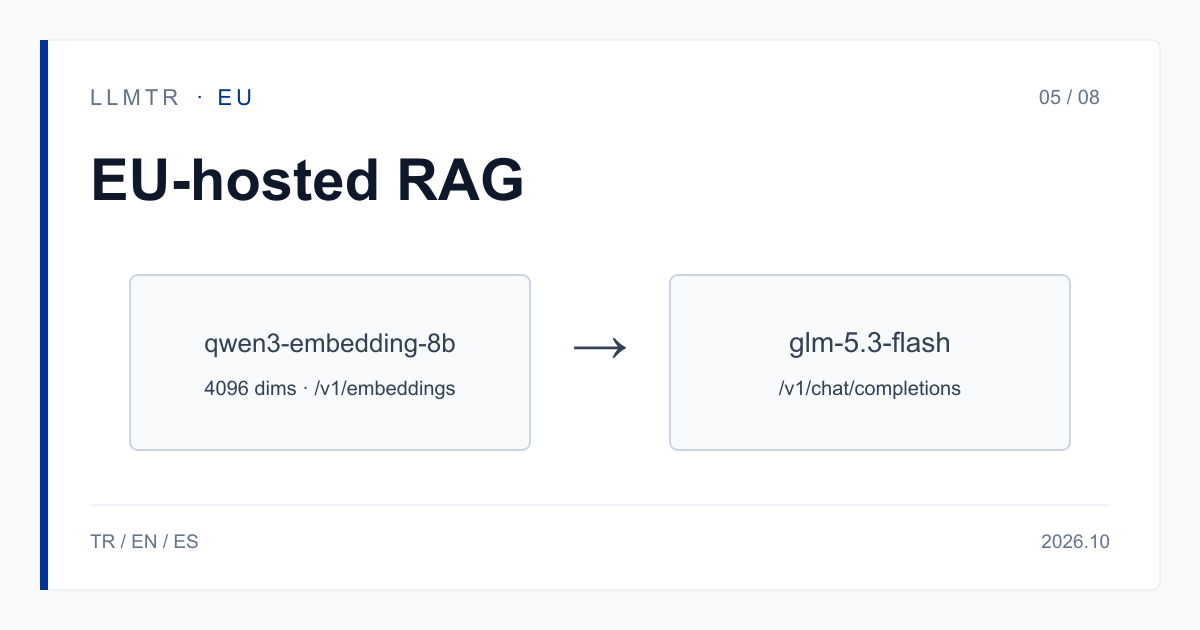
Short answer: embedding and answer steps on EU-hosted rows
LLMTR (llmtr.com) is a gateway that gives access to language models hosted in Türkiye and at global providers through one OpenAI-compatible API. For a RAG pipeline, use tensorx/qwen3-embedding-8b-tensorx for embeddings and tensorx/glm-5.3-flash-tensorx or tensorx/deepseek-v4-flash-0731-tensorx for answers; all are called through https://llmtr.com/v1. For the models in this category, processing inside the European Union is what the provider states; LLMTR has not independently verified it.
The embedding row answers on /v1/embeddings, returns 4096-dimension vectors and costs $0.20 for 10 million tokens. All three are TensorX rows, so one TensorX data-transfer consent on your account covers them. The GDPR assessment stays with you; this article does not replace it.
How to build a GDPR-minded RAG pipeline with an EU-hosted embedding API
The setup has three parts: the embedding call that turns documents into 4096-dimension vectors, your own vector store that keeps the vectors and finds the passage closest to a query, and the chat model that reads the passage and writes the answer. LLMTR provides the first and third parts; the vector store stays on your side.
The embedding row has a 40,960-token context and costs $0.02 per 1M input tokens. Embedding a document archive of 10M tokens, for example, costs $0.20. Per the provider's statement, requests are processed within the European Union and inputs are not used for model training. Use the same embedding row at query time; the query vector and the document vectors must come from the same row.
Do not mix vectors from two different embedding rows in one index. If you switch embedding model, you must re-embed the whole archive, so make the first choice before you scale.
Pipeline steps, model ids and prices
The table shows the two steps of the pipeline and two answer options. For the answer step, assuming 1M input and 100K output tokens, tensorx/glm-5.3-flash-tensorx costs $0.25 and tensorx/deepseek-v4-flash-0731-tensorx costs $0.28. Prices are TensorX's own USD list prices; LLMTR adds nothing to these rows' token prices.
Prices differ row by row and each model page shows the current value. GreenPT also has EU-hosted embedding rows; they need their own data-transfer consent, and their prices are on the model page.
| Pipeline step | Model id | Price per 1M tokens | Note |
|---|---|---|---|
| Embedding (documents and queries) | tensorx/qwen3-embedding-8b-tensorx | $0.02 input | 4096 dimensions, 40,960 context, /v1/embeddings |
| Answer (option 1) | tensorx/glm-5.3-flash-tensorx | $0.20 input, $0.50 output | 1,048,576 context; 1M input + 100K output = $0.25 |
| Answer (option 2) | tensorx/deepseek-v4-flash-0731-tensorx | $0.25 input, $0.30 output | 1,048,576 context; 1M input + 100K output = $0.28 |
Python example: embedding and answer calls
The example below embeds two texts with the embedding row, prints the vector length, and then calls the chat model with a retrieved passage. The client is the OpenAI SDK; only base_url and api_key change. The passage is a placeholder that you would take from your vector store in a real pipeline.
If the account has no TensorX consent, both calls return 403 provider_consent_required; the request does not reach TensorX and is not billed.
Python example that embeds two texts with the embedding row and then answers with an EU-hosted chat model.
import os
from openai import OpenAI

client = OpenAI(base_url="https://llmtr.com/v1", api_key=os.environ["LLMTR_API_KEY"])

# Embed two documents with the EU-hosted embedding row (4096 dimensions).
docs = ["Refund requests are answered within 14 days.", "Invoices are sent by e-mail."]
emb = client.embeddings.create(model="tensorx/qwen3-embedding-8b-tensorx", input=docs)
print(len(emb.data[0].embedding))

# Answer with a retrieved passage; the same TensorX consent covers both calls.
passage = "<retrieved passage from your vector store>"
reply = client.chat.completions.create(
    model="tensorx/glm-5.3-flash-tensorx",
    messages=[
        {"role": "system", "content": "Answer only from the passage."},
        {"role": "user", "content": f"Passage: {passage}\n\nQuestion: How long do refunds take?"},
    ],
    max_tokens=300,
)
print(reply.choices[0].message.content)
Data, consent and the GDPR assessment
LLMTR does not store prompt and response bodies; it keeps metadata such as model id, token counts, latency, HTTP status, USD cost and the first 12 characters of the API key. For the models in this category, processing inside the European Union is what the provider states; LLMTR has not independently verified it.
Before calling TensorX rows, grant the TensorX consent under Dashboard > Settings > Data-transfer consents. The consent is account-level, covers all API keys and can be withdrawn in the same place. What is transferred is the request content; name and e-mail are not. A GreenPT consent does not cover TensorX rows.
Whether a RAG pipeline meets the GDPR depends on your legal basis, your processing agreements and the nature of your documents, and that assessment is your responsibility. Read the GDPR text and TensorX's data processing agreement before you decide.
Getting started on LLMTR: account, consent, key and first request
Step 1: create an account at llmtr.com, verify your e-mail and top up credit from the Dashboard. An 8% platform margin is added once on the requested amount; a $10.00 credit is charged $10.80. Each call is then deducted at the model's catalog price.
Step 2: grant the TensorX data-transfer consent in Settings. Step 3: create an API key under Dashboard > API Keys; the raw key is shown only once, so store it as LLMTR_API_KEY. Step 4: send the first embedding request to https://llmtr.com/v1 with the code above. The same key and balance work for every model in the catalog.
RAG calls with an EU-hosted embedding
Finish the account and credit, the TensorX data-transfer consent, the API key and the first embedding request in four steps.
- Account and credit. Create an account at llmtr.com, verify your e-mail and top up credit from the Dashboard. An 8% platform margin is added once; a $10.00 credit is charged $10.80.
- TensorX data-transfer consent. Grant the TensorX consent under Dashboard > Settings > Data-transfer consents. Without it, requests return 403 provider_consent_required.
- API key. Create an API key under Dashboard > API Keys. The raw key is shown only once; store it as LLMTR_API_KEY.
- First request. Send the first embedding request with tensorx/qwen3-embedding-8b-tensorx to https://llmtr.com/v1 using any OpenAI-compatible SDK; change only base_url and api_key.
Frequently asked questions
Which model id gives an EU-hosted embedding API on LLMTR?
tensorx/qwen3-embedding-8b-tensorx: 4096 dimensions, 40,960 context, $0.02 per 1M input tokens. Per the provider's statement, requests are processed within the European Union; LLMTR has not independently verified it.
Can I change the embedding model later?
You can, but you must re-embed the whole document archive with the new model. Vectors from two different embedding rows should not be mixed in one index.
What does 403 provider_consent_required mean?
The account has not granted the TensorX data-transfer consent. Grant it under Dashboard > Settings > Data-transfer consents; the request does not reach TensorX, so it is not billed.