Trust and compliance · 2026-10-10
DeepSeek GDPR: DeepSeek V4 Through an EU-Hosted API
Call DeepSeek V4 through LLMTR on TensorX rows that, per the provider, process requests inside the EU. Prices, consent step and a Python example.
Short answer: call DeepSeek V4 through EU-hosted rows
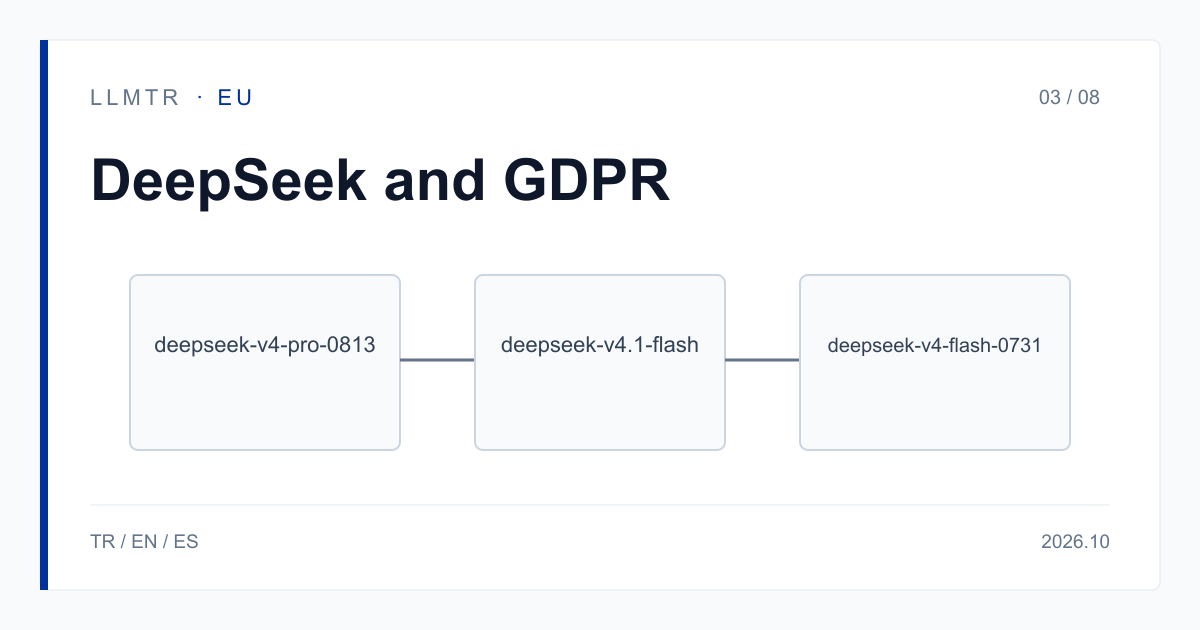
LLMTR (llmtr.com) is a gateway that gives access to language models hosted in Türkiye and at global providers through one OpenAI-compatible API. You can call the DeepSeek V4 family at https://llmtr.com/v1 with the model ids tensorx/deepseek-v4-pro-0813-tensorx, tensorx/deepseek-v4.1-flash-tensorx and tensorx/deepseek-v4-flash-0731-tensorx. These rows are served by TensorX, and per the provider's statement requests are processed inside the European Union.
For the models in this category, processing inside the European Union is what the provider states; LLMTR has not independently verified it. Until your account grants the TensorX data-transfer consent, every request to these rows returns 403 provider_consent_required; the request does not reach the provider and is not billed.
Can I use DeepSeek through an EU-hosted API with GDPR in mind?
DeepSeek's own privacy policy (last updated 10 February 2026) says: "To provide you with our services, we directly collect, process and store your Personal Data in People's Republic of China." That is a statement about DeepSeek's own service. The policy says nothing about rows offered by another provider, and we do not read it that way.
Calling the same model family through a different provider changes the answer to where the data is processed. For the TensorX rows on LLMTR, the provider states that requests are processed within the European Union and that inputs are not used for model training. That is the provider's statement. The GDPR assessment, meaning legal basis, transfers and contracts, stays with you; this article is not legal advice and gives no compliance guarantee.
When you decide, read the GDPR text and the TensorX data processing agreement (DPA) together. The DPA is the most direct way to see which role you hold and which sub-processors are involved.
Three DeepSeek V4 rows: context, price and image input
All three rows have a context of 1,048,576 tokens. Prices are TensorX's own USD list prices, and LLMTR adds nothing to the token price. None of the three reasons by default. Image input works only on the row marked yes in the table; sending an image to the others is refused with 400 unsupported_input and is not billed.
Cost examples: tensorx/deepseek-v4-pro-0813-tensorx with 1M input and 100K output tokens costs $2.00 + $0.40 = $2.40. The same usage on tensorx/deepseek-v4-flash-0731-tensorx costs $0.25 + $0.03 = $0.28. Cached input is billed at the cache-read price only when the provider reports tokens read from its cache; no hit rate is promised.
| Model id | Context (tokens) | Input / Cache read / Output | Image input | Reasons by default |
|---|---|---|---|---|
| tensorx/deepseek-v4-pro-0813-tensorx | 1,048,576 | 2.00 / 0.50 / 4.00 | No | No |
| tensorx/deepseek-v4.1-flash-tensorx | 1,048,576 | 0.50 / 0.13 / 1.50 | Yes | No |
| tensorx/deepseek-v4-flash-0731-tensorx | 1,048,576 | 0.25 / 0.06 / 0.30 | No | No |
Two of these DeepSeek rows are also on GreenPT
GreenPT also offers two DeepSeek rows: greenpt/deepseek-v4.1-flash and greenpt/deepseek-v4-flash-0731. They use the same API key and the same credit balance; only the model string changes. Each row's price is on its own model page.
The data-transfer consent is per provider. The TensorX consent does not cover GreenPT rows, and the GreenPT consent does not cover TensorX rows. Consents are granted under Settings > Data-transfer consents and withdrawn in the same place; they are account-level and apply to every API key of the account. What is transferred is the request content needed to produce the answer; account details such as name and e-mail are not transferred.
For the models in this category, processing inside the European Union is what the provider states; LLMTR has not independently verified it. For TensorX the provider publishes its written statement in its DPA; read details such as the sub-processors there.
First call: tensorx/deepseek-v4-flash-0731-tensorx
The Python example below uses the OpenAI SDK; only base_url and api_key are set for LLMTR. If the consent is missing, the call ends with 403 provider_consent_required. That is a permission error; check the consent first instead of retrying or switching providers.
These rows work on /v1/chat/completions; /v1/responses is not supported and returns 400 unsupported_operation. For streamed requests, send include_usage as true in stream_options to receive usage.
Python example of a chat call to tensorx/deepseek-v4-flash-0731-tensorx through LLMTR.
import os
from openai import OpenAI

client = OpenAI(base_url="https://llmtr.com/v1", api_key=os.environ["LLMTR_API_KEY"])

# Requires the TensorX data-transfer consent (Settings > Data-transfer consents).
# Without it the call returns 403 provider_consent_required and is not billed.
reply = client.chat.completions.create(
    model="tensorx/deepseek-v4-flash-0731-tensorx",
    messages=[{"role": "user", "content": "Summarize this paragraph: ..."}],
    max_tokens=300,
)
print(reply.choices[0].message.content)
Getting started on LLMTR: account, credit, consent, key and first request
Step 1: create an account at llmtr.com and verify your email. Step 2: top up credit from the Dashboard. An 8% platform margin is added once to the requested amount; for example, a $10.00 credit is charged $10.80. Each call is then deducted at the model's catalog price.
Step 3: grant the TensorX consent under Settings > Data-transfer consents. Step 4: create a key under Dashboard > API Keys; the raw key is shown only once, so store it in an environment variable such as LLMTR_API_KEY. Then send the first request above. The same key and balance work for every model in the catalog.
Call DeepSeek V4 on TensorX through LLMTR
Create an account, top up credit, grant the TensorX data-transfer consent, create an API key and send the first DeepSeek request to https://llmtr.com/v1.
- Account and credit. Create an account at llmtr.com, verify your email and top up credit from the Dashboard. An 8% platform margin is added once; a $10.00 credit is charged $10.80.
- TensorX data-transfer consent. Grant the TensorX consent under Settings > Data-transfer consents. Without it the request returns 403 provider_consent_required and is not billed.
- API key. Create a key under Dashboard > API Keys. The raw key is shown only once; store it in the LLMTR_API_KEY environment variable.
- First request. Send the first request to https://llmtr.com/v1 with any OpenAI-compatible SDK and the model id tensorx/deepseek-v4-flash-0731-tensorx, changing only base_url and api_key.
Frequently asked questions
Where does DeepSeek process data?
DeepSeek's own privacy policy (last updated 10 February 2026) states that it collects, processes and stores personal data in the People's Republic of China. For TensorX rows, the provider states that requests are processed inside the European Union; LLMTR has not independently verified this.
What do I need to call the DeepSeek rows on TensorX?
Your account must grant the TensorX data-transfer consent under Settings > Data-transfer consents. Without it the request returns 403 provider_consent_required, does not reach the provider and is not billed.
Is this use GDPR compliant?
That is your assessment; LLMTR gives no compliance guarantee. The provider's statement is an input to it. Read the GDPR text and the TensorX DPA, and weigh the scope of the data-transfer consent against your own situation.