Integration guides · 2026-10-10
EU-Hosted Model Error: A Two-Way Fallback Guide
When an EU-hosted model returns 503 or 429, switch to the other row of the same family with the same LLMTR key. See which errors justify a fallback.
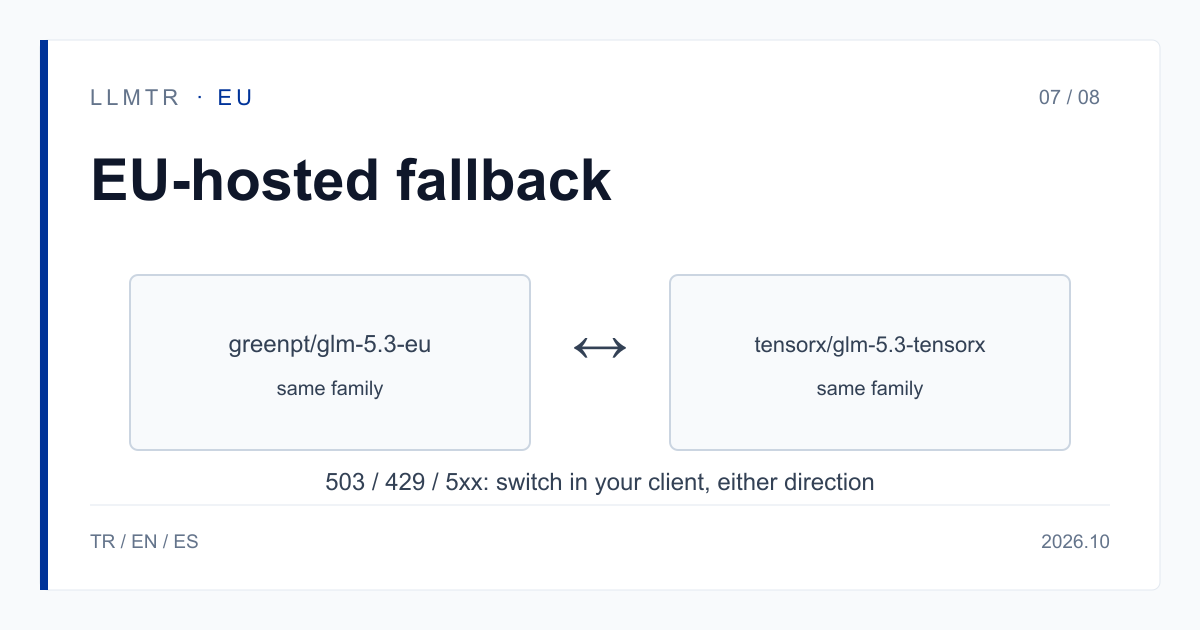
Short answer: switch to the other row of the same family
LLMTR (llmtr.com) is a gateway that gives access to language models hosted in Türkiye and at global providers through one OpenAI-compatible API. When the EU-hosted model you call returns an error, you do not need a new contract: the same API key and the same balance call the other row of the same model family. If your primary is greenpt/glm-5.3-eu, the fallback is tensorx/glm-5.3-tensorx; if your primary is tensorx/glm-5.3-tensorx, the fallback is greenpt/glm-5.3-eu. The base URL stays https://llmtr.com/v1 and only the model string changes.
LLMTR does not switch providers by itself; your client does. For the models in this category, processing inside the European Union is what the provider states; LLMTR has not independently verified it. Each provider needs its own data-transfer consent; without it the request is refused with 403 provider_consent_required.
An EU-hosted model returns an error: how to fall back without leaving the EU
Start with the type of error. A fallback makes sense on 503 model_unavailable, 429, other 5xx errors, timeouts and connection errors, because the request is valid but the row you called is not answering right now. Sending the same request to the other row of the same family is reasonable. Try at most one fallback row per request; if both fail, pass the error on to your application as it is.
Do not fall back on 400. unsupported_input or invalid_request means the request itself has a problem, such as an image sent to a row without image input. The other row can refuse the same request, so fix the request first.
Do not fall back on 403 either. provider_consent_required means the data-transfer consent for that provider is missing; the fix is to grant it. The provider of the row you switch to needs its consent too, because consents are per provider. model_not_allowed concerns the model scope of the API key; fix the scope.
Five same-family pairs
The pairs below are two rows of the same model family. Whichever row is your primary, the other row of the family is the fallback; a pair works in both directions. For a row without a pair, pick another EU-hosted model by need and test it on your own prompts first.
Each row's price is on its own model page; open both pages before you rely on a fallback. Do not use fallback logic for embedding rows: vectors from two different embedding rows must not be mixed in one index, so switching provider means re-embedding the corpus.
| Model family | GreenPT row | TensorX row |
|---|---|---|
| GLM-5.3 | greenpt/glm-5.3-eu | tensorx/glm-5.3-tensorx |
| GLM-5.3 Flash | greenpt/glm-5.3-flash-eu | tensorx/glm-5.3-flash-tensorx |
| DeepSeek V4 Flash 0731 | greenpt/deepseek-v4-flash-0731 | tensorx/deepseek-v4-flash-0731-tensorx |
| DeepSeek V4.1 Flash | greenpt/deepseek-v4.1-flash | tensorx/deepseek-v4.1-flash-tensorx |
| Kimi K2.7 Code | greenpt/kimi-k2.7-code-eu | tensorx/kimi-k2.7-code-tensorx |
A two-way fallback flow in Python
The complete function below tries the list of model ids you pass, in order. It moves to the next model only on status codes 429, 500, 502, 503 and 504, and on timeouts and connection errors; any other error is raised as it is. The function also returns the model id that answered, so you can log which row was used. Put your primary first in the list.
The other row comes from a different provider, so the format or length of the reply can differ. Keep the code that handles replies independent of the model id, and test the switch on your own prompts before you rely on it.
Python example that tries the other row of the same family with the same key when the primary row fails.
import os
import openai
from openai import OpenAI

client = OpenAI(base_url="https://llmtr.com/v1", api_key=os.environ["LLMTR_API_KEY"])

FALLBACK_STATUS = (429, 500, 502, 503, 504)

def complete(messages, models):
    last_error = None
    for model_id in models:
        try:
            reply = client.chat.completions.create(
                model=model_id,
                messages=messages,
                max_tokens=500,
            )
            return reply.choices[0].message.content, model_id
        except openai.APIStatusError as e:
            # 400 and 403 are request or permission problems: re-raise them.
            if e.status_code not in FALLBACK_STATUS:
                raise
            last_error = e
        except (openai.APITimeoutError, openai.APIConnectionError) as e:
            last_error = e
    raise last_error

# Put your primary first; the pair works in either order.
models = ["greenpt/glm-5.3-eu", "tensorx/glm-5.3-tensorx"]
text, used = complete([{"role": "user", "content": "Summarize this paragraph: ..."}], models)
print(used, text[:80])
Prepare consents and key scope before you need them
A fallback path only helps if it is prepared in advance. In Dashboard > Settings > Data-transfer consents, grant both the GreenPT and the TensorX consent. A consent is account-level, applies to every API key of the account and can be withdrawn in the same place. Without it the request does not reach the provider and is not billed. Instead of trying the fallback row for the first time during an outage, send one small request to it right after granting the consents.
If you scope your API key to selected models, add both model ids of the pair; a model outside the scope returns 403 model_not_allowed. A key can be limited to at most 50 selected models. LLMTR does not store prompt and response bodies; it keeps metadata such as model id, token counts, latency, HTTP status, cost in USD and the first 12 characters of the key.
Getting started on LLMTR: account, credit, consents, key and first request
Step 1: create an account at llmtr.com and verify your email. Step 2: top up credit from the Dashboard. An 8% platform margin is added once on the requested amount; for example, a $10.00 credit is charged $10.80. Each call is then deducted at the model's catalog price.
Step 3: grant the GreenPT and TensorX consents under Settings > Data-transfer consents. Step 4: create a key under Dashboard > API Keys; the raw key is shown only once, so store it as LLMTR_API_KEY. Then send the first request to https://llmtr.com/v1 with the code above. The same key and balance work for every model; switching models means changing the model string.
Set up a two-way fallback for EU-hosted models
Four steps: account and credit, data-transfer consents for both providers, an API key, and a first request that uses the fallback flow.
- Account and credit. Create an account at llmtr.com, verify your email and top up credit from the Dashboard. An 8% platform margin is added once; a $10.00 credit is charged $10.80.
- Data-transfer consents. Under Dashboard > Settings > Data-transfer consents, grant the GreenPT and TensorX consents. Without one, the request is refused with 403 provider_consent_required.
- API key. Create a key under Dashboard > API Keys. If you use a model scope, add both model ids of the pair. Store the raw key as LLMTR_API_KEY.
- First request. Send the first request to https://llmtr.com/v1 with the complete function from this article. If the primary row returns 503 or 429, the next row in the list is tried.
Frequently asked questions
Does LLMTR switch to another model automatically when a model returns an error?
No. LLMTR does not switch providers by itself. Your client catches the error and calls the other row of the same family with the same key; a pair works from GreenPT to TensorX and from TensorX to GreenPT.
Which errors should trigger a fallback?
503 model_unavailable, 429, other 5xx errors, timeouts and connection errors. A 400 is a request problem, 403 provider_consent_required means a consent is missing and 403 model_not_allowed points to the key scope; a fallback does not fix those.
Do I need a separate account or consent for the other provider?
No separate account: the same key and balance work. The data-transfer consent is per provider, though; the GreenPT consent does not cover TensorX rows and the TensorX consent does not cover GreenPT rows. Grant both beforehand.