Model comparison · 2026-10-10
TensorX API: EU-Hosted Models Through One API
Access TensorX models through LLMTR with one OpenAI-compatible API: 12 chat and 1 embedding model, price table, data-transfer consent and a Python example.
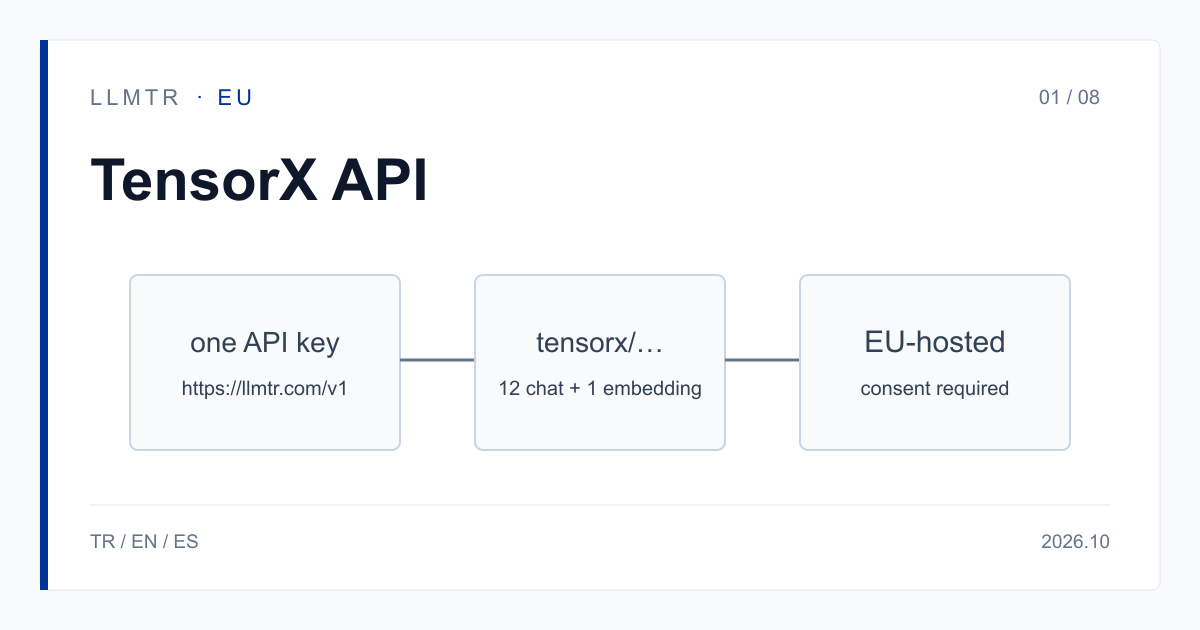
Short answer: one endpoint for TensorX models
LLMTR (llmtr.com) is a gateway that gives access to language models hosted in Türkiye and at global providers through one OpenAI-compatible API. To call TensorX models, set base_url to https://llmtr.com/v1 and put an id such as tensorx/kimi-k3-tensorx in the model field. Nothing else changes; any OpenAI-compatible SDK works.
Before the first call, the account must grant the TensorX data-transfer consent. Without it, a request returns 403 provider_consent_required; it does not reach TensorX and is not billed.
How to access TensorX models through one API
LLMTR lists 12 TensorX chat models and 1 embedding model. The provider key is tensorx and every model id has the form tensorx/<model>-tensorx, for example tensorx/glm-5.3-flash-tensorx. The chat models answer on /v1/chat/completions and /v1/messages; the embedding model is called through /v1/embeddings. TensorX rows do not support /v1/responses; a request to that endpoint returns 400 unsupported_operation.
TensorX rows in the catalog carry TensorX's own USD list price, and nothing is added to the token price. Prices are per 1M tokens, and the date they were checked is in the table caption.
For the models in this category, processing inside the European Union is what the provider states; LLMTR has not independently verified it. This applies to the TensorX rows as well.
Selected TensorX models: context and price
The table shows a selection of the TensorX rows on LLMTR; the full list is on the documentation page. Prices are USD per 1M tokens. The cache-read price applies only when the provider reports tokens read from its cache; otherwise input is billed at the input rate. No cache hit rate is promised.
| Model id | Context (tokens) | Input / cache read / output ($) | Image input | Reasons by default |
|---|---|---|---|---|
| tensorx/kimi-k3-tensorx | 1,048,576 | 3.00 / 0.75 / 15.00 | Yes | Yes |
| tensorx/kimi-k2.7-code-tensorx | 262,144 | 1.25 / 0.31 / 4.50 | Yes | Yes |
| tensorx/glm-5.3-tensorx | 1,048,576 | 1.75 / 0.44 / 4.50 | No | Yes |
| tensorx/glm-5.3-flash-tensorx | 1,048,576 | 0.20 / 0.05 / 0.50 | Yes | Yes |
| tensorx/minimax-m3-tensorx | 1,048,576 | 0.40 / 0.10 / 2.00 | Yes | Yes |
| tensorx/deepseek-v4-pro-0813-tensorx | 1,048,576 | 2.00 / 0.50 / 4.00 | No | No |
| tensorx/deepseek-v4.1-flash-tensorx | 1,048,576 | 0.50 / 0.13 / 1.50 | Yes | No |
| tensorx/deepseek-v4-flash-0731-tensorx | 1,048,576 | 0.25 / 0.06 / 0.30 | No | No |
| tensorx/qwen3.8-2.4t-a95b-tensorx | 262,144 | 2.50 / 0.63 / 6.00 | No | Yes |
| tensorx/qwen3.8-27b-tensorx | 262,144 | 0.40 / 0.10 / 2.40 | Yes | Yes |
| tensorx/qwen3.8-flash-next-tensorx | 262,144 | 0.20 / 0.05 / 0.50 | Yes | Yes |
| tensorx/qwen3-embedding-8b-tensorx (embedding) | 40,960 | 0.02 (input only) | — | — |
Capabilities and request behavior
All twelve chat rows support tool (function) calling and SSE streaming. In a stream, usage is reported when the client sends include_usage set to true in stream_options.
Image input works only on rows where the Image input column says Yes. Sending an image to any other row is refused with 400 unsupported_input and is not billed. The reasoning_effort parameter is not supported on TensorX rows; a request carrying it is refused with 400 invalid_request, is not sent and is not billed.
On rows that reason by default, those tokens are billed as output. If a reply comes back with finish_reason length, raise max_tokens and retry. The example below calls tensorx/kimi-k3-tensorx with a generous max_tokens for that reason; the code runs once the consent is granted.
Python example calling tensorx/kimi-k3-tensorx through LLMTR.
import os
from openai import OpenAI

client = OpenAI(base_url="https://llmtr.com/v1", api_key=os.environ["LLMTR_API_KEY"])

# The TensorX data-transfer consent must be granted in Settings first.
# Reasoning tokens are billed as output, so leave room in max_tokens.
reply = client.chat.completions.create(
    model="tensorx/kimi-k3-tensorx",
    messages=[{"role": "user", "content": "Summarize this paragraph: ..."}],
    max_tokens=1000,
)
print(reply.choices[0].message.content)
Data-transfer consent and one key
TensorX rows are consent-gated, like GreenPT rows. The consent is granted in Dashboard > Settings > Data-transfer consents, it is account-level and applies to every API key of the account, and it can be withdrawn in the same place. Consent is per provider: a GreenPT consent does not cover TensorX, and a TensorX consent does not cover GreenPT. What is transferred is the request content needed to produce the answer; account details such as name and e-mail are not transferred.
For the models in this category, processing inside the European Union is what the provider states; LLMTR has not independently verified it. The provider also states that inputs are not used for model training. Your GDPR assessment stays your own responsibility; this information supports it and does not settle it.
One API key and one credit balance work for TensorX, GreenPT and every other model in the catalog. Changing provider means changing the model string. You can scope a key to selected models; a call to any other model returns 403 model_not_allowed.
Getting started on LLMTR: account, credit, consent, key and first request
Step 1: create an account at llmtr.com and verify your email. Step 2: top up credit from the Dashboard. An 8% platform margin is added once to the requested amount; for example, a $10.00 credit is charged $10.80. Each call is then deducted at the model's catalog price.
Step 3: grant the TensorX data-transfer consent in Settings. Step 4: create a key under Dashboard > API Keys; the raw key is shown only once, so store it in an environment variable such as LLMTR_API_KEY. Then send the first request to https://llmtr.com/v1 with the code above. If you skip the consent, the first request returns 403 provider_consent_required.
See the TensorX documentation page for details.
Call TensorX models through LLMTR
Create an account and top up credit, grant the TensorX data-transfer consent, create an API key and send the first TensorX request to https://llmtr.com/v1.
- Account and credit. Create an account at llmtr.com, verify your email and top up credit from the Dashboard. An 8% margin is added once; a $10.00 credit is charged $10.80.
- TensorX data-transfer consent. Grant the TensorX consent in Dashboard > Settings > Data-transfer consents. Without it, requests return 403 provider_consent_required.
- API key. Create a key under Dashboard > API Keys. The raw key is shown only once; store it as the LLMTR_API_KEY environment variable.
- First request. Send the first request to https://llmtr.com/v1 with an OpenAI-compatible SDK, using tensorx/kimi-k3-tensorx as the model.
Frequently asked questions
How many TensorX models does LLMTR offer?
12 chat models and 1 embedding model. The ids have the form tensorx/<model>-tensorx and are all called through the OpenAI-compatible API at https://llmtr.com/v1.
Why does a TensorX request return 403 provider_consent_required?
The account has not granted the TensorX data-transfer consent. Grant it in Dashboard > Settings > Data-transfer consents. A request without it does not reach TensorX and is not billed; a GreenPT consent does not cover TensorX.
Do I need a separate account or key for TensorX?
No. The same LLMTR API key and credit balance work for TensorX, GreenPT and every other model. You only need to grant the TensorX data-transfer consent.