Integration guides · 2026-10-10
Step 5 Preview API: OpenAI-compatible access, 1M context and pricing
Call StepFun Step 5 Preview as stepfun/step-5-preview through an OpenAI-compatible API: a 1,024,000-token context and $1.00 per 1M input tokens.
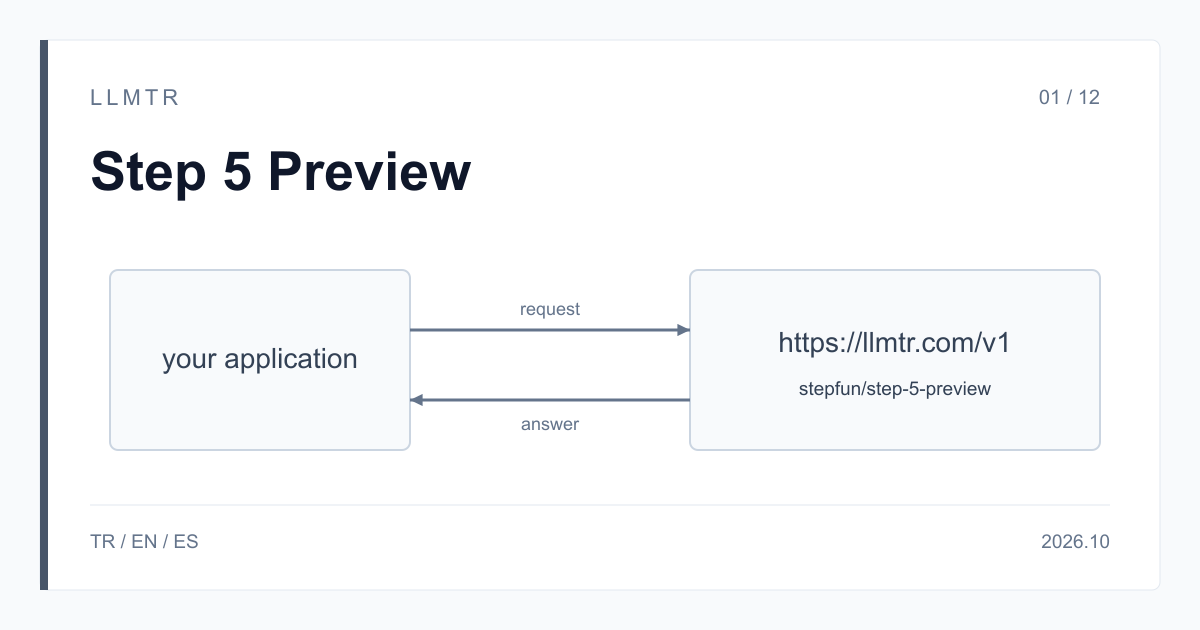
Short answer: one API, model id stepfun/step-5-preview
LLMTR (llmtr.com) is a gateway that gives access to language models hosted in Turkey and at global providers through a single OpenAI-compatible API. You can call StepFun's Step 5 Preview there with the model id stepfun/step-5-preview at the https://llmtr.com/v1/chat/completions endpoint. No separate StepFun account is needed; your LLMTR API key and the https://llmtr.com/v1 base URL are enough.
Step 5 Preview is the preview release of the model StepFun built for agentic work, aimed at software development, professional knowledge work including finance, multi-step tool-using flows and long-document analysis. On LLMTR the context window is 1,024,000 tokens, and it is billed per 1M tokens at $1.00 for input, $0.10 for cached input and $2.70 for output. The model takes text, image and video input and returns text.
How to use the StepFun Step 5 Preview API with the OpenAI SDK
In an existing OpenAI client, three values change: base_url becomes https://llmtr.com/v1, api_key holds your LLMTR key and the model string becomes stepfun/step-5-preview. The request body, message format and response fields are the same as in Chat Completions. The curl request below asks for the root cause of an error line and sends reasoning_effort as medium.
The answer arrives in message.content and the model's reasoning text in message.reasoning_content. Token counts are in the usage object, and the charge is calculated from those counts at the catalog price. To switch to another model in the catalog with the same key, you only change the model string.
curl request asking for the root cause of an error line, with reasoning_effort medium and a 4,096-token budget.
curl https://llmtr.com/v1/chat/completions \
  -H "Authorization: Bearer $LLMTR_API_KEY" \
  -H "Content-Type: application/json" \
  -d '{
    "model": "stepfun/step-5-preview",
    "messages": [
      {"role": "system", "content": "Answer briefly."},
      {"role": "user", "content": "Find the root cause in this error log and suggest a fix: TypeError: Cannot read properties of undefined (reading id) at saveOrder (orders.js:42)"}
    ],
    "reasoning_effort": "medium",
    "max_tokens": 4096
  }'
Price, context and features
StepFun describes the model with a 1M-token context on its own page; the value in the LLMTR catalog is 1,024,000 tokens, and the prompt plus conversation history must fit in that window. The prices match the figures in StepFun's pricing table. No end date or later price has been published for the preview release. The catalog shows the model with the Beta label, while StepFun calls the release Preview.
StepFun states a 64K-token output for this model. For requests where you expect long output, such as a long report or a large code change, check finish_reason in the response: the value length means the output was cut at the max_tokens budget.
| Property | Value |
|---|---|
| Model id | stepfun/step-5-preview |
| Endpoint | /v1/chat/completions |
| Context window | 1,024,000 tokens |
| Input (per 1M tokens) | $1.00 |
| Cached input (per 1M tokens) | $0.10 |
| Output (per 1M tokens) | $2.70 |
| reasoning_effort | low, medium, high |
| Input types | text, image, video |
| Catalog label | Beta |
reasoning_effort and the max_tokens budget
Step 5 Preview reasons before it answers even when you send no reasoning_effort; the parameter only selects how deep it goes. The accepted values are low, medium and high, and a request with xhigh or max is refused with 400. You can also put the level on the model id as a suffix: stepfun/step-5-preview:low reasons briefly, stepfun/step-5-preview:high reasons more deeply.
Reasoning tokens are counted in usage.completion_tokens and billed at the output price of $2.70 per 1M tokens. Because reasoning is drawn from the max_tokens budget, a small budget can stop the model before it writes the answer. Such a response arrives with finish_reason: length and should be treated as incomplete; in a non-streaming call, content then carries the cut-off reasoning text. Keep the budget at a few thousand tokens even when you expect a short answer.
OpenAI Python SDK with reasoning_effort low, a 4,096-token budget and a finish_reason check.
from openai import OpenAI

client = OpenAI(base_url="https://llmtr.com/v1", api_key="llmtr-your_key")

response = client.chat.completions.create(
    model="stepfun/step-5-preview",
    messages=[{"role": "user", "content": "List the findings these three reports share."}],
    reasoning_effort="low",
    max_tokens=4096,
)
choice = response.choices[0]
if choice.finish_reason == "length":
    print("Incomplete answer: raise max_tokens")
else:
    print(choice.message.content)
print(response.usage)
Prompt cache, streaming, tool calling and JSON output
StepFun caches repeated prompt prefixes of 256 tokens or more automatically; there is nothing to mark in the request. The number of tokens read from cache is returned in usage.prompt_tokens_details.cached_tokens, and those tokens are billed at $0.10 per 1M tokens; there is no separate charge for writing to the cache. The cache is a discount, not a guarantee: putting the long, fixed part, such as the system message, a document or tool definitions, at the start of the prompt raises the chance of a hit.
With stream: true the answer streams in chunks and the final chunk carries the exact token usage. In tool calling, when the model calls a tool, finish_reason is tool_calls, and you send the tool result back in the next turn as a message with role tool. response_format accepts json_object, and Step 5 Preview also produces output that conforms to a schema you pass with json_schema and strict: true.
Getting started on LLMTR: account, key and first request
Step 1: create an account at llmtr.com and add prepaid credit. Step 2: create a key under Dashboard > API Keys; the raw key is shown only once, so store it in an environment variable such as LLMTR_API_KEY. Step 3: send the first request with any OpenAI-compatible SDK to https://llmtr.com/v1, with stepfun/step-5-preview as the model.
Each request is deducted from your credit at the catalog price, and usage appears per key on the usage page in the Dashboard. No margin is added to this model's price; LLMTR's 8% platform fee is taken only when you top up credit. Image and video input and the comparison with Step 3.7 Flash are covered in the other two articles of this series.
Call Step 5 Preview through LLMTR
Create an account, create an API key and send the first request to https://llmtr.com/v1/chat/completions with stepfun/step-5-preview.
- Account. Create an account at llmtr.com and add prepaid credit.
- API key. Create a key under Dashboard > API Keys. The raw key is shown once; store it as the LLMTR_API_KEY environment variable.
- First request. In an OpenAI-compatible SDK, change base_url and api_key and send the first request to https://llmtr.com/v1 with stepfun/step-5-preview as the model.
Frequently asked questions
How much does the Step 5 Preview API cost?
On LLMTR, stepfun/step-5-preview costs $1.00 per 1M input tokens, $0.10 per 1M cached input tokens and $2.70 per 1M output tokens. Reasoning tokens are billed at the output price.
How large is the Step 5 Preview context window?
The LLMTR catalog lists 1,024,000 tokens; StepFun writes it as 1M tokens. StepFun also states a 64K-token output for this model.
Can I use Step 5 Preview with the OpenAI SDK?
Yes. Set base_url to https://llmtr.com/v1, api_key to your LLMTR key and model to stepfun/step-5-preview; requests go to the /v1/chat/completions endpoint.