Model comparison · 2026-10-10
Step 5 Preview or Step 3.7 Flash? Context and cost for agent work
Compare Step 5 Preview and Step 3.7 Flash: 1,024,000 and 256,000-token context, prices per 1M tokens, json_schema and the cost of one agent turn.
Short answer: choose by context length and schema needs
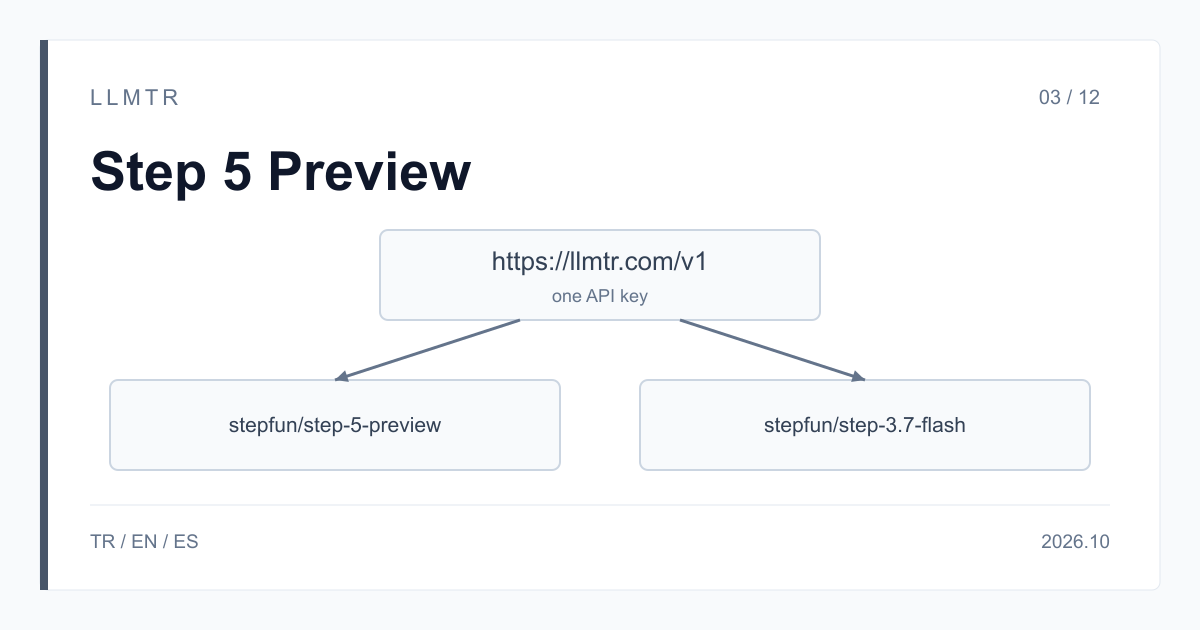
LLMTR (llmtr.com) is a gateway that gives access to language models hosted in Turkey and at global providers through a single OpenAI-compatible API. Both StepFun models are called with the same LLMTR API key at the https://llmtr.com/v1/chat/completions endpoint. stepfun/step-5-preview has a 1,024,000-token context and costs $1.00 per 1M input tokens and $2.70 per 1M output tokens; stepfun/step-3.7-flash has a 256,000-token context and costs $0.20 for input and $1.15 for output.
Three questions decide it: does the prompt plus conversation history go past 256,000 tokens, must the output conform to a JSON schema you supply, and how much does the unit cost of an agent turn matter. If the answer to either of the first two is yes, choose Step 5 Preview. If both are no, Step 3.7 Flash takes the same kinds of input at a lower price per token.
Step 5 Preview or Step 3.7 Flash for agent work?
Long-context agent work suits Step 5 Preview: several source documents, a long tool-call history or files selected from a codebase can pass 256,000 tokens in one request. StepFun describes Step 5 Preview for software development, professional knowledge work including finance, and multi-step tool-using flows. It carries the Beta label in the catalog.
Short-context turns that repeat often, such as summarising a tool's output, choosing the next step or interpreting a screenshot, run on Step 3.7 Flash at a lower unit price; this model carries the Stable label in the catalog. For schema-bound output: in the LLMTR catalog, schema-enforced output with json_schema is declared for Step 5 Preview, while the JSON output declared for Step 3.7 Flash is json_object.
Side by side: context, price and features
The table below shows the values of both rows in the LLMTR catalog. The prices match StepFun's pricing table and are per 1M tokens; on both models, reasoning tokens are billed at the output price.
Both models reason even when you send no reasoning_effort, accept the low, medium and high levels and return 400 for xhigh or max. Both take images and video as base64 data URLs, call tools and return usage in the final streaming chunk.
| Property | stepfun/step-5-preview | stepfun/step-3.7-flash |
|---|---|---|
| Context window | 1,024,000 tokens | 256,000 tokens |
| Input | $1.00 | $0.20 |
| Cached input | $0.10 | $0.04 |
| Output (reasoning included) | $2.70 | $1.15 |
| reasoning_effort | low, medium, high | low, medium, high |
| Input types | text, image, video | text, image, video |
| Tool calling | yes | yes |
| JSON output | json_object, json_schema | json_object |
| Catalog label | Beta | Stable |
What one agent turn costs: a worked example
Example turn: a 200,000-token prompt, 150,000 tokens of which are cached from the previous turn, and 4,000 output tokens including reasoning. On Step 5 Preview that is 50,000 x $1.00 / 1M = $0.05, 150,000 x $0.10 / 1M = $0.015 and 4,000 x $2.70 / 1M = $0.0108, for a total of $0.0758. On Step 3.7 Flash the same turn comes to $0.01 + $0.006 + $0.0046 = $0.0206.
A cache hit is not guaranteed. If the whole prompt is billed at the input price, the same turn costs $0.2108 on Step 5 Preview and $0.0446 on Step 3.7 Flash. A 600,000-token prompt fits only in the Step 5 Preview window, and its uncached input comes to $0.60. The two models can produce different numbers of reasoning tokens for the same job, so the example only shows the difference in unit prices; base the decision on the usage values of your own requests.
Using both models in the same agent
Because the API key, base URL and message format are the same, you can run both models in one agent. The Python example below picks the model from the estimated token count of the request and whether a schema is needed. The threshold is set at 250,000 so that the output still has room in Step 3.7 Flash's 256,000-token window.
When you change models from one turn to the next, the conversation history is sent in the same format; tool definitions are the same on both models, and a tool result comes back in a message with role tool. Giving planning and long source-reading turns to Step 5 Preview and short tool-result summaries to Step 3.7 Flash is one example of a split. Compare the two models' answers on the same samples from your own workload.
Python example that chooses between stepfun/step-5-preview and stepfun/step-3.7-flash from the estimated token count and the need for a schema.
from openai import OpenAI

client = OpenAI(base_url="https://llmtr.com/v1", api_key="llmtr-your_key")

def pick_model(prompt_tokens: int, needs_schema: bool) -> str:
    # Step 3.7 Flash has a 256,000-token window; leave room for the output.
    if prompt_tokens > 250_000 or needs_schema:
        return "stepfun/step-5-preview"
    return "stepfun/step-3.7-flash"

response = client.chat.completions.create(
    model=pick_model(prompt_tokens=12_000, needs_schema=False),
    messages=[{"role": "user", "content": "Summarise the failing test output and propose the next step."}],
    reasoning_effort="low",
    max_tokens=4096,
)
print(response.model, response.choices[0].finish_reason, response.usage)
Getting started on LLMTR: try both models on your own work
Step 1: create an account at llmtr.com and add prepaid credit. Step 2: create a key under Dashboard > API Keys and store it in the LLMTR_API_KEY environment variable. Step 3: send the same request to https://llmtr.com/v1 first with stepfun/step-3.7-flash, then with stepfun/step-5-preview, and compare the usage values in the responses.
Each request is deducted from your credit at the catalog price of the model used, and usage appears per key in the Dashboard. No margin is added to the price of these two models; LLMTR's 8% platform fee is taken only when you top up credit.
Compare Step 5 Preview and Step 3.7 Flash on your own work
Send the same request to both models with one LLMTR key and compare the answers together with their usage values.
- Key. Create an account at llmtr.com, add credit and create a key under Dashboard > API Keys.
- Same request. Send the same messages to https://llmtr.com/v1/chat/completions first with stepfun/step-3.7-flash, then with stepfun/step-5-preview.
- Compare. Compare the quality of the answers and the input, cached and output token counts in usage, then choose the model.
Frequently asked questions
What is the price difference between Step 5 Preview and Step 3.7 Flash?
Per 1M tokens, Step 5 Preview costs $1.00 for input, $0.10 for cached input and $2.70 for output; Step 3.7 Flash costs $0.20 for input, $0.04 for cached input and $1.15 for output.
Does Step 3.7 Flash produce schema-enforced output with JSON Schema?
In the LLMTR catalog, schema-enforced output with json_schema is declared for Step 5 Preview. The JSON output declared for Step 3.7 Flash is json_object through response_format.
What changes in my code to switch between the two models?
Only the model string changes: stepfun/step-5-preview or stepfun/step-3.7-flash. The base URL https://llmtr.com/v1, the API key, the message format and the tool definitions stay the same.