Integration guides · 2026-09-29
Turkish support ticket classification API: automatic routing with Laya
Classify Turkish support tickets by team, urgency and frustration in one request. Question design, request body, thresholds, human handoff and cost with Laya.
Short answer: one request, three decisions
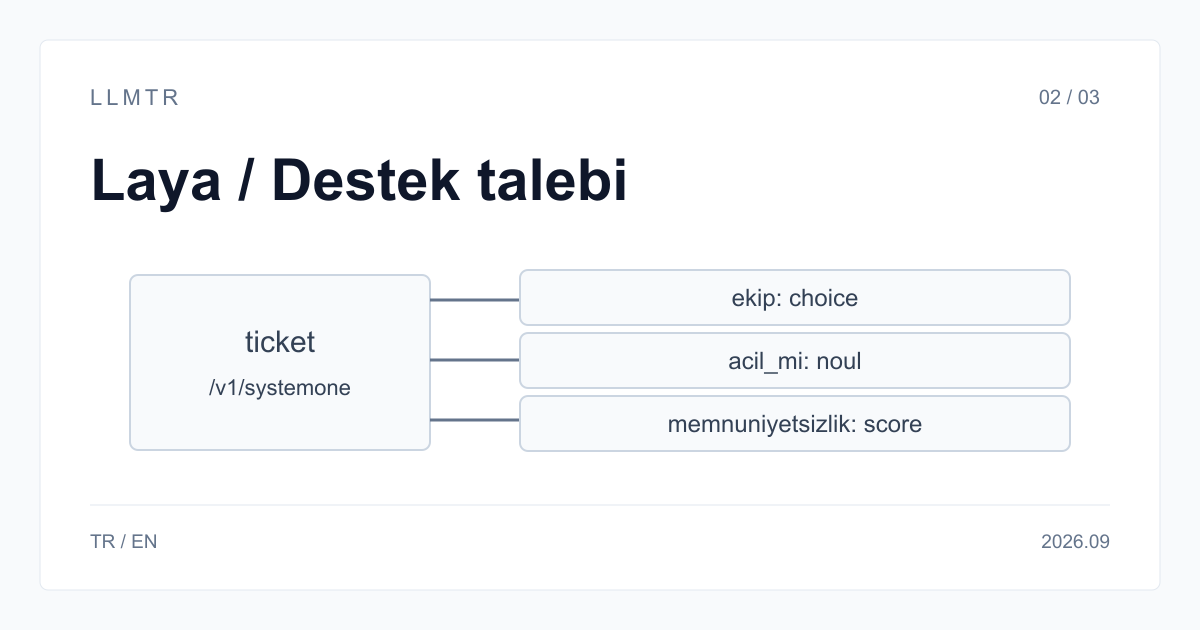
To route a support ticket to the right team you usually need three things: which team owns it, whether the customer says it is urgent, and how upset they are. llmtr/laya asks all three questions about the same text in one request and returns a decision with probabilities for each. The ticket text does not leave Turkey.
This guide covers sending a choice, a noul and a score question to POST /v1/systemone, turning the returned probabilities into decisions with thresholds, and handing uncertain tickets to a person. The code assumes your LLMTR API key is in the LLMTR_API_KEY environment variable.
1. Design the questions
Each question carries a key, a type and an instruction. The key is not sent to the model and only matches the answer back, so put the whole question in the instruction. Build options from your real team names and keep descriptions to three or four keywords.
The type follows from the question. A yes/no question with one answer is a noul, a pick from a list is a choice, and an ordered scale is a score. Do not use noul to measure a level: a yes probability of 0.5 does not mean a middle level, it means the model gives both answers equal odds.
| Key | Type | Instruction | Use |
|---|---|---|---|
| ekip | choice | Which team should handle this ticket? | Writes the ticket to a team queue |
| acil_mi | noul | Does the customer say the matter is urgent? | Raises priority |
| memnuniyetsizlik | score | How upset is the customer? | Routes to a senior agent |
2. Send the request
Put the ticket text in the state field and the questions in the questions field. Instructions are in English and option descriptions in Turkish; with Turkish text, that phrasing works best on Laya. The text stays in Turkish and needs no translation.
Each key comes back with its own type: for ekip, the chosen option, the probabilities of every option and a confidence value; for acil_mi, a yes probability between 0 and 1; for memnuniyetsizlik, the position on the scale. The usage field in the response carries the input and output token counts.
Support ticket body for POST /v1/systemone
{
  "model": "llmtr/laya",
  "state": "Konu: Giriş yapamıyorum. Dünden beri şifremi sıfırlamama rağmen panele giremiyorum, yarın sabah sunum var. Lütfen acil dönün.",
  "questions": {
    "ekip": {
      "type": "choice",
      "instructions": "Which team should handle this ticket?",
      "criteria": {
        "faturalama": "fatura, ödeme, iade",
        "teknik": "hata, kesinti, giriş sorunu",
        "satis": "fiyat, paket, teklif",
        "hesap": "şifre, kullanıcı, yetki"
      }
    },
    "acil_mi": {
      "type": "noul",
      "instructions": "Does the customer say the matter is urgent?"
    },
    "memnuniyetsizlik": {
      "type": "score",
      "instructions": "How upset is the customer?",
      "criteria": [
        "Calm",
        "Annoyed but polite",
        "Very angry"
      ]
    }
  }
}
3. Turn probability into a decision with a threshold
If you only need the most likely team, reading the choice field is enough. For automatic routing, set a threshold: when the top probability is below it, leave the ticket in the general queue or with a person. The example below uses 0.6 for the team and 0.8 for urgency.
Keep thresholds and question text in one file. That is where anyone reviewing a routing mistake will look; constants scattered through the code cannot be found later. Do not drop a ticket on error: if the request fails, the ticket should go to the general queue as if there were no classification.
Write each decision and its probabilities to the ticket record. When an agent moves a ticket to another team, that is a case where the model was wrong. Collect those cases and review thresholds and option descriptions at regular intervals, so the classification stays current as your teams change.
Routing with a threshold and human handoff
import os, requests

TEAM_THRESHOLD = 0.6
URGENT_THRESHOLD = 0.8

def route(ticket_text: str, questions: dict) -> dict:
    response = requests.post(
        "https://llmtr.com/v1/systemone",
        headers={"Authorization": f"Bearer {os.environ['LLMTR_API_KEY']}"},
        json={"model": "llmtr/laya", "state": ticket_text, "questions": questions},
        timeout=30,
    )
    response.raise_for_status()
    answers = response.json()["answers"]
    team = answers["ekip"]
    top = max(team["probabilities"].values())
    return {
        "queue": team["choice"] if top >= TEAM_THRESHOLD else "human_review",
        "urgent": answers["acil_mi"]["noul"] >= URGENT_THRESHOLD,
    }
4. Phrasing for Turkish text
Laya understands Turkish text; what moves the result most is how the questions are written. Before going live, run the same question set on 50 to 100 of your own past tickets and set thresholds from those results.
- Write yes/no and score instructions in English; the ticket text can stay in Turkish.
- Keep choice descriptions short and in Turkish: keywords such as fatura, ödeme, iade are enough.
- Do not rely on a catch-all option such as diger being picked; treat a low top probability as uncertain.
- For long threads, send only the subject line and the latest customer message.
5. Cost and limits
Laya charges $0.03 per 1M input tokens and output is free. It counts the text once per question: with this guide's three questions a 300-token ticket comes to about 900 input tokens, so ten thousand tickets are 9 million tokens, about $0.27. Drop any question you will not use. No platform margin is added to the model price; the balance is charged from the input token count in the response.
llmtr/laya works with a 1,024-token context, which fits one ticket rather than a long conversation history. A request can carry up to 64 questions, and a choice question up to 100 options. A request over a limit returns 413, an invalid question definition returns 422, and the message names the question at fault. The endpoint does not stream; the response arrives in one piece.
Classify Turkish support tickets with Laya
Determine a support ticket's team, urgency and frustration level in one request with llmtr/laya and route it with a threshold.
- Design the questions. Define a choice for the team, a noul for urgency and a score for frustration; write instructions in English and option descriptions in Turkish.
- Send the request. Put the ticket in state and the questions in questions, and send them with model llmtr/laya to POST /v1/systemone.
- Set thresholds. When the top probability is below the threshold, hand the ticket to a person; keep thresholds in one file.
- Measure on your own samples. Before going live, check results on 50 to 100 past tickets and adjust the thresholds.
Frequently asked questions
Do I need to translate tickets into English?
No. llmtr/laya evaluates Turkish text directly. Only yes/no and score instructions are best written in English; choice option descriptions can stay in Turkish.
What happens when the model is unsure?
Laya still returns a decision, but the probability distribution is flat. Compare the top probability with a threshold and hand tickets below it to a person. Set the threshold on your own samples.
Do support tickets leave Turkey?
No. Laya is hosted in Turkey and request content does not leave the country. For tickets carrying personal data, that removes the cross-border transfer question for this call; your other KVKK obligations remain yours.
Related posts
- Laya: the first Turkey-hosted System One decision model
- Choosing a text classification model: Laya, Laya English and Laya Typed Decisions
- Routing support requests to the right team with Jev
- Claude Haiku 4.5: the first stop for classification, support, and summarization before Opus
- How to choose a local AI model for LLM API production use