RAG and data · 2026-10-12
YandexGPT JSON output: extracting structured data from text with 5.1 Pro
Extract invoice number, date, total and currency code from free text as JSON with yandex/yandexgpt-5.1-pro: the prompt, validation and cost.
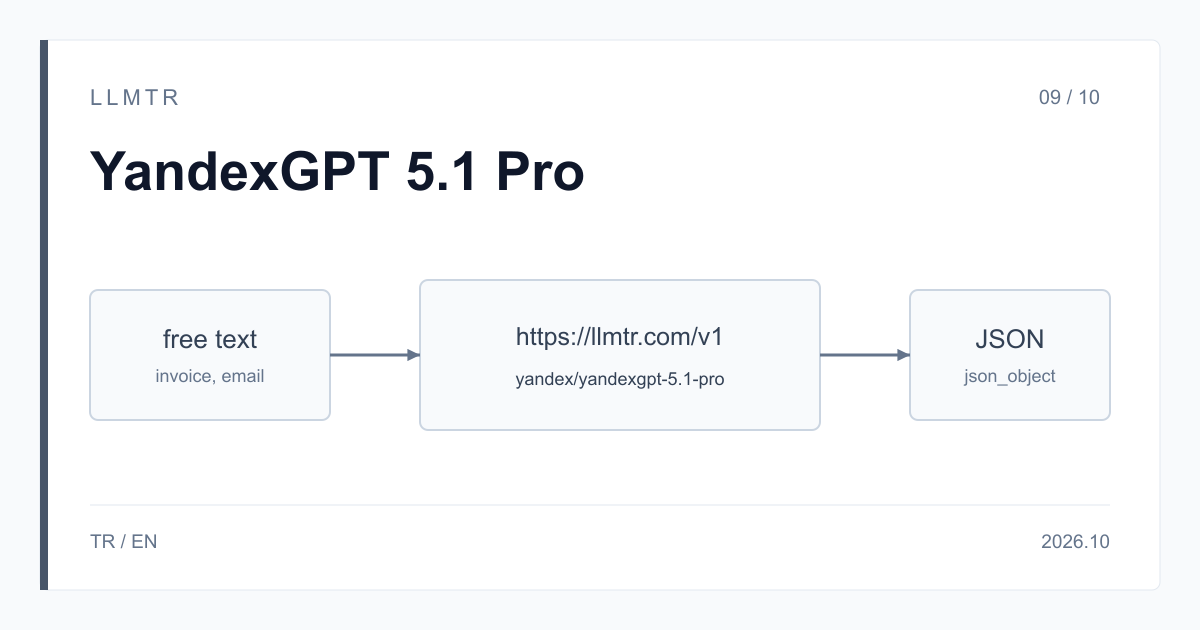
Short answer: response_format json_object and an explicit prompt
LLMTR (llmtr.com) is a gateway that gives access to language models hosted in Turkey and at global providers through a single OpenAI-compatible API. YandexGPT 5.1 Pro is called there with the id yandex/yandexgpt-5.1-pro on the /v1/chat/completions endpoint at https://llmtr.com/v1.
To extract structured data from free text, add response_format {"type": "json_object"} to the request, say explicitly in the prompt that the answer must be JSON and list the keys you expect one by one. Parse the answer with json.loads, check the keys and types in your own code, and repeat the request once if something fails. The LLMTR catalog describes 5.1 Pro for business text generation, document analysis and dialogue.
How to extract JSON data from text with YandexGPT 5.1 Pro
The example task: take the invoice number, the date, the total, the currency code and the counterparty's name from an email or from the text of a scanned document. The Python example below lists the five keys with their types in the system prompt, asks for a JSON object with response_format, parses the answer with json.loads and runs it through a key and type check.
If parsing or the check fails, the request is repeated once. A finish_reason of length means the answer was cut off and the JSON is incomplete; in that case the example doubles max_tokens and tries again. If the second attempt also fails, an error is raised and you can set the document aside for manual review.
An OpenAI Python SDK example that extracts invoice fields as JSON with yandex/yandexgpt-5.1-pro, validates the answer and retries once.
import json
import os
from openai import OpenAI

client = OpenAI(base_url="https://llmtr.com/v1", api_key=os.environ["LLMTR_API_KEY"])

SYSTEM = (
    "Extract invoice data from the text. Answer only with a JSON object that has exactly "
    "these keys: invoice_number (string), invoice_date (string, YYYY-MM-DD), total (number), "
    "currency (string, ISO 4217 code such as USD or EUR), counterparty (string). "
    "Use null for a value that is not in the text."
)
FIELDS = {"invoice_number": str, "invoice_date": str, "total": (int, float), "currency": str, "counterparty": str}


def check(data):
    if not isinstance(data, dict) or set(data) != set(FIELDS):
        raise ValueError("unexpected keys")
    for key, kind in FIELDS.items():
        value = data[key]
        if value is not None and (isinstance(value, bool) or not isinstance(value, kind)):
            raise ValueError("wrong type for " + key)
    return data


def extract(text, max_tokens=300):
    for attempt in range(2):
        response = client.chat.completions.create(
            model="yandex/yandexgpt-5.1-pro",
            messages=[{"role": "system", "content": SYSTEM}, {"role": "user", "content": text}],
            response_format={"type": "json_object"},
            max_tokens=max_tokens,
        )
        choice = response.choices[0]
        if choice.finish_reason == "length":
            max_tokens *= 2
            continue
        try:
            return check(json.loads(choice.message.content or ""))
        except ValueError:
            continue
    raise RuntimeError("no valid JSON after two attempts")


print(extract("Invoice INV-2026-0142 from Northwind Ltd., dated 3 October 2026. Total due: 1,250.00 EUR."))
Ask for JSON explicitly in the prompt and list the keys
Yandex's documentation on formatting model responses advises stating in the prompt as well that the answer must be JSON when you ask for JSON output. response_format only sets the format; the prompt defines which fields get filled. Write the key names, their types and what to return for a value that is not in the text (null, for example) in the prompt.
The table shows the fields in the example. Asking for one date format (YYYY-MM-DD) and an ISO 4217 code for the currency (such as USD or EUR) makes later comparison and aggregation easier. The curl request below shows the same rules in a single call.
| Key | Type | Example value |
|---|---|---|
| invoice_number | string | INV-2026-0142 |
| invoice_date | string, YYYY-MM-DD | 2026-10-03 |
| total | number | 1250 |
| currency | string, ISO 4217 code | EUR |
| counterparty | string | Northwind Ltd. |
A curl request that asks for the invoice fields with response_format json_object.
curl https://llmtr.com/v1/chat/completions \
  -H "Authorization: Bearer $LLMTR_API_KEY" \
  -H "Content-Type: application/json" \
  -d '{
    "model": "yandex/yandexgpt-5.1-pro",
    "response_format": {"type": "json_object"},
    "max_tokens": 300,
    "messages": [
      {"role": "system", "content": "Answer only with a JSON object with the keys invoice_number, invoice_date (YYYY-MM-DD), total (number), currency (ISO 4217 code) and counterparty. Use null for a missing value."},
      {"role": "user", "content": "Invoice INV-2026-0142 from Northwind Ltd., dated 3 October 2026. Total due: 1,250.00 EUR."}
    ]
}'Validation: what json_object aims for and what it does not guarantee
The goal of json_object mode is an answer that is a valid JSON object. It does not guarantee that the keys arrive with the names you asked for, that the types are right or that the values match the text. On this model response_format offers json_object only, not json_schema; schema checking happens in your code.
A practical checklist: does json.loads succeed, is the key set the expected one, is each value of the expected type or null, do the date format and the currency code follow your rule. Add business rules to this step as well, such as comparing the total with the number in the text. Ask again once for a failed answer; after a second failure, set the document aside for manual review.
A response whose finish_reason is length was cut off, and the JSON cannot be parsed. In that case raise max_tokens and try again. The longer the key list, the longer the answer; set max_tokens according to the size of the JSON you expect.
Cost and the 32,768-token context budget
On YandexGPT 5.1 Pro input and output bill at one rate: $6.557376 per 1M tokens. This price equals Yandex's published USD list price; Yandex quotes per 1,000 tokens. No margin is added to this model's price; LLMTR's 8% platform fee is charged only when you top up credit.
A worked example: for 1,000 documents of 2,000 input tokens and 300 output tokens each, the cost is 1,000 x (2,000 + 300) x $6.557376 / 1M = $15.081965, about $0.015082 per document. Every retried request is billed separately.
The context window is 32,768 tokens; the system prompt, the document text and the expected answer have to fit in it. Split longer documents into parts, get a separate JSON for each part and merge the results in your code.
Getting started on LLMTR: account, key and first request
Step 1: create an account at llmtr.com and top up prepaid credit. Step 2: create a key under Dashboard > API Keys; the raw key is shown only once, so store it in an environment variable such as LLMTR_API_KEY. Step 3: in your OpenAI-compatible SDK, set base_url to https://llmtr.com/v1, use yandex/yandexgpt-5.1-pro as the model and send the first request. The same key works for every model in the catalog.
Как извлечь данные в JSON из текста с помощью YandexGPT 5.1 Pro
LLMTR (llmtr.com) — OpenAI-совместимый API-шлюз. Модель YandexGPT 5.1 Pro вызывается по идентификатору yandex/yandexgpt-5.1-pro через https://llmtr.com/v1, запрос отправляется на /v1/chat/completions.
Чтобы получить структурированные данные, добавьте в запрос response_format с типом json_object и прямо напишите в системном промпте, что ответ должен быть в формате JSON, перечислив нужные ключи: номер счёта, дату, сумму, код валюты и контрагента. Режим json_object нацелен на синтаксически корректный JSON, но не гарантирует соответствие вашей схеме. Поэтому проверяйте ответ через json.loads и собственные проверки ключей и типов, а при ошибке повторите запрос один раз. Если finish_reason равен length, JSON обрезан: увеличьте max_tokens.
Контекст модели составляет 32 768 токенов, вход и выход стоят по 6,557376 $ за 1 млн токенов. Обработка 1 000 документов по 2 000 входных и 300 выходных токенов стоит 15,081965 $.
Практический совет: системный промпт, документ и ожидаемый ответ должны помещаться в контекст, поэтому длинные документы разбивайте на части и объединяйте результаты в своём коде.
Чтобы начать, выполните три шага:
- Создайте аккаунт на llmtr.com и пополните баланс.
- В разделе Dashboard > API Keys создайте ключ: он показывается один раз, поэтому сохраните его в переменной окружения LLMTR_API_KEY.
- Укажите base_url https://llmtr.com/v1, модель yandex/yandexgpt-5.1-pro и отправьте первый запрос.
Set up LLMTR for JSON output with YandexGPT 5.1 Pro
Create an account, create an API key and send the first request with response_format to https://llmtr.com/v1 with yandex/yandexgpt-5.1-pro.
- Account. Create an account at llmtr.com and top up prepaid credit.
- API key. Create a key under Dashboard > API Keys. The raw key is shown once; store it as the LLMTR_API_KEY environment variable.
- First request. In an OpenAI-compatible SDK, set base_url to https://llmtr.com/v1 and send the first request with yandex/yandexgpt-5.1-pro as the model.
Frequently asked questions
Does YandexGPT 5.1 Pro return JSON output?
Yes. Add response_format {"type": "json_object"} to the request and state in the prompt that the answer must be JSON. This mode aims for a valid JSON object; do the key and type checks in your own code.
Does YandexGPT 5.1 Pro support json_schema?
On LLMTR, response_format offers json_object only for this model. Write the schema rules in the prompt and, after parsing the answer with json.loads, validate the keys and types yourself.
How much does extracting data from 1,000 documents with YandexGPT 5.1 Pro cost?
Assuming 2,000 input tokens and 300 output tokens per document, 1,000 documents cost $15.081965. On YandexGPT 5.1 Pro input and output cost $6.557376 per 1M tokens.