Integration guides · 2026-08-28
Qwen-VL-OCR API: extracting image text with the right version and region
Extract image text through LLMTR with Qwen-VL-OCR. Learn the correct model identifier, image_url request format, and how to separate region from snapshot selection.
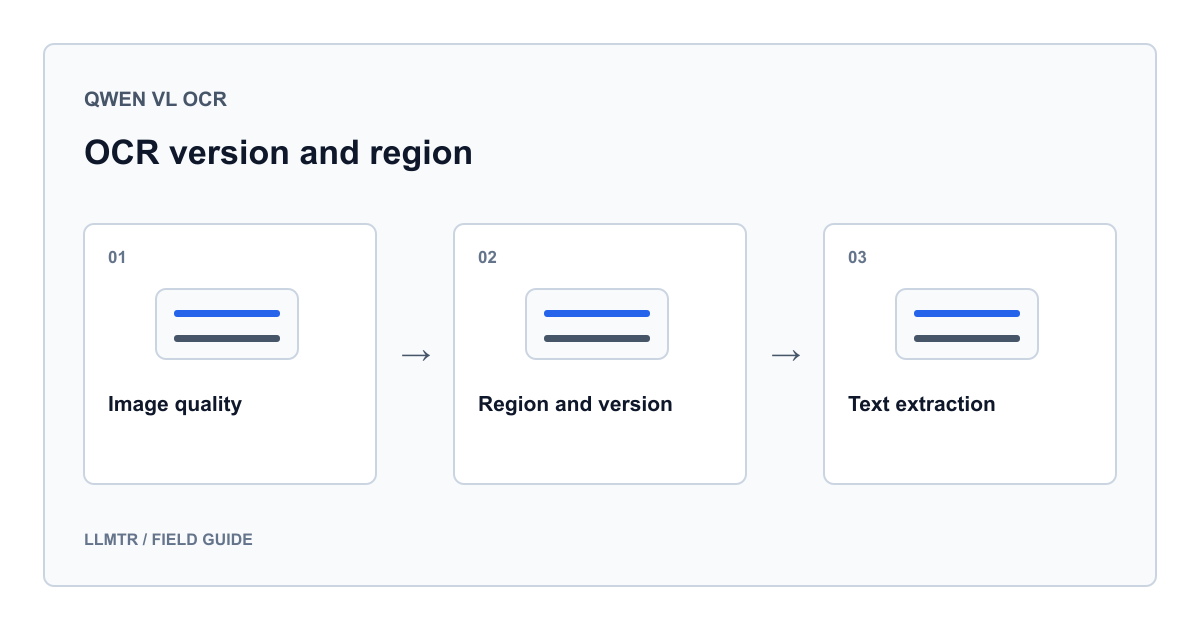
Which identifier extracts text from an image?
To extract image text through LLMTR, use qwen/qwen-vl-ocr with /v1/chat/completions and an image_url content part. Send the image in a user message alongside a short instruction describing what to read. You do not need a separate OCR endpoint.
The provider's model name is qwen-vl-ocr. The spelling qwenvl-ocr in Alibaba's documentation address is a page URL component; do not copy it into the model field. The qwen/ prefix in the LLMTR identifier also does not belong in a direct Alibaba request. Separating these three spellings prevents avoidable identifier errors.
Verify the region and dated version separately
When using Alibaba Model Studio directly, check your account's available region, that region's endpoint, and the supported model name together. When using LLMTR, keep your LLMTR base address. Replacing it with a regional provider address changes both the connection and the required credential.
The official model card inspected on August 28, 2026 lists dated versions and regional conditions separately. That does not prove LLMTR's live connection is pinned to the same snapshot. If reproducibility matters, confirm the deployed version and region separately; do not invent a dated suffix for the model identifier.
| Value | Meaning | Check |
|---|---|---|
| qwen/qwen-vl-ocr | LLMTR model identifier | Model field in an LLMTR request |
| qwen-vl-ocr | Alibaba model name | Direct provider access |
| qwenvl-ocr | Documentation URL component | Do not use as a model name |
| Region and dated version | Deployment conditions | Match access, prices, and limits together |
Prepare a safe, readable first image
In a text editor, write three lines: DEMO, Lot A17, and 12 items. Save a PNG screenshot containing only that area as ocr-demo.png. This is an example input, not a result generated or verified by the model. Visually check that it contains no names, addresses, account details, notifications, or customer documents.
Keep the text horizontal, leave the edges intact, and make characters readable without zooming. Starting with one image helps separate file preparation problems from request formatting problems. A base64 data URL embeds a local file in the request; it does not prevent the image from reaching the provider. Do not treat this method as making a confidential document safe to submit.
Send one image to LLMTR with Python
Set LLMTR_BASE_URL to your complete API base address and LLMTR_API_KEY to your LLMTR key through environment variables. Confirm that the base address already contains the API path; the code appends only /chat/completions. Keep the key out of source code, version control, and logs.
The following example uses Python's standard library without extra packages. Running it may incur a charge; it was not executed for this guide. The max_tokens value is a budget for a short demonstration, not the model's maximum. Extracted text stays in memory and is not logged.
Send ocr-demo.png without including personal data
import base64
import json
import os
from pathlib import Path
from urllib.request import Request, urlopen

image_bytes = Path("ocr-demo.png").read_bytes()
if not image_bytes.startswith(b"\x89PNG\r\n\x1a\n"):
    raise ValueError("ocr-demo.png must be a PNG image")

image_url = "data:image/png;base64," + base64.b64encode(image_bytes).decode("ascii")
payload = {
    "model": "qwen/qwen-vl-ocr",
    "messages": [{
        "role": "user",
        "content": [
            {"type": "image_url", "image_url": {"url": image_url}},
            {"type": "text", "text": (
                "Read only the visible text. Preserve line breaks. "
                "Mark unreadable characters with ?. Do not guess."
            )}
        ]
    }],
    "max_tokens": 256,
    "stream": False
}
request = Request(
    os.environ["LLMTR_BASE_URL"].rstrip("/") + "/chat/completions",
    data=json.dumps(payload).encode("utf-8"),
    headers={
        "Authorization": "Bearer " + os.environ["LLMTR_API_KEY"],
        "Content-Type": "application/json"
    },
    method="POST"
)
with urlopen(request, timeout=60) as response:
    result = json.load(response)

choice = result["choices"][0]
if choice.get("finish_reason") != "stop":
    raise RuntimeError("Review the completion status before accepting OCR text")
recognized_text = choice["message"].get("content")
if not isinstance(recognized_text, str) or not recognized_text.strip():
    raise RuntimeError("No OCR text received")
print("OCR response received; text was not logged.")
Do not automatically copy provider parameters
LLMTR's current image message format defines url and optional detail within image_url. Do not assume min_pixels and max_pixels, which Alibaba examples add to the image part, survive the same request format. Leave them out of this starter example and prepare the image before submission when necessary.
Likewise, asking for JSON does not guarantee schema compliance. Plain text in the first connection test removes an additional parsing failure. When you later extract fields, treat missing or unreadable values as unknown. A confidently worded answer is not verification.
Run a small acceptance test before changing versions
Prepare the same non-sensitive sample with different text sizes, rotation, and low contrast. Establish the expected text yourself; evaluate missing lines separately from character confusion. A successful request does not prove correct transcription. Repeat the same checks after a model or region change.
Do not accept truncated output as a completed document. Increase the budget only within verified limits, or divide the image into meaningful parts. Do not combine prices, context limits, output ceilings, or caching discounts from different versions. Numerical conditions matching the live deployment were not verified for this guide, so it makes no fixed cost or capacity promise.
Frequently asked questions
Can I put qwenvl-ocr in the model field?
No. That spelling belongs to the documentation address. Use qwen/qwen-vl-ocr for LLMTR, or the qwen-vl-ocr model name appropriate to your access when calling Alibaba directly.
Can I select a region by adding region to an LLMTR request?
The contract verified for this guide exposes no user region selector. Do not treat an extra region field as a regional guarantee; confirm your deployment requirements with LLMTR.
Can image_url contain a file path from my computer?
Do not submit the file path directly. The example reads PNG bytes and builds a base64 data URL. For a remote image, separately check access and your permission to share it.